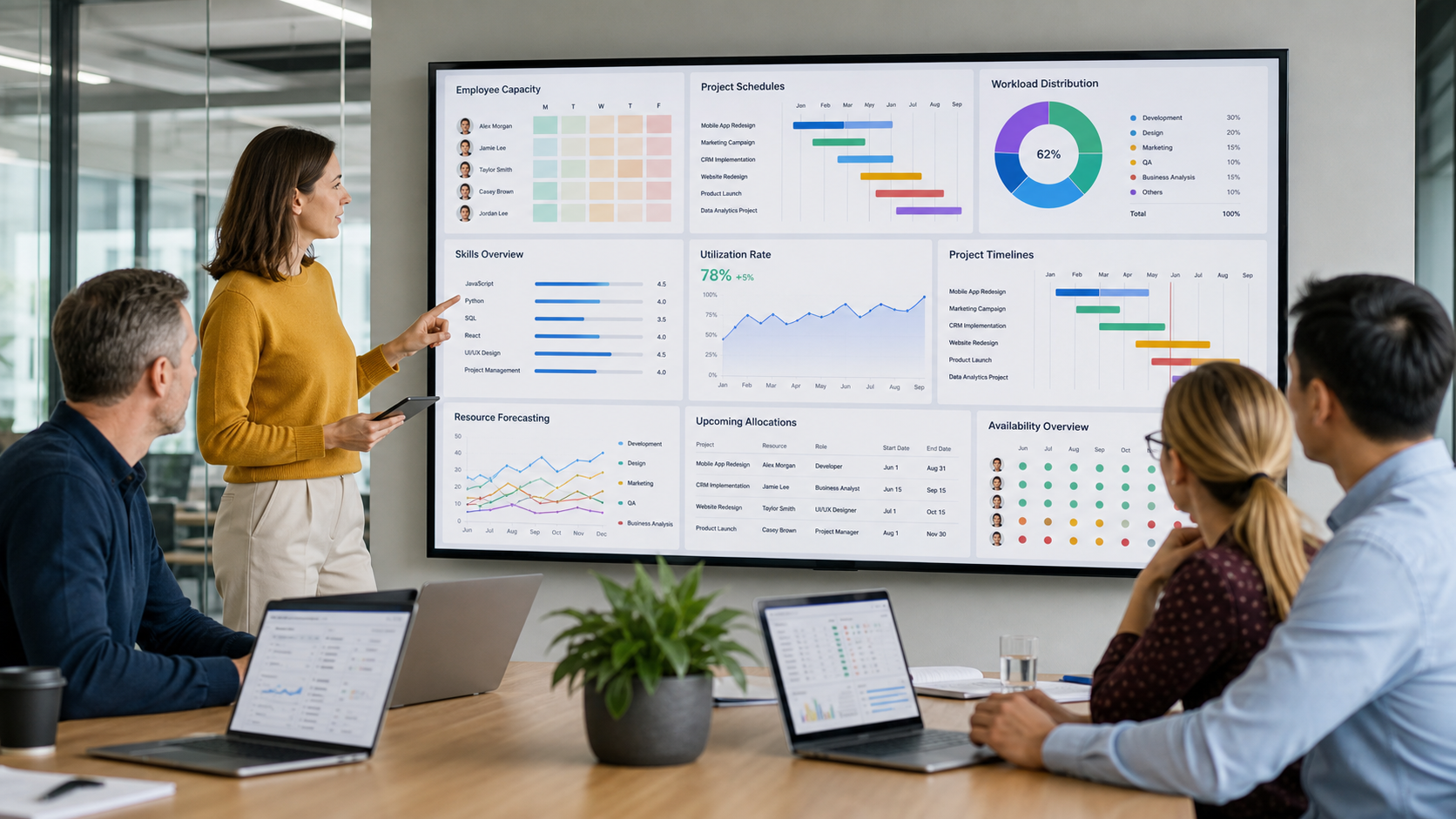
Resource Management Software: 7 Powerful Ways to Improve Team Planning
Resource management software gives organizations a structured way to understand who is available, what skills people have, where their time is being allocated, and whether upcoming projects can realistically be completed with existing capacity. Instead of relying on separate spreadsheets, messages, calendars, and assumptions, managers can use one planning environment to coordinate people, schedules, workloads, project demand, utilization, and future resource requirements. When implemented carefully, the software can help businesses reduce scheduling conflicts, identify capacity problems earlier, and make staffing decisions using clearer operational information.
Resource planning becomes more difficult as an organization grows.
A small team may be able to coordinate assignments through conversations and simple calendars.
Once several departments, projects, clients, locations, contractors, and deadlines are involved, the same approach becomes harder to maintain.
One manager may believe an employee is available while another has already scheduled that person for a different project.
A specialist may appear busy for the next month even though some of the scheduled work is likely to be delayed.
Another employee may have the exact skills required for an upcoming project but remain underused because their availability is not visible to the right manager.
Resource planning software is designed to make these situations easier to identify and manage.
What Is Resource Management Software?
Resource management software is a business planning system used to allocate and monitor organizational resources across projects, departments, clients, and time periods.
In many professional environments, the most important resource is people.
The software can help teams manage information such as:
• Employee availability
• Skills and expertise
• Project assignments
• Workload
• Capacity
• Utilization
• Leave and planned absence
• Project demand
• Contractor availability
• Cost rates
• Billable work
• Future staffing requirements
The exact functionality varies between platforms.
Some products focus primarily on employee scheduling.
Others combine resource planning with project management, time tracking, financial forecasting, portfolio management, or professional services automation.
Resource Management Software vs Project Management Software
The two categories are related, but they solve different planning problems.
Project management software focuses mainly on the work that needs to be completed.
It may organize:
• Tasks
• Deadlines
• Milestones
• Project status
• Dependencies
• Documents
• Communication
Resource management software focuses more strongly on the people and capacity required to complete that work.
It answers questions such as:
Who is available?
Who has the right skills?
Is someone overloaded?
Do we have enough capacity next month?
Which department is underused?
Will an upcoming project require additional hiring?
A business may use both systems together.
Some platforms combine the functions within one product.
Why Spreadsheets Become Difficult at Scale
Spreadsheets can be useful for simple planning.
The problem appears when information changes frequently.
A manager may update one spreadsheet while another manager continues using an older copy.
Leave may be approved without being reflected in resource planning.
Project dates may shift.
New work may arrive.
Employees may move between teams.
A static spreadsheet can quickly become outdated.
Centralized software provides a clearer source of information when several people are responsible for scheduling resources.
7 Powerful Benefits of Resource Management Software
1. Improves Workload Visibility
Managers need to understand how work is distributed across the team.
Without clear visibility, some employees can become overloaded while others have spare capacity.
Resource management software can display assignments across days, weeks, or months.
This allows managers to see:
• Who is fully allocated
• Who has available capacity
• Where assignments overlap
• Which projects require the most people
• Where upcoming capacity gaps may appear
Workload visibility can support more balanced planning.
It does not mean every employee must have exactly the same number of hours.
Different roles, responsibilities, experience levels, and project requirements naturally create different workloads.
The objective is to understand those differences instead of discovering them after deadlines are missed.
Resource Management Software and Team Capacity
Capacity represents the amount of work a person or team can realistically perform during a particular period.
A person may technically have 40 working hours in a week, but not all 40 hours are necessarily available for project delivery.
Time may also be required for:
• Meetings
• Administration
• Training
• Internal work
• Leave
• Business development
• Management responsibilities
Good capacity planning considers the actual productive availability of the team.
2. Reduces Scheduling Conflicts
Double booking is a common resource planning problem.
An employee may be assigned to multiple projects because different managers are planning independently.
The conflict may not become obvious until both projects need the person at the same time.
A centralized resource schedule can expose overlapping assignments before work begins.
Managers can then:
• Move project dates
• Reassign work
• Reduce allocation
• Use another employee
• Bring in temporary support
• Discuss priorities with stakeholders
Early visibility provides more options.
Problems discovered immediately before a deadline are usually harder to solve.
3. Matches Skills With Project Requirements
Availability alone does not make someone suitable for a project.
The person also needs appropriate skills.
Resource management software can help organizations maintain information about employee capabilities.
Skills may include:
• Software development languages
• Design expertise
• Data analysis
• Project management
• Engineering disciplines
• Languages
• Certifications
• Industry knowledge
• Client experience
• Technical platforms
• Leadership experience
Managers can use this information when planning new work.
Instead of repeatedly asking who knows a particular technology or process, they can search the available skills database.
Building a Useful Skills Inventory
A skills inventory should remain practical.
Recording hundreds of vague skills without updating them creates little value.
Organizations can focus on capabilities that directly affect staffing decisions.
It may also be helpful to distinguish between basic familiarity and advanced expertise.
Someone who has completed introductory training should not necessarily be treated the same as a specialist with several years of experience.
4. Strengthens Capacity Planning
Capacity planning compares available resources with expected demand.
Consider a software company expecting three major projects to begin next quarter.
Management needs to know whether current teams can deliver those projects.
Without resource forecasting, the organization may accept work before understanding the staffing requirement.
Resource management software can help compare:
Existing commitments
against
Future project demand
This can reveal whether additional capacity may be required.
Possible responses include:
• Hiring employees
• Using contractors
• Delaying projects
• Changing project scope
• Training existing employees
• Moving people between teams
• Rejecting work that cannot be delivered responsibly
Better capacity planning supports more realistic business decisions.
Why Future Visibility Matters
Today’s workload does not necessarily show what will happen three months from now.
A department may appear busy today but have very little work scheduled for the next quarter.
Another team may look comfortable now while a large group of projects is approaching.
Forward planning helps organizations prepare for these changes before they become urgent.
5. Improves Resource Utilization
Utilization measures how much of available capacity is being used.
Professional services companies often pay particular attention to billable utilization because employee time directly contributes to revenue.
However, utilization should be interpreted carefully.
A target of maximum utilization for every employee can create problems.
Teams need time for:
• Learning
• Internal improvement
• Meetings
• Mentoring
• Administration
• Business development
• Innovation
The goal should be appropriate utilization rather than simply filling every available hour.
Resource management software can help managers identify patterns.
For example, consistently low utilization may indicate insufficient demand or poor assignment processes.
Consistently excessive utilization may indicate understaffing or unrealistic workload expectations.
6. Supports Better Project Forecasting
Project planning becomes more reliable when resource availability is considered from the beginning.
A project schedule might look achievable until the required specialists are examined.
Imagine a project needs:
Two developers
One designer
One data specialist
One project manager
The company may have all those roles.
However, if the data specialist is fully allocated for the next six weeks, the proposed start date may not be realistic.
Resource planning helps connect scheduling decisions with actual staffing conditions.
Resource Management Software and Forecasting Accuracy
Forecasting improves when managers regularly update project demand, employee availability, planned leave, and expected start dates.
No software can predict the future perfectly.
Projects can be delayed.
Clients can change requirements.
Employees can become unavailable.
New opportunities can arrive unexpectedly.
The value comes from creating a more informed planning baseline and updating it when conditions change.
7. Helps Leaders Make Better Staffing Decisions
Hiring too late can place pressure on existing teams.
Hiring too early can increase costs before enough work exists.
Resource forecasting provides useful information for staffing discussions.
Managers can identify:
• Repeated skill shortages
• Growing departments
• Persistent contractor dependence
• Future capacity gaps
• Underused capabilities
• Seasonal demand
• Hiring priorities
For example, if several future projects require the same technical skill and existing specialists are already fully allocated, the organization has evidence supporting additional recruitment.
If demand is temporary, contracting may make more sense than permanent hiring.
The software does not make the decision automatically.
It provides better information for human decision making.
Who Uses Resource Management Software?
Resource management tools can be useful in many industries where people work across projects or client engagements.
Professional Services Firms
Consulting, accounting, legal, marketing, and advisory firms often need to assign employees to several clients.
Planning can involve:
• Skills
• Seniority
• Billable targets
• Client requirements
• Availability
• Location
Accurate resource planning can influence both project delivery and profitability.
Software and Technology Companies
Technology teams frequently share developers, designers, engineers, analysts, and product specialists across initiatives.
Resource visibility helps managers understand whether planned roadmaps match available capacity.
Marketing and Creative Agencies
Agencies may manage many client campaigns simultaneously.
Designers, writers, developers, strategists, and account managers can be involved across multiple accounts.
Software can help prevent key team members from becoming overloaded.
Engineering and Construction Businesses
Project based technical companies may need to coordinate specialists with specific certifications and experience.
Resource planning can help organizations understand when expertise will be available for future work.
Internal Corporate Teams
Resource management is not limited to client facing organizations.
Large internal teams may use planning systems for:
• Transformation programs
• IT projects
• Product development
• Operations
• Research
• Marketing
• Strategic initiatives
Essential Resource Management Software Features
Not every organization needs every available feature.
The best system is one that supports the planning problems the company actually needs to solve.
Visual Resource Scheduling
A clear scheduling interface should allow managers to see assignments across a timeline.
Users should be able to understand availability without opening many separate records.
Capacity Management
The system should distinguish between total working time and actual available capacity.
Part time schedules and planned absence should also be considered.
Skills Management
Searchable skills information can make staffing more accurate.
Leave Visibility
Approved leave should influence resource availability.
A person on holiday should not appear available for project work.
Project Demand Forecasting
Managers should be able to record expected resource needs before assignments are finalized.
Utilization Reporting
Utilization reports can show how effectively available capacity is being used.
Financial Information
Some systems allow organizations to connect resource assignments with cost rates, billing rates, or project budgets.
This can help estimate profitability.
Integrations
Resource management software often works best when connected with tools already used by the organization.
Potential integrations may involve:
• Project management systems
• Human resources platforms
• Time tracking software
• Accounting systems
• Customer relationship management platforms
• Calendar tools
Integrations can reduce repeated data entry.
How Resource Management Software Improves Project Delivery
Better resource planning can improve project delivery because schedules become connected to actual people and capacity.
When a project manager knows which specialists are available, planning becomes more realistic.
Potential improvements include:
• More achievable deadlines
• Fewer assignment conflicts
• Earlier identification of skill shortages
• Clearer staffing responsibility
• Better workload balance
• Improved project forecasting
Resource planning does not guarantee that every project will finish on time.
Unexpected problems can still occur.
Its purpose is to reduce avoidable planning uncertainty.
Improving Collaboration Between Managers
Resource conflicts often occur because teams plan independently.
A shared system creates visibility between departments.
If two project managers need the same specialist, the conflict becomes visible.
They can discuss priorities instead of discovering the problem after both projects have started.
Resource Management Software for Remote Teams
Distributed work makes resource visibility particularly important.
Managers may not see team members in person.
Employees may work across:
• Different offices
• Countries
• Time zones
• Hybrid schedules
• Client locations
A centralized planning system can provide one view of assignments regardless of physical location.
Location information can also help determine whether someone is suitable for a particular engagement.
For example, a client meeting may require someone in a specific region or time zone.
How to Choose Resource Management Software
Start with business requirements rather than product features.
Identify Current Planning Problems
Ask:
What is difficult today?
Common answers might include:
• Frequent double booking
• Poor workload visibility
• Inaccurate spreadsheets
• Difficulty finding skills
• Weak forecasting
• Unclear utilization
• Last minute hiring
• Too many disconnected systems
The problems should guide software selection.
Define Required Features
Separate essential features from optional features.
Essential features might include:
• Resource scheduling
• Capacity planning
• Skills search
• Reporting
Optional features might include advanced financial forecasting or extensive customization.
This prevents teams from paying for complexity they do not need.
Consider Ease of Use
A powerful system provides little value if managers avoid using it.
Evaluate how easily users can:
• Create assignments
• Adjust dates
• Find available employees
• Update capacity
• Review reports
• Understand conflicts
Adoption should be part of the buying decision.
Implementing Resource Management Software Successfully
Technology alone will not solve poor planning processes.
Organizations should establish clear responsibilities.
Decide who will maintain:
• Employee availability
• Project demand
• Skills information
• Leave data
• Assignments
• Forecasts
• Reporting
Outdated information reduces confidence in the system.
Once managers stop trusting the data, they may return to personal spreadsheets.
Start With Reliable Data
Before implementation, clean existing resource information.
Remove outdated employees.
Verify working schedules.
Review skills.
Confirm project assignments.
Accurate starting data makes adoption easier.
Train Managers First
Managers responsible for staffing should understand how the system works and why consistent updates matter.
Training should focus on real planning situations rather than only software menus.
Common Resource Management Mistakes
Planning at Maximum Capacity
Scheduling every person at full capacity leaves little room for unexpected work, meetings, or delays.
Ignoring Skills
Available does not mean suitable.
Failing to Update Project Dates
Old project dates create misleading availability information.
Using Too Many Planning Systems
Maintaining several versions of resource data creates confusion.
Treating Utilization as the Only Goal
High utilization does not automatically mean healthy performance.
Quality, learning, employee wellbeing, client outcomes, and profitability also matter.
Forecasting Without Regular Review
A forecast should change when business conditions change.
Measuring the Value of Resource Management Software
Businesses can monitor whether planning improves after implementation.
Useful indicators may include:
• Reduced scheduling conflicts
• Better forecast accuracy
• Improved utilization balance
• Fewer last minute staffing problems
• Faster resource assignment
• Lower contractor dependence where appropriate
• Better project margin visibility
• Improved delivery predictability
The right measures depend on why the software was purchased.
A consulting company may prioritize utilization and margin.
An internal technology team may care more about capacity and delivery reliability.
Frequently Asked Questions
What is resource management software?
Resource management software helps organizations plan people, skills, availability, workloads, capacity, utilization, and staffing requirements across projects and teams.
Why do companies use resource management software?
Companies use it to improve resource visibility, reduce scheduling conflicts, forecast capacity, match skills with work, and make more informed staffing decisions.
Is resource management software the same as project management software?
No. Project management software focuses mainly on tasks and project execution, while resource management software focuses on the people and capacity required to complete the work.
Can resource management software help prevent employee overload?
Yes. Workload visibility can help managers identify people with excessive assignments and redistribute work before capacity problems become more serious.
What features should resource management software include?
Useful features commonly include visual scheduling, capacity planning, skills management, utilization reporting, leave visibility, forecasting, and integrations with existing business systems.
Is resource management software suitable for small businesses?
Yes, particularly when employees work across multiple projects. Small businesses should choose a system that matches their actual planning needs without introducing unnecessary complexity.
Conclusion
Resource management software can give businesses a clearer view of people, skills, workloads, capacity, and future project demand. By improving scheduling, utilization, forecasting, and staffing decisions, it can help managers build more realistic plans and identify resource problems earlier. The greatest value comes when accurate data, practical processes, and regular management review support the technology rather than relying on software alone.
