AI Video Generator: 7 Proven Ways to Create Flawless Clips
An AI video generator is a tool that turns a text prompt, a still image, or an existing clip into finished video using machine learning models — no camera, no crew, and no editing suite required. You describe the scene, choose a style, and the software renders a usable clip in seconds or minutes instead of the days a traditional shoot can take. These tools have moved from novelty to everyday production in a remarkably short time, reshaping content creation along the way. This guide covers how they work, what they cost, who should use them, and the seven habits that consistently produce better results.
What Is an AI Video Generator?
An AI video generator is software powered by generative models that create moving images from written descriptions, photographs, or footage. The category has grown explosively because the output quality finally caught up with the promise: modern models produce footage with realistic motion, natural lighting, and even synchronized audio, and they do it fast enough to fit inside a production day.
Some platforms are simple single-model tools, while others bundle many models and extra features into one workspace. A good example of the all-in-one approach is Magic Hour, a platform that combines text-to-video, image-to-video, video-to-video, face swap, lip sync, talking photo, and animation tools behind a single interface. Instead of learning five different products, a creator can move from one task to the next in the same place, which matters when you are producing dozens of clips a week.
The Models Inside the Machine
Most serious platforms let you switch between several frontier models rather than locking you into one. Magic Hour, for instance, offers Kling, Veo, Sora, LTX, Wan, and Seedance models in a single selector. Each has a personality: one excels at fast, dynamic motion, another at photorealism and dialogue, a third at long-form storytelling, and one at synchronized audio. Choosing the right model for the job is often the difference between a clip that lands and one that misses, and being able to compare them side by side is a real advantage.
How Does an AI Video Generator Work?
The workflow is short enough to fit inside a coffee break. You open the tool, pick a generation mode, and choose your inputs.
First, the prompt. Describe the scene, the subject, the action, and the mood in plain language. Some tools also accept reference images, so you can upload a character photo or a style frame and ask the model to stay consistent with it. Second, the settings: aspect ratio, duration, resolution, and whether to generate audio. Third, the render. Most clips complete in seconds to a few minutes, and many platforms report that the first attempt is usable more often than not, which makes iteration cheap and fast.
Under the hood, the model predicts how a scene should look frame by frame, guided by what it learned from vast amounts of real footage. That training is why fabric drapes, water flows, and hair moves in ways that read as natural rather than synthetic. Newer models also generate audio at the same time as the picture, so dialogue lines up with lip movement and sound effects land where they should.
Text-to-Video, Image-to-Video, and More
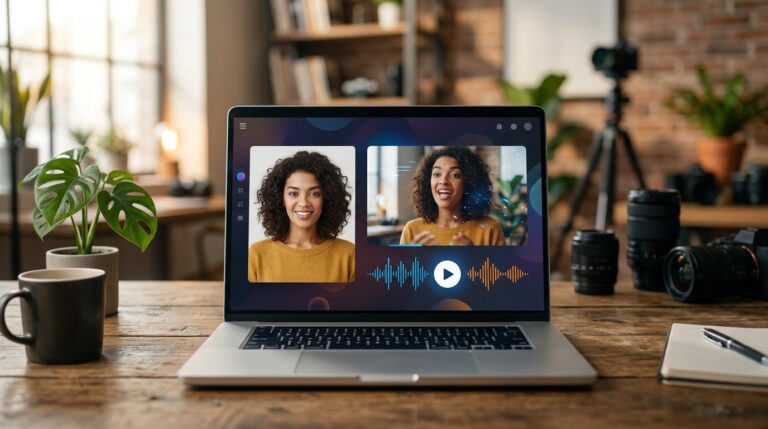
The three core modes cover most use cases. Text-to-video turns a written description into a clip from nothing. Image-to-video animates a still photo, adding motion and camera moves while preserving the original look. Video-to-video restyles or transforms existing footage, which is useful for consistent branding and creative experimentation. Around these sit specialized tools such as lip sync, which makes a person in a video speak new audio, and talking photo, which brings a portrait to life with natural expressions.
AI Video Generator vs. Traditional Video Production
The honest comparison is not that AI replaces production; it is that AI changes the economics of certain kinds of video.
Traditional shoots deliver quality, control, and authenticity, but they cost money and time. A studio day, a camera operator, actors, lighting, and post-production can easily consume a budget that a small business would rather spend elsewhere. An AI video generator removes the physical constraints: there is no location, no equipment to rent, and no reshoot when a take does not work. You regenerate instead.
Where the two genuinely differ is control. A director on set can guide actors and adjust lighting in real time; an AI tool gives you prompt-level control that improves with practice. For short-form social content, product demos, concept visualization, and rapid creative testing, the AI route usually wins on speed and cost. For brand-defining cinematic campaigns with real talent, a production crew still has the edge. Most teams use both: AI for volume and iteration, traditional production for hero pieces.
Who Should Use an AI Video Generator?
The tool earns its keep anywhere short video is produced regularly.
- Social media managers: generate hooks, vertical clips, and variations for short-form feeds without waiting on a production schedule.
- E-commerce brands: turn product photos into looping demo videos for listings and ads, reusing the same imagery across many scenarios.
- Content agencies: test creative directions quickly and present polished drafts to clients before committing to full production.
- Small businesses: produce localized ads and explainer clips in multiple languages without hiring voice actors or studios.
- Educators and course creators: convert written lessons into illustrated video segments with narration.
- Filmmakers and pre-visualization teams: storyboard scenes, test camera moves, and communicate visual ideas before shooting.
If you have ever waited days for a video that took hours to shoot and edit, the value proposition is immediate: describe it, reference it, and review a draft in minutes.
How Much Does an AI Video Generator Cost?
Pricing varies from free to premium depending on the platform and the features you need. Most tools use a credit-based model: each generation consumes credits, and longer, higher-resolution clips with audio cost more.
Free tiers are genuinely usable in this category. Magic Hour, for example, lets you generate without even signing up, and its free plan provides starter credits that cover roughly half a minute of video output, enough to test quality before paying anything. The trade-offs are typical: watermarked exports, capped resolution, and non-commercial licensing on the free tier.
Paid plans remove those limits. Monthly subscriptions typically start around ten to fifteen dollars for serious creators and climb toward fifty dollars for professionals, with business tiers for teams that need higher volumes, larger uploads, priority support, and commercial rights. At the top end, dedicated API access lets agencies automate video production at scale. Prices change often, so treat any figure as a starting point and confirm the current plan before committing.
7 Proven Ways to Create Flawless Videos with an AI Video Generator
The tool is capable, but capable tools reward deliberate use. These seven habits show up again and again in the work of teams that produce consistently good AI video.
1. Write the Prompt Like a Shot List
Break the scene into beats: what the camera sees, what moves, and what the mood is. Direct camera motion explicitly — push in, pan, orbit — and describe lighting and atmosphere. Short, concrete sentences beat long, vague paragraphs every time, and mentioning the aspect ratio and duration in your head before you start saves wasted generations.
2. Use Reference Images for Consistency
If your tool accepts image inputs, use them. Upload a character photo to keep the same face across scenes, a product shot to anchor the subject, or a style frame to lock in the color grade. Platforms with reference support make this easy, and it solves more consistency problems than any prompt trick you will find.
3. Match the Model to the Job
Do not default to a single model. If you need fast, dynamic action, pick a model known for motion. If realism and dialogue matter, choose one with strong prompt adherence and audio. If you are unsure, generate the same prompt with two different models and compare — the differences will teach you more than any review.
4. Set the Aspect Ratio for the Platform
Vertical 9:16 for TikTok, Reels, and Shorts. Landscape 16:9 for YouTube and presentations. Square 1:1 for feeds where it suits the layout. Generating at the right ratio from the start beats cropping afterwards, because cropping often destroys composition and forces you to regenerate anyway.
5. Generate Variations and Test Hooks
Produce three or four takes of the same idea with different openings, camera moves, or pacing, then pick the strongest. The speed of the tool makes this nearly free, and it is the fastest route to a hook that actually stops the scroll. Teams that test hooks before committing to a full edit consistently outperform teams that polish a single take.
6. Check Faces, Hands, and Text Before Publishing
No AI model is perfect. Look for the classic tells — extra fingers, melting edges, faces that shift between frames, garbled text — and regenerate or mask problem spots. A two-second review saves you from a clip that undermines the whole piece, especially in product shots where a distorted logo is fatal.
7. Layer the Tools and Respect the License
A great AI video generator is rarely the only tool you need. Use lip sync to add dialogue, a talking photo for presenters, an upscaler for final export quality, and standard editing software for assembly. And before you publish, check the license: free tiers are often non-commercial, while paid plans include commercial rights, and clean usage protects both you and your client.
Common Limitations to Know Before You Start
Honest expectations make any tool easier to use well. Clips are still short relative to traditional production, so plan sequences rather than films. Complex scenes with many interacting elements can still produce artifacts, especially around hands, fast motion, and crowds. Audio quality is impressive but not flawless, and physics is handled better by some models than others, which is why reviewing output matters. Content moderation is also strict: using real people’s faces without consent or reproducing copyrighted characters is blocked or restricted, so keep your references original and your usage clean.
Conclusion
An AI video generator has become one of the fastest ways to turn an idea into a finished clip: describe the scene, add a reference, and review a draft in minutes. It will not replace a full production team, but it changes the math for short-form content, product demos, ads, and localized campaigns. Start with a prompt written like a shot list, use references for consistency, match the model to the job, and test variations early. Done consistently, these habits turn a powerful tool into dependable production capacity — and that is exactly what a good AI video generator is built to deliver.
Frequently Asked Questions
What is an AI video generator?
An AI video generator is software that creates video from text prompts, still images, or existing clips using machine learning models, often with synchronized audio, in seconds or minutes.
Is an AI video generator free?
Many platforms offer free tiers with starter credits for testing, usually with watermarked output and limited resolution. Full-quality, commercial use typically requires a paid plan.
How long does it take to generate a video?
Most clips render in seconds to a few minutes, depending on the model, resolution, and duration. Short drafts are fast enough to iterate on the same idea several times in an hour.
Can I use AI-generated videos commercially?
It depends on the platform and plan. Free tiers are usually non-commercial, while paid tiers include commercial rights. Always check the license before using output in client work or ads.
What is the best AI video generator?
There is no single winner; it depends on your use case. Multi-model platforms let you compare models like Kling, Veo, and Sora in one place, which is the fastest way to find what suits your workflow.
Do AI videos look realistic?
Modern models produce convincing footage with natural motion, lighting, and audio, but quality varies by model and scene. Review faces, hands, and physics before publishing, and regenerate anything that looks off.