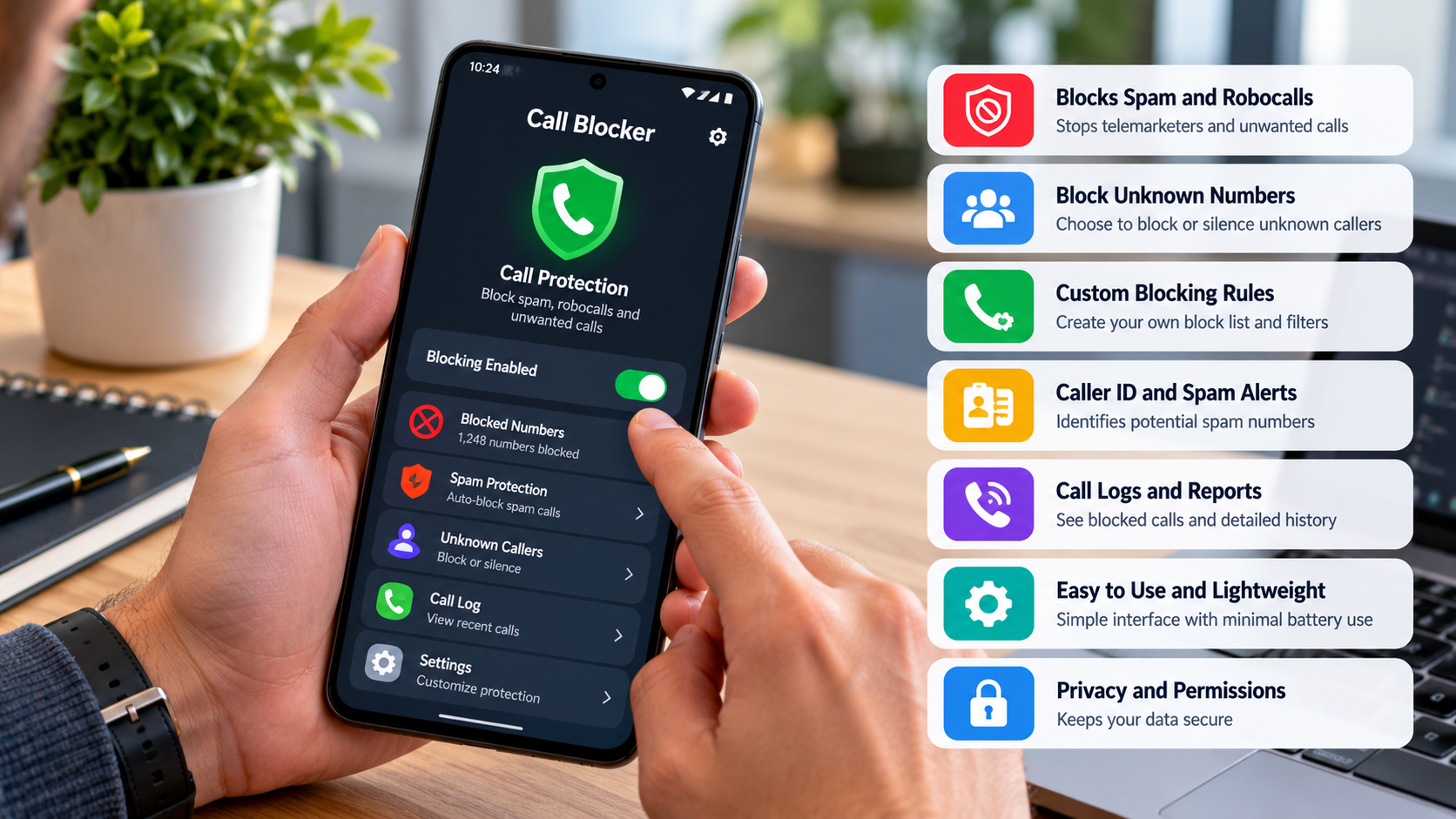
What to Look for in a Call Blocker App for Android Phone
It’s 8:43 p.m. Dinner is ready, your favorite show is queued up, and your phone starts ringing. Unknown number. You ignore it. Another call arrives, followed by a voicemail warning about a suspicious bank transaction. Oh, come on.
Spam calls have a talent for showing up at exactly the wrong moment. Worse, some are designed to steal personal information or pressure people into handing over money. A good call blocker app for Android phone can help reduce those interruptions, but choosing one requires more than picking whichever app appears first in the store.
Here’s what to look for before giving an application a place on your phone.
1. Smart Detection That Sees Beyond the Blocklist
Blocking a number works until the caller switches to another one. Then you’re back where you started, manually rejecting calls like it’s your second job.
Look for caller identification and spam detection that can flag numbers associated with reported spam, suspected fraud, or unwanted marketing. Some apps also use regularly updated databases to identify newly reported numbers.
The benefit is simple: you spend less time investigating unfamiliar callers and more time doing literally anything else.
Still, no detection system catches everything. New scam numbers can slip through, and caller ID spoofing can make suspicious calls appear legitimate. Treat spam warnings as useful clues, not absolute proof.
2. Automatic Blocking Without Blocking Your Life
Automatic filtering can reject calls identified as spam according to an app’s detection methods and settings. If unwanted calls arrive throughout the day, that’s a welcome change from maintaining a growing list of blocked numbers. But here’s the catch: overly aggressive filtering can reject legitimate callers, too.
A doctor might call from an unfamiliar number. A delivery driver might need directions. A potential employer probably won’t appreciate being sent straight to voicemail.
Choose a call blocker app for Android phone that offers customizable filtering, manual blocking, and access to blocked-call records where supported. You want fewer nuisance calls, not a phone that ignores everyone outside your contact list.
3. Privacy Protection: Read the Fine Print
An app designed to protect your privacy shouldn’t leave you wondering what happens to your personal information.
Before installing one, review its privacy policy and requested permissions. Does it collect contact information or call-related data? Why does it need that information? Does it share data with third parties?
These aren’t exciting questions. Neither is discovering that an application collects more information than you expected. Look for clear explanations of how information is collected, stored, used, and retained. If the answers are vague, investigate further before installing.
4. Regular Updates: Keep Up With the Scammers
Scammers are always trying to stay one step ahead of software developers by changing their numbers, copying genuine organisations and adapting their methods to target more users.
Regular updates will be needed to keep your call blocking app working. This can help solve any issues with the app itself, ensure compatibility with other apps and provide updates to the spam detection features. Some services will also update their databases.
Look at the history of updates from the developer and recent user reviews. If there are lots of complaints about the app failing to block calls, using too much battery, missing calls or any subscription related issues then this can be an issue. Your call blocker app on Android phone should still be effective once installed.
5. Simple Setup and Genuine Compatibility
If the application isn’t working well on your phone then having the most advanced features won’t matter.
Ensure that the application is compatible with your Android version and includes the desired features for your region. Some features may be dependent on your device, default phone application or OS.
Easy settings should allow you to block specific numbers and unblock genuine callers that have been incorrectly identified as spam. Setting up a parent’s phone? Simplicity matters even more. They shouldn’t need to call you every time an important number disappears from their incoming calls.
Choose Protection That Fits Your Everyday Life
The best call block app for Android phones has useful spam filtering, flexible filtering options, clear privacy policy and regular updates. No app can guarantee 100% scam blocking, however having the right features can help you manage nuisance calls. Take a look at the PhoneShield spam call blocker app and see what features it offers.
Never give away any passwords or verification codes to any unexpected caller. If someone claims your bank account is in danger, hang up and contact the bank using an independently verified number. Your phone should make life easier. It shouldn’t turn every unfamiliar ring into a crisis meeting.
