Remove BG Video: A Complete Guide to AI Video Background Removal
Removing a video background used to need a green screen and a studio. That era is over. Today, AI does the work automatically. Therefore, anyone can remove bg video in minutes. No special equipment. No editing skills. This guide explains how it works, the formats, the pricing, and why Remove BG Video is a strong choice. Use it to clean up your videos fast.
What Video Background Removal Is
Video background removal does exactly what it says. It removes the background from a moving clip. Then, you can replace it or leave it transparent. Therefore, the subject stands alone.
The old way used a green screen. You filmed against a green wall. Then, software removed the green. This worked but needed equipment. Consequently, it was out of reach for most creators. The new way is different. AI detects the subject automatically. Therefore, you can film anywhere.
This change is huge for creators. You can film at home and get studio results. As a result, product videos and social content look professional. In short, video background removal is now a tool for everyone.
How AI Background Removal Works
The process is simple. In fact, it takes just a few steps. Therefore, you can start right away.
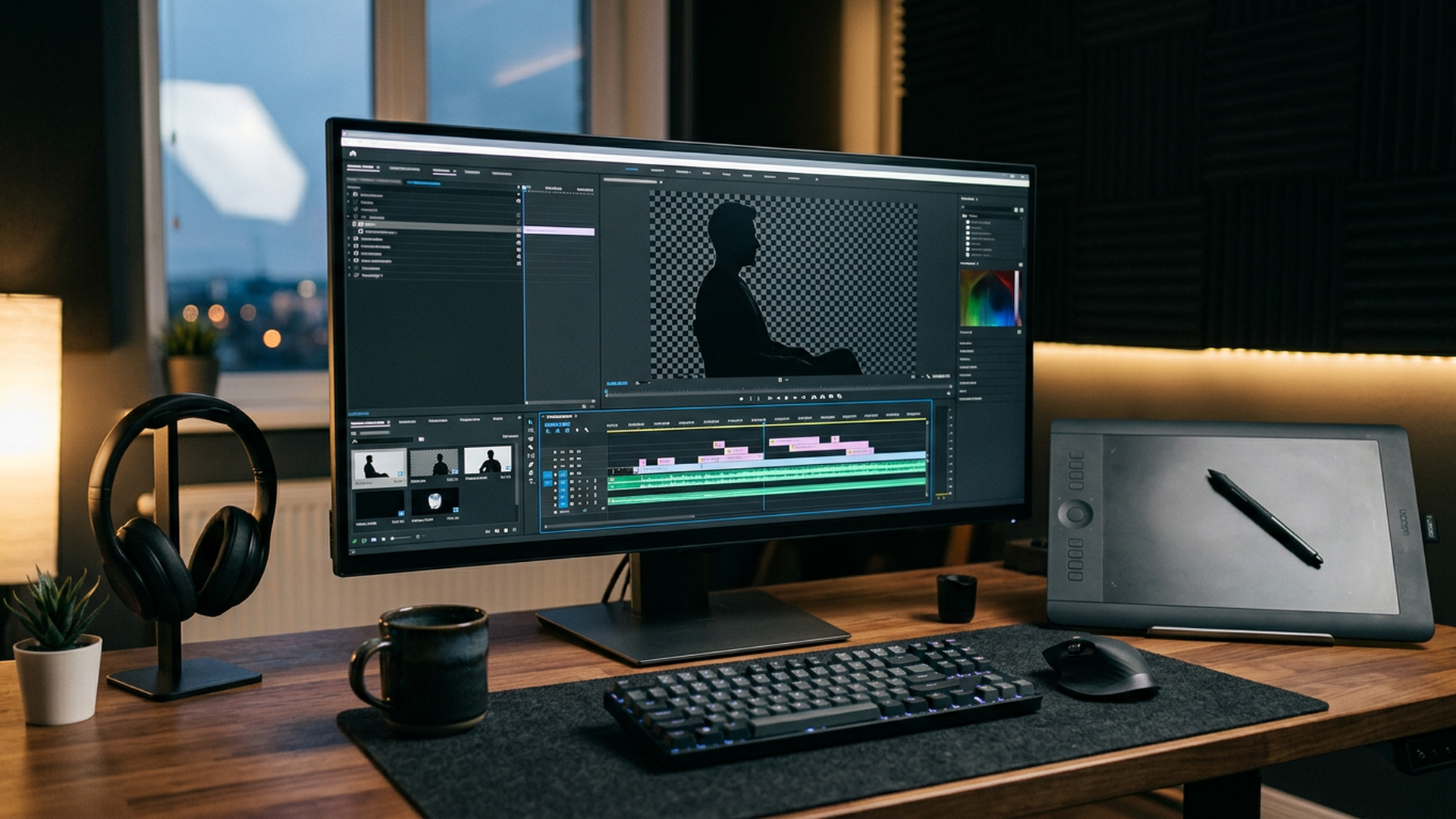
First, you upload your video. The tool accepts common formats. Then, the AI detects the subject. It separates the person or product from the background. Consequently, the background disappears. Next, you preview the result. You see exactly what you get. Finally, you export the video with a transparent background.
The whole process is automatic. You do not mark the subject or draw masks. The AI handles it. As a result, the work that took hours now takes minutes. In short, AI background removal is fast and simple.
No Green Screen Needed
The green screen is no longer necessary. In fact, that is the biggest change. Therefore, creators save money and time.
A green screen setup costs money. You need the screen, the lights, and the space. Consequently, many creators skip it. Now, you do not need any of it. The AI works with ordinary footage. Therefore, you can film in your living room or office.
This opens new possibilities. You can record anywhere and still get a clean cut-out. As a result, your content looks professional without a studio. In short, removing the green screen removes the barrier.
The Formats You Can Export
Export options matter. Therefore, a good tool offers flexibility. Here is what to expect.
You can export transparent video in WebM or MOV. These formats keep the transparency. Consequently, you can drop the video into any editor. You can also export a PNG sequence. This gives you frame-by-frame control. Additionally, GIF and WebP exports suit short clips and social posts.
The audio is preserved too. Therefore, your exported video keeps its sound. This matters for content with speech or music. In short, the export options cover every workflow.
Quality and Speed
Two things decide a good tool. First, the quality of the output. Second, the speed of processing. Therefore, both matter.
RemoveBGVideo supports up to 4K quality. Consequently, your exports stay sharp. This matters for professional work. The processing is also fast. Most videos finish in under five minutes. Therefore, you do not wait around. As a result, the tool fits a fast workflow.
The speed comes from GPU acceleration. In other words, the tool uses powerful hardware. Consequently, the results are both fast and high quality. In short, you get quality without the wait.
What It Costs
Pricing should be clear. Therefore, RemoveBGVideo uses a simple model. There are no subscriptions. You pay per use.
Pricing runs from about $1.50 to $4 per minute. Therefore, short clips cost very little. For example, a three-minute package starts at $12. Consequently, you can test the tool cheaply. Larger packages offer more minutes at a better rate.
This pay-as-you-go model is flexible. You only pay when you process a video. Therefore, there is no monthly fee to waste. In short, the pricing suits occasional and frequent users alike.
How RemoveBGVideo Compares
The market has changed. In fact, one major competitor recently shut down. Therefore, the choice is clearer now.
Unscreen, a popular tool, closed on December 1, 2025. Consequently, many users need a new option. RemoveBGVideo welcomes those users. It offers the same AI technology. Moreover, it adds more formats and flexible pricing.
Canva Pro offers background removal too. However, it requires a $119 yearly subscription. Therefore, it costs more if you only need occasional edits. On the other hand, RemoveBGVideo is pay-as-you-go. In short, the tool fills the gap for creators who want a dedicated, affordable solution.
Who Benefits From This Tool
Many creators need background removal. Therefore, the audience is broad. Here are the main users.
Content creators use it for social videos. They remove messy backgrounds and add clean ones. Marketers use it for product videos. Consequently, products look polished and consistent. Educators use it for presentations. As a result, they can stand in front of any slide.
E-commerce sellers also benefit. They can show products without distractions. Additionally, influencers use it to upgrade their reels. In short, anyone who makes video can use this tool.
Tips for the Best Results
A few habits improve your output. Therefore, keep these tips in mind.
First, film with a clear subject. The AI works best when the subject is distinct. Consequently, a cluttered background is harder to remove. Second, use good lighting. Well-lit footage gives cleaner edges. Third, preview before you export. The preview shows the final result. As a result, you catch issues early.
Fourth, choose the right format for your need. Use WebM or MOV for transparency. Use GIF for social loops. In short, a little preparation leads to much better results.
Conclusion
In conclusion, removing a video background is now simple. AI does the work that once needed a studio. You upload, preview, and export. There is no green screen and no subscription. RemoveBGVideo brings this with 4K quality, fast processing, and flexible pricing. It also fills the gap left by Unscreen’s shutdown. Therefore, it is the right tool for creators and marketers. So, stop filming against messy backgrounds. Remove bg video in minutes. Your content will look better for it.
Frequently Asked Questions
1. How do I remove bg video without a green screen?
Upload your video to an AI tool, and it automatically detects the subject and removes the background, with no green screen required.
2. What formats can I export after removing the background?
You can export transparent WebM or MOV, a PNG sequence, or GIF and WebP, with audio preserved in your video.
3. How much does video background removal cost?
RemoveBGVideo charges pay-as-you-go pricing from about $1.50 to $4 per minute, with packages starting at $12.
4. What video quality is supported?
The tool supports up to 4K quality, so your exported videos stay sharp for professional use.
5. Do I need a subscription?
No, RemoveBGVideo uses a pay-per-use model with no subscription required, so you only pay when you process a video.
6. Can I preview the result before paying?
Yes, the tool includes a preview for all videos, so you can see the removed background before you export.