Gigabit Ethernet: How 1 Gbps Networking Works and How to Get Full Speed
Reliable Gigabit Ethernet provides wired network connectivity at a nominal data rate of 1 gigabit per second, making it a widely used option for homes, offices, servers, security systems, access points, and other networked equipment. Getting actual gigabit class performance requires more than purchasing a fast cable. Network interface cards, switches, routers, cable category and condition, connector termination, storage performance, software, protocol overhead, and the speed of the internet service or destination device can all influence the transfer rate users ultimately experience.
What Is Gigabit Ethernet?
Gigabit Ethernet refers to Ethernet technologies capable of transmitting data at a nominal rate of 1 gigabit per second.
One gigabit per second equals 1,000 megabits per second in networking rate terminology.
For common copper twisted pair networks, Gigabit Ethernet is typically associated with the 1000BASE T standard.
1000BASE T operates over four twisted pairs of copper cabling and is standardized within the IEEE 802.3 family of Ethernet specifications.
It is commonly used with familiar RJ45 style modular connections, more precisely the 8P8C connector format widely associated with Ethernet.
Gigabit networking has become a standard capability on many routers, switches, desktops, network attached storage devices, access points, televisions, and other connected equipment.
9 Powerful Benefits of Gigabit Ethernet
Network speed is not the only reason wired Ethernet remains important. Reliability, latency, predictable capacity, and compatibility can make gigabit connections useful even where fast WiFi is available.
1. Up to 1 Gbps Nominal Link Speed
The headline benefit is the 1 Gbps physical link rate.
This provides substantially more theoretical bandwidth than older Fast Ethernet, which operates at 100 Mbps.
The increase can make a clear difference for local file transfers, backups, media servers, and multiple network activities sharing an Ethernet link.
A 1 Gbps link does not mean applications will transfer files at exactly 1,000 Mbps.
Protocol overhead and other system limitations reduce usable throughput.
2. Stable Wired Connectivity
Ethernet uses a physical cable between devices and network infrastructure.
It is therefore not subject to the same radio interference, signal attenuation, channel congestion, and wireless coverage issues that can affect WiFi.
Wired connectivity can be particularly useful for stationary devices.
3. Low and Predictable Latency
Ethernet can provide low latency within a properly functioning local network.
This can benefit real time applications such as gaming, voice, remote desktop, video conferencing, and interactive business systems.
Internet latency still depends on the connection beyond the local network.
A gigabit LAN cannot fix high latency introduced by an internet service provider or distant server.
4. Faster Local File Transfers
Gigabit networking can substantially improve transfers between suitably capable local devices.
For example, moving large files between a workstation and network attached storage can benefit from higher LAN bandwidth.
Storage devices must also be fast enough.
Gigabit Ethernet File Transfer Speed
A 1 Gbps link corresponds to a theoretical maximum of 125 megabytes per second before considering network overhead and other limitations.
Actual transfers are normally lower.
Performance can be constrained by:
• Storage drives
• CPU
• File size
• Network protocol
• Switches
• Cabling
• Software
• Antivirus scanning
• Destination performance
Many small files can also transfer differently from one large sequential file.
5. Supports High Bandwidth Internet Connections
A gigabit capable Ethernet network can support internet services approaching 1 Gbps, subject to equipment and provider limitations.
However, a 1 Gbps Ethernet interface can itself become a bottleneck for internet plans delivering more than approximately gigabit class speeds.
For multi gigabit internet, 2.5 GbE or faster equipment may be more appropriate.
6. Simple Compatibility Across Devices
Ethernet has extensive industry support.
Gigabit equipment commonly negotiates with slower Ethernet devices where standards and hardware support backward compatible speeds.
The negotiated rate depends on both ends of the connection and cable quality.
7. Suitable for Network Attached Storage
NAS systems can use Gigabit Ethernet to provide centralized storage to homes and small businesses.
Performance depends on the NAS hardware and workload.
Higher performance NAS environments increasingly use 2.5, 5, 10, or faster Ethernet, but gigabit remains adequate for many ordinary uses.
8. Supports Power Over Ethernet Environments
Many Ethernet installations also carry electrical power through Power over Ethernet technologies.
PoE can power compatible access points, cameras, VoIP phones, and other devices.
Gigabit data and PoE can operate together when equipment, cable, and standards are compatible.
9. Straightforward Network Expansion
Ethernet switches make adding wired devices relatively simple.
A suitably designed gigabit switch can connect multiple workstations, printers, access points, servers, and other devices.
Gigabit Ethernet Remains Useful in Modern Networks
Even as wireless speeds increase, wired Ethernet commonly serves as infrastructure connecting:
• WiFi access points
• Desktops
• NAS units
• Servers
• Smart TVs
• Security cameras
• VoIP phones
• Game consoles
• Printers
• Building systems
WiFi and Ethernet frequently complement rather than replace one another.
How Does Gigabit Ethernet Work?
Ethernet moves data through standardized frames across a network.
With 1000BASE T, all four twisted pairs within compatible copper Ethernet cable participate in communication.
Full Duplex Communication
Modern switched Gigabit Ethernet commonly operates in full duplex mode.
This allows communication in both directions simultaneously.
The nominal 1 Gbps rate should not be interpreted as one shared 1 Gbps pool that must always be divided equally between sending and receiving in a properly functioning full duplex link.
Auto Negotiation
Ethernet devices commonly use auto negotiation to establish supported speed and duplex parameters.
A gigabit capable computer connected to a gigabit switch with an appropriate cable would normally negotiate a 1 Gbps link.
If something is wrong, it may negotiate a slower rate.
Gigabit Ethernet Link Speed vs Throughput
Link speed describes the negotiated physical network rate.
Throughput describes how much useful data an application actually transfers.
The two should not be confused.
A computer can report a 1.0 Gbps connection while an internet speed test reports 300 Mbps because the internet service, remote test server, router, software, or another factor limits performance.
Gigabit Ethernet Standards Explained
The term Ethernet covers many different physical technologies.
1000BASE T
1000BASE T is the most familiar Gigabit Ethernet implementation for conventional copper twisted pair networks.
It supports links up to 100 metres under standard compliant conditions using suitable cabling and installation.
That channel distance can include fixed horizontal cabling and patch cords according to structured cabling design rules.
1000BASE SX
1000BASE SX is a fibre optic Gigabit Ethernet standard commonly associated with multimode fibre.
Distance depends on fibre type and implementation.
1000BASE LX
1000BASE LX is another fibre based gigabit standard with characteristics suited to different link requirements.
Copper vs Fibre Gigabit Ethernet
Copper is common for endpoint connections because it is inexpensive and familiar and can support PoE.
Fibre provides benefits for longer distances, electrical isolation, high electromagnetic interference environments, and network backbones.
The appropriate medium depends on the installation.
Best Cables for Gigabit Ethernet
Cable category is one of the most frequently misunderstood networking topics.
Cat5e for Gigabit Ethernet
Category 5e cabling is designed to support 1000BASE T within specified channel limits when properly installed and terminated.
You do not automatically need Cat6 merely to establish a standards compliant 1 Gbps connection.
Cat6 Ethernet Cable
Cat6 provides tighter performance specifications than Cat5e and can offer additional headroom against crosstalk.
It is widely used for modern structured cabling.
Cat6A
Cat6A is commonly selected where 10 Gigabit Ethernet over full 100 metre copper channels is a future requirement.
It is thicker and can be more demanding to install than lower categories.
Which Cable Should You Use for Gigabit Ethernet?
For an existing standards compliant Cat5e installation, replacing every cable solely to obtain 1 Gbps is usually unnecessary.
For new installations, Cat6 or Cat6A may provide useful future capacity depending on budget, conduit, environment, and expected network life.
Structured cabling should be designed as a long term infrastructure investment.
Does Cat5 Support Gigabit Ethernet?
This question requires historical context.
1000BASE T was designed to operate on suitable four pair Category 5 cabling that meets required specifications, but many old installations labeled Cat5 may have termination, quality, pair, or installation issues.
Modern practical guidance usually focuses on Cat5e or better.
If an old cable does not reliably negotiate gigabit, test it rather than assuming its printed category label tells the complete story.
Cat5e vs Cat6 for Gigabit Ethernet
Both can support Gigabit Ethernet under appropriate standards compliant conditions.
Why Choose Cat5e?
Existing Cat5e networks can provide reliable gigabit performance.
It is generally flexible and economical.
Why Choose Cat6?
Cat6 provides increased performance headroom and can support certain higher speed applications over shorter distances depending on standard and installation.
Gigabit Ethernet Cable Quality Matters
Category alone is insufficient.
A high quality properly terminated Cat5e cable can outperform a poorly manufactured or incorrectly installed Cat6 cable.
Look for standards compliant components and avoid misleading products that make unsupported category claims.
Ethernet Cable Length
Copper Ethernet has defined maximum channel distances.
For 1000BASE T structured cabling, 100 metres is the commonly referenced maximum channel length under standards compliant design.
Why Length Matters
Signal characteristics deteriorate with distance and poor installation.
Patch Cables
Very long patch cord arrangements can alter standard channel assumptions.
Gigabit Ethernet Beyond 100 Metres
For longer links, consider appropriate fibre or intermediate active network equipment rather than simply extending copper indefinitely.
Outdoor or interbuilding connections also raise surge, lightning, grounding, and electrical isolation considerations that can make fibre especially attractive.
Gigabit Ethernet Switches
A gigabit switch connects Ethernet devices and forwards network frames.
Unmanaged Switches
Unmanaged switches provide simple connectivity without substantial administrative configuration.
They can work well in basic home and small office networks.
Managed Switches
Managed switches offer controls such as VLAN configuration, monitoring, spanning tree options, link aggregation features, port security, and quality of service depending on model.
PoE Switches
Power over Ethernet switches supply power to compatible devices.
Choosing a Gigabit Ethernet Switch
Consider:
• Number of ports
• Uplink speed
• PoE requirements
• PoE power budget
• VLAN support
• Management
• Rack mounting
• Noise
• Switching capacity
• Warranty
A switch with gigabit access ports can still have bottlenecks elsewhere in the design.
Gigabit Ethernet Routers
A router connects different networks and commonly provides internet routing, firewall functionality, DHCP, and other services in homes and small businesses.
LAN Port Speed
Check whether every required port supports Gigabit Ethernet.
Older routers may contain 100 Mbps interfaces.
WAN Port Speed
For gigabit internet, the router’s WAN interface and processing must handle the required throughput.
Features such as security inspection or VPN processing can reduce performance on some devices.
Gigabit Ethernet With Multi Gigabit Internet
An internet plan above 1 Gbps generally requires faster than gigabit interfaces to deliver the plan’s full rate to one wired device.
Look for equipment supporting 2.5 GbE, 5 GbE, or 10 GbE where appropriate.
Gigabit Ethernet vs Fast Ethernet
Fast Ethernet commonly refers to 100 Mbps Ethernet.
Gigabit Ethernet offers ten times the nominal link rate.
When 100 Mbps Is Still Enough
Some devices do not require substantial bandwidth.
Certain IoT devices, printers, or basic cameras may perform perfectly well on 100 Mbps links.
When Gigabit Makes a Difference
The difference is more noticeable for large file transfers, high speed internet, NAS use, workstation backups, and network aggregation.
Gigabit Ethernet vs 2.5 Gigabit Ethernet
2.5 GbE provides a nominal 2.5 Gbps rate.
It is increasingly common on modern PCs, NAS devices, routers, and WiFi access points.
Why Upgrade to 2.5 GbE?
Potential reasons include:
• Internet service over 1 Gbps
• Faster NAS access
• New WiFi access points
• Large file transfers
• Affordable multi gigabit switching
Cabling
2.5GBASE T was designed to work over appropriate existing twisted pair cabling under specified conditions.
Is Gigabit Ethernet Still Enough?
For ordinary web browsing, streaming, office work, video calls, and many games, gigabit networking can provide more than sufficient bandwidth.
Upgrade when actual workloads justify it rather than simply because a larger number exists.
Gigabit Ethernet vs 10 Gigabit Ethernet
10 GbE provides ten times the nominal rate of gigabit.
It can be valuable for servers, storage, content production, virtualization, and network backbones.
Costs and Requirements
10 GbE can involve more expensive switches, network adapters, transceivers, power consumption, and cabling considerations.
Home Use
Enthusiasts and media professionals may benefit from faster NAS transfers.
Upgrading From Gigabit Ethernet
A practical upgrade path can use faster links only where bottlenecks exist.
For example, workstations and servers might receive 10 GbE while ordinary endpoints remain on 1 GbE.
Gigabit Ethernet vs WiFi
The comparison is not simply about advertised speed.
Advantages of Ethernet
Wired Ethernet generally offers:
• Stable capacity
• Predictable latency
• No radio congestion
• Physical link security advantages
• Consistent full duplex operation
Advantages of WiFi
WiFi provides mobility and eliminates cables to end devices.
Modern WiFi can deliver high throughput under favorable conditions.
Real World Wireless Performance
Wireless speed depends on distance, walls, interference, channel width, client capabilities, access point configuration, and shared airtime.
Gigabit Ethernet for WiFi Access Points
A wired Ethernet connection often provides the backhaul for wireless access points.
Modern high performance access points may exceed 1 Gbps aggregate demand and therefore use 2.5 GbE or faster uplinks.
Gigabit Ethernet for Gaming
Gaming generally requires much less raw bandwidth than 1 Gbps.
Latency, packet loss, and consistency are often more important.
Why Wired Ethernet Helps
A wired connection can avoid wireless interference and variable signal conditions.
Gigabit Internet Is Not Required
Having a 1 Gbps internet service does not automatically lower latency compared with a slower connection using the same route and technology.
Gigabit Ethernet Gaming Setup
Prioritize:
• Stable wired connection
• Quality router
• Low packet loss
• Appropriate network congestion management
• Reliable ISP
More bandwidth does not automatically reduce every form of lag.
Gigabit Ethernet for Streaming
High resolution video streaming uses only a portion of a gigabit link in most consumer scenarios.
The exact bitrate varies by provider, codec, resolution, and content.
Gigabit Ethernet provides ample headroom for multiple streams in typical environments.
Streaming problems on a gigabit LAN may therefore originate from internet service, application issues, servers, devices, or other parts of the network.
Gigabit Ethernet for NAS
Network attached storage is one application where gigabit throughput limits are more obvious.
Large File Transfers
Sequential file copies can approach the practical limits of a gigabit link when both storage systems are capable.
Multiple Users
Several users accessing one NAS can share the available uplink bandwidth.
When a NAS Needs Faster Than Gigabit Ethernet
Consider multi gigabit networking when:
• Several users transfer large files
• Video editors work directly from NAS storage
• SSD arrays exceed gigabit throughput
• Backups are network constrained
• Virtual machines use shared storage
Measure the existing bottleneck first.
Power Over Ethernet and Gigabit Ethernet
PoE carries power and Ethernet data through compatible cabling.
Common PoE Devices
Applications include:
• WiFi access points
• IP cameras
• VoIP phones
• Access control
• Sensors
• Small network devices
PoE Standards
Different IEEE PoE standards support different power levels.
Source and powered device must be compatible.
Gigabit Ethernet PoE Cabling
Cable conductor quality, bundle size, temperature, installation environment, and power level can matter.
Avoid low quality copper clad aluminium cables for standards based structured installations.
Use properly specified cabling.
How to Set Up Gigabit Ethernet
A basic gigabit network requires every relevant link component to support the speed.
Step 1: Check Network Adapters
Confirm computer and device interfaces support 1 Gbps.
Step 2: Check the Router or Switch
Every port in the intended path should support gigabit.
Step 3: Use Suitable Cabling
Cat5e or better is commonly appropriate for 1000BASE T.
Step 4: Verify Negotiated Link Speed
Operating systems and managed switches can often report link rate.
Gigabit Ethernet Setup Path
A typical path may be:
Internet modem or ONT → Router → Gigabit switch → Ethernet cable → Computer
The slowest relevant component can constrain the connection.
Why Gigabit Ethernet Is Only Showing 100 Mbps
This is a common troubleshooting problem.
1000BASE T requires all four wire pairs.
Fast Ethernet can operate using fewer pairs in common implementations.
Common Causes
Possible causes include:
• Damaged cable
• Bad connector
• Incorrect termination
• Only two pairs connected
• 100 Mbps switch port
• 100 Mbps network adapter
• Manual speed settings
• Docking station limitation
• Wall jack problem
Start With the Cable
Substitute a known good short Cat5e or Cat6 patch cable.
If the link immediately negotiates at 1 Gbps, investigate the original cable path.
Troubleshooting Gigabit Ethernet Negotiation
Check systematically:
• NIC capability
• Switch port
• Cable
• Patch panel
• Wall jack
• Terminations
• Driver
• Auto negotiation settings
Avoid forcing 1 Gbps manually as a substitute for fixing a physical cabling problem.
Why Gigabit Ethernet Is Not Reaching 1 Gbps
A gigabit link will not normally produce exactly 1,000 Mbps of application data throughput.
Protocol Overhead
Ethernet, IP, TCP or UDP, and application protocols consume some capacity.
Internet Limitations
A speed test depends on the ISP, router, test server, congestion, and device.
Storage Limitations
File copies may be limited by hard drives or software.
Measuring Gigabit Ethernet Properly
For LAN testing, tools such as iPerf can measure network throughput without making disk storage the primary bottleneck.
Use appropriate technical expertise when configuring test systems.
A healthy gigabit TCP connection often produces throughput below the nominal physical rate because of overhead.
Network Interface Cards for Gigabit Ethernet
Most modern desktops include gigabit or faster Ethernet, but older devices may not.
PCIe Ethernet Adapters
Desktop computers can often be upgraded with a compatible PCIe network adapter.
USB Ethernet Adapters
USB adapters can add wired networking to laptops without Ethernet ports.
Performance depends on both Ethernet and USB capabilities.
Gigabit Ethernet Through USB
Use an adapter and USB port capable of sufficient throughput.
An old USB interface can constrain a gigabit adapter even if the Ethernet side reports high capability.
Structured Cabling for Gigabit Ethernet
Permanent cabling should be treated differently from loose patch leads.
Solid Conductor Cable
Structured horizontal cable commonly uses solid copper conductors.
Patch Cable
Patch cords generally use more flexible stranded construction.
Patch Panels
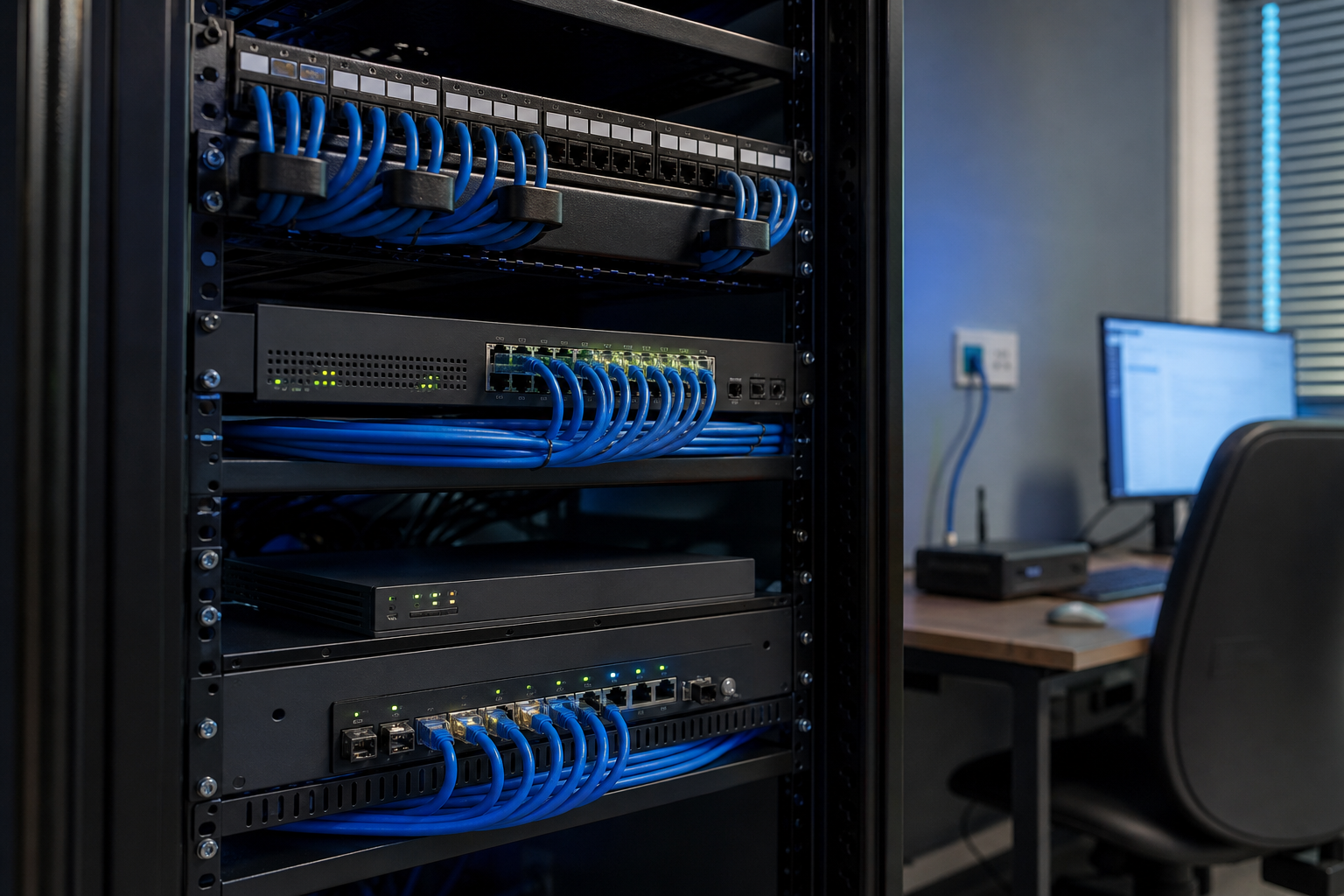
Patch panels provide organized termination inside network cabinets.
Installing Gigabit Ethernet in Buildings
Permanent cabling should follow applicable electrical and fire codes regarding cable rating, pathways, separation, penetrations, grounding, and other requirements.
Commercial projects benefit from qualified structured cabling professionals.
Gigabit Ethernet Security
Ethernet is not inherently secure simply because it requires a cable.
Anyone gaining unauthorized physical or logical network access may still create risk.
Network Segmentation
Managed networks can use VLANs and firewall policies to separate devices.
Port Security and Authentication
Enterprises may use 802.1X and network access controls to authenticate devices or users.
Physical Security
Network cabinets and unused ports can require protection in sensitive environments.
Gigabit Ethernet and Zero Trust
Wired connectivity should not automatically create trust.
Modern zero trust principles can apply identity, device posture, least privilege, segmentation, and monitoring regardless of whether the endpoint connects through Ethernet or WiFi.
Common Gigabit Ethernet Mistakes
Many network upgrades fail because one overlooked component remains at 100 Mbps.
Avoid:
• Buying expensive cables without checking hardware
• Assuming Cat6 automatically creates faster internet
• Ignoring switch port speeds
• Using damaged patch cords
• Incorrect RJ45 termination
• Forgetting wall jacks and patch panels
• Expecting exactly 1 Gbps application throughput
• Confusing Mbps with MB/s
• Assuming gigabit internet lowers gaming latency automatically
• Using low quality cable
• Ignoring PoE power budgets
• Upgrading to multi gigabit without identifying a real bottleneck
Measure the network before replacing components.
Frequently Asked Questions
What is Gigabit Ethernet?
Gigabit Ethernet is a family of Ethernet technologies providing a nominal 1 gigabit per second link rate, commonly using 1000BASE T over twisted pair copper cabling.
Is Cat5e enough for Gigabit Ethernet?
Yes. Properly installed standards compliant Cat5e supports 1000BASE T Gigabit Ethernet within specified channel distance limits.
Why is my Gigabit Ethernet connection only 100 Mbps?
Common causes include damaged or incorrectly terminated cabling, missing wire pairs, a 100 Mbps port, adapter limitations, or configuration problems.
Is Gigabit Ethernet faster than WiFi?
It can provide more consistent throughput and latency, but modern WiFi can also exceed gigabit class rates under suitable conditions. Actual performance depends on hardware and environment.
What is the maximum speed of Gigabit Ethernet?
Its nominal link rate is 1 Gbps. Actual application throughput is lower because of protocol overhead and can be further limited by hardware, software, storage, or internet service.
Should I upgrade from Gigabit Ethernet to 2.5 GbE?
Consider upgrading when gigabit is an actual bottleneck for internet service, NAS transfers, WiFi access points, or other workloads. Many ordinary home and office uses remain well served by 1 GbE.
Conclusion
Gigabit Ethernet remains a practical foundation for reliable home and business networks, providing a 1 Gbps nominal wired link with predictable latency and broad hardware support. Achieving strong real world performance requires compatible network adapters, routers, switches, properly terminated Cat5e or better cabling, and endpoints capable of using the available bandwidth. Before moving to multi gigabit networking, measuring current throughput and identifying the actual bottleneck can prevent unnecessary upgrades while ensuring investment goes where it produces a meaningful performance improvement.