AI Video Localization: How Brands Can Create Content for Global Audiences with Vidnoz AI
A brand may have one strong video. However, that does not mean the same version will work equally well for viewers in every country. Different audiences speak different languages, use different expressions, and respond to different styles of communication. Simply adding subtitles is often not enough when a company wants its message to feel natural across markets.
Video localization helps solve this problem by adapting video content for people in different regions. AI tools now make this process faster by helping brands create new voiceovers and work with different languages. So, they can produce videos without repeating the entire production process.
AI video creation can make localization easier and more practical for businesses looking to reach customers across borders.
Vidnoz AI: A Great Tool for Global Video Creation
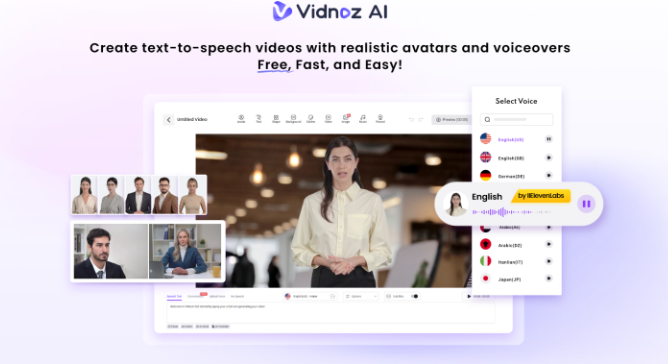
Vidnoz AI video generator is an online video creation platform that lets users build videos with AI avatars, voices, templates, and editing tools. Its resources can be used for marketing, product presentations, training, social media, customer communication, and other business content.
An important point for businesses dealing with customer or company information is security. Vidnoz achieved ISO/IEC 27001:2022 certification. It is an international standard for information security management. Vidnoz AI went through a third-party audit as part of the certification process with security controls and risk-management practices reviewed against the standard.
Brands can also explore the Vidnoz AI video generator to create videos without depending on expensive photography tools or complex editing workflows.
Vidnoz AI Features That Support Global Content
Here are key features of Vidnoz AI to know.
More Than 2,000 Lip-Sync AI Voices
Voice plays a major role in localization. Vidnoz AI provides more than 2,000 lip-sync AI voices for creating spoken video content. Brands can select voices based on language and presentation needs. This allows the same message to be presented to different audiences without arranging new recording sessions.
Vidnoz AI also promotes a much larger voice library across its current plans and supports numerous languages for global video creation.
2,800+ Ready-Made Templates
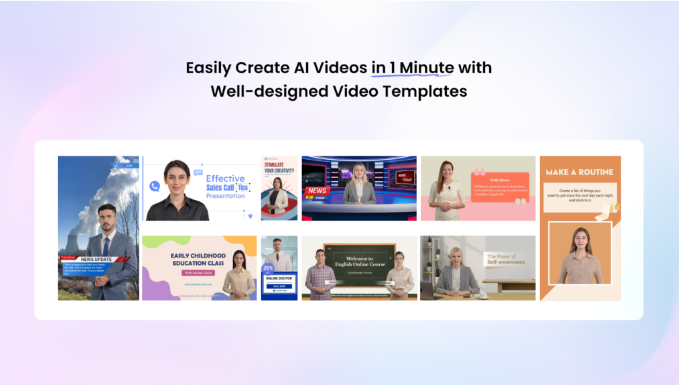
Starting every video from an empty timeline can take time. Vidnoz AI offers more than 2,800 templates covering areas such as marketing, education, training, explainers, and social content. Many templates can be edited to fit different messages and formats.
For international campaigns, this gives marketing teams a useful starting point. They can keep the basic visual structure while changing the language, narration, text, imagery, and other details for each market.
Get 30 Credits for Free
Businesses and creators can try Vidnoz AI without immediately committing to a paid plan. The current pricing information lists 30 free credits per day on the free plan.
This gives teams a simple way to test different voices, avatars, layouts, and video ideas before deciding how the tool fits into their regular content workflow.
1,900+ Realistic Avatars and Multiple Avatar Options
Vidnoz AI offers a large selection of realistic avatars representing different roles, appearances, and professional settings. The platform also provides options such as Avatar Lite, Custom Avatar Pro, and Motion Avatars.
Avatar Lite can be used when a team wants to create a digital twin quickly. While more advanced avatar options provide greater control over the visual presentation. Vidnoz AI also offers Motion Avatars with automated body movements, gestures, posture, and expressions.
Another useful option is Expressive Avatars with natural gestures and facial movements. These can make presentations feel more active instead of looking like a static digital character.
A brand can use different avatar styles for different campaigns while keeping its overall message consistent.
Four Steps to Localize a Video with Vidnoz AI
Here are the key steps to use Vidnoz AI
Start With the Main Video Idea
Begin with the message you want audiences everywhere to understand. Write a clear script and decide what information must remain the same across markets. Keep cultural references, jokes, and region-specific phrases separate so they can be changed later.
Select the Right Template or Avatar
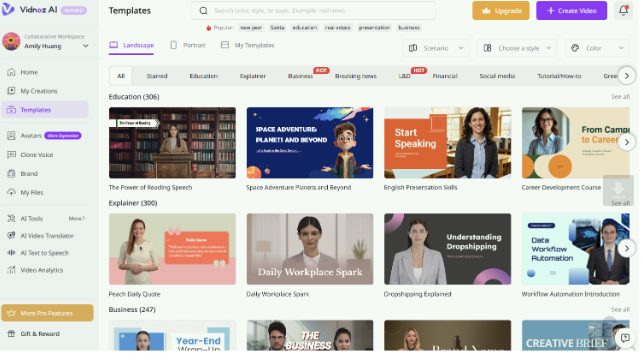
Choose a template and avatar that fit the subject of the video on the Vidnoz AI offcial website. Then pick a suitable AI voice and language for the intended audience. Vidnoz AI supports multilingual voice and video workflows, helping teams prepare versions for viewers in different regions.
Adapt the Details for Each Market
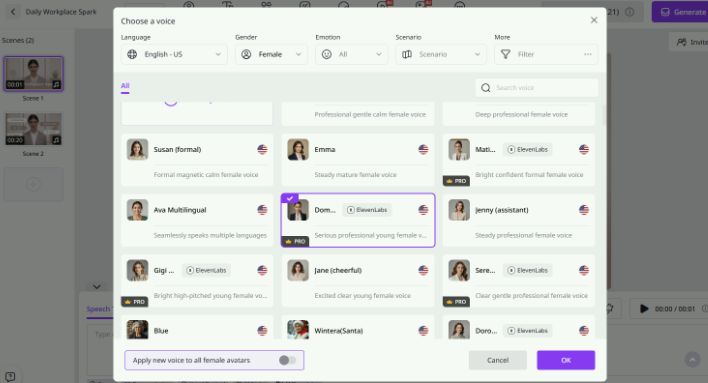
Change on-screen wording, captions, graphics, calls to action, and other elements where needed. Pay attention to spelling, dates, currencies, units, and local expressions. A direct translation may sound awkward, so review the script before generating the final version.
Generate, Review, and Publish
Create the localized video and watch it from beginning to end before publishing. Check pronunciation, captions, lip movement, visual timing, and translated wording. Once the version looks right, export it and share it through the channels used by that particular audience.
Final Thoughts
Global audiences do not all communicate in the same way. However, businesses do not have to build every video from the ground up. Vidnoz AI gives teams tools for adapting narration and other elements for different markets. It helps in creating content that feels clear and familiar to people wherever they are.