Online Booking Software: Complete Guide to AI-Powered Scheduling and Appointment Management
Managing customer appointments is an essential responsibility for service-based businesses, yet traditional scheduling methods can create unnecessary complications. Missed phone calls, overlapping appointments, last-minute cancellations, and repeated scheduling conversations can consume valuable time. Modern online booking software helps businesses simplify these tasks by combining digital appointment calendars, self-service booking pages, automated reminders, and intelligent customer communication.
Whether you manage a hair salon, consulting practice, cleaning company, fitness studio, or home service business, an organized booking system can improve daily operations. Customers can view available appointment times, choose services, and receive confirmations without waiting for an employee to answer the phone.
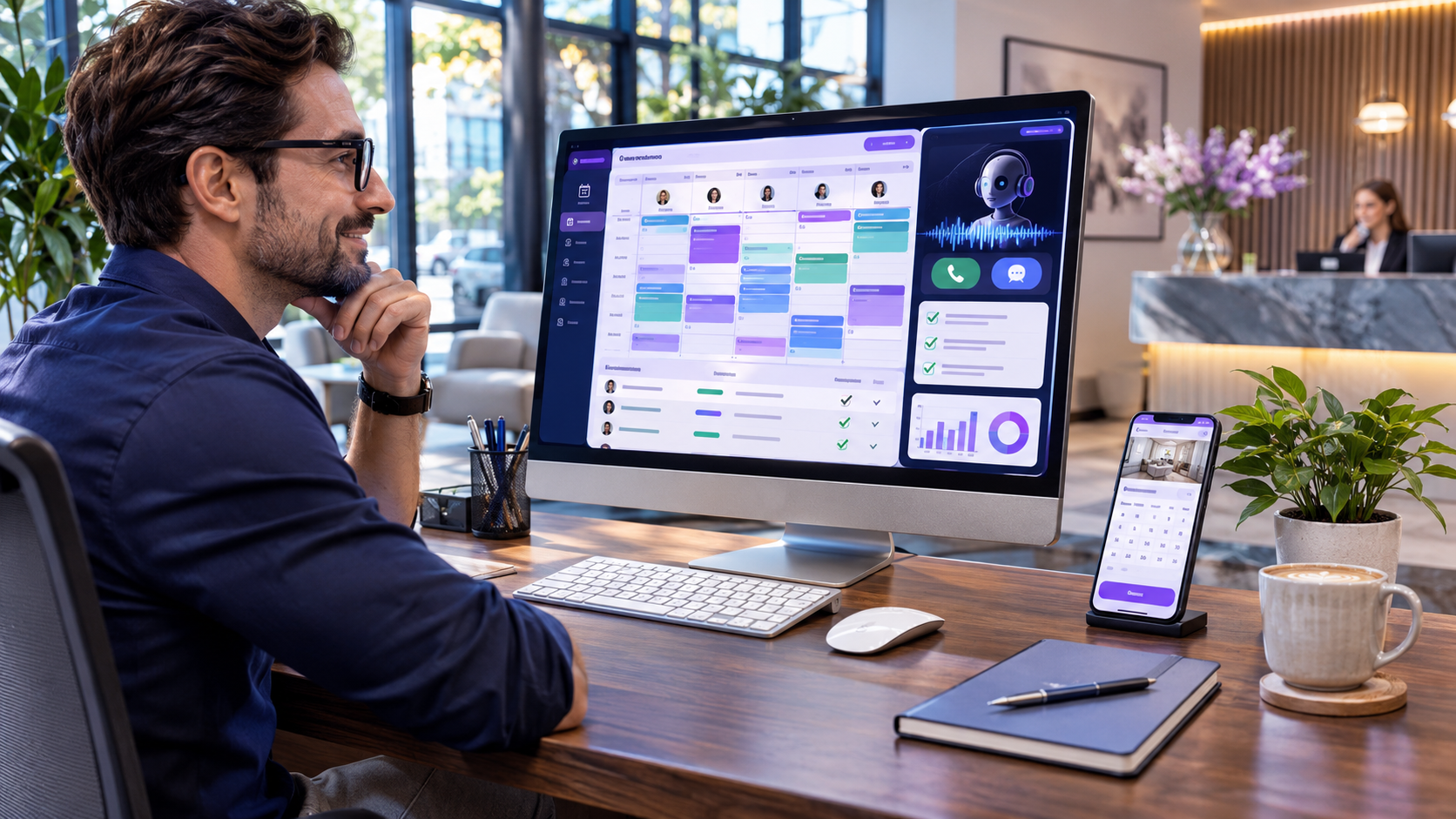
Artificial intelligence is expanding these capabilities even further. AI-powered scheduling platforms can handle appointment requests through phone calls and text messages, check real-time availability, and assist with rescheduling or cancellations. This guide explores the essential features of online scheduling technology, its benefits for different industries, and practical steps for selecting and implementing the right booking system.
What Is Online Booking Software?
Online booking software is a digital platform that enables customers to schedule appointments through a website, mobile-friendly booking page, or another supported communication channel.
Instead of relying entirely on telephone calls, handwritten appointment books, or spreadsheets, businesses can maintain a centralized scheduling system that organizes customer reservations and staff availability.
Customers typically choose a service, select an available employee when applicable, and confirm a suitable appointment time.
The software then records the reservation and may send an automatic confirmation or reminder.
How Digital Appointment Scheduling Works
A booking system begins with the business configuring its available services, operating hours, staff schedules, and appointment durations.
For example, a beauty salon may offer haircuts, coloring, styling, and consultations. Each service can have a different duration and price.
When a customer opens the booking page, the system displays appointment times based on the configured rules.
After the customer confirms a reservation, the calendar updates to reflect the new booking.
Advanced systems also allow customers to arrange appointments through conversational AI, including supported phone and text interactions.
Why Small Businesses Need Automated Scheduling
Small business owners frequently manage customer service, employee coordination, marketing, payments, and appointments simultaneously.
As booking volume grows, manual scheduling becomes more difficult to maintain accurately.
Reducing Missed Customer Inquiries
A business owner may be unable to answer calls while serving customers or traveling between jobs.
For example, a plumber working at a customer’s property cannot always stop to answer every new service inquiry.
Online booking software provides an alternative way for prospective customers to request appointments.
Platforms with AI reception capabilities may also answer supported incoming calls and help customers schedule services.
Improving Appointment Accuracy
Overlapping reservations can create delays, frustrated customers, and employee scheduling problems.
A centralized calendar helps reduce these risks by checking availability before confirming appointments.
However, businesses must configure working hours, service durations, and calendar integrations correctly.
Providing Convenient Customer Access
Customers often prefer arranging appointments when it suits their schedule rather than calling during business hours.
A self-service booking page can provide access to available appointment times throughout the day.
This flexibility is valuable for customers who book services during evenings or weekends.
Reducing Repetitive Administration
Manually sending confirmations, checking availability, and responding to routine scheduling questions can consume substantial staff time.
Automated booking systems can handle many of these repetitive activities, allowing employees to concentrate on delivering services.
Essential Features of Modern Online Booking Software
The right scheduling platform should support the specific needs of the business without adding unnecessary complexity.
1. Real-Time Appointment Availability
Real-time availability allows customers to see appointment slots based on the business’s configured schedule.
When a reservation is confirmed, the system updates the calendar so the selected time is no longer offered to another customer.
This capability is particularly important when businesses accept bookings through several channels.
2. Mobile-Friendly Booking Pages
Many customers use smartphones to discover local businesses and arrange services.
A responsive booking page should display available times clearly and make the confirmation process straightforward.
Customers should not need extensive technical knowledge to complete a basic appointment.
3. Staff-Specific Calendars
Businesses with multiple employees often need individual calendars.
Each staff member may have different working hours, service capabilities, and appointment availability.
Modern online booking software can support employee-specific scheduling while providing management with a broader view of business operations.
4. Automated Appointment Confirmations
Customers benefit from receiving confirmation after completing a booking.
Depending on the platform, confirmations may include the appointment date, time, service, and relevant instructions.
Clear messages help reduce uncertainty about whether a reservation was successfully recorded.
5. Appointment Reminders
Automated reminders can help customers remember upcoming appointments.
Businesses may configure reminder timing according to their service requirements and cancellation policies.
These notifications may help reduce avoidable no-shows, although effectiveness depends on customer behavior and communication preferences.
6. Rescheduling and Cancellation Tools
Schedule changes are common in service businesses.
Customers may need to move appointments because of work commitments, travel disruptions, or other circumstances.
Scheduling platforms can provide controlled rescheduling and cancellation processes.
Businesses should configure appropriate notice periods and cancellation conditions.
7. AI-Powered Scheduling Assistance
Artificial intelligence allows some booking platforms to manage customer requests through natural language conversations.
For example, a customer might ask whether an appointment is available tomorrow afternoon.
When connected to an accurate calendar, an AI scheduling system can check available times and help complete the reservation.
How AI Is Transforming Online Appointment Booking
Traditional scheduling platforms generally require customers to select appointments through a website or application.
AI-powered systems extend this process by allowing customers to interact through conversations.
This approach can be particularly useful when customers prefer calling or sending messages instead of completing online forms.
Conversational Appointment Booking
Conversational AI processes customer requests and attempts to identify important details, including the required service, preferred appointment time, and staff preferences.
The system can then compare the request with configured availability.
When an appropriate appointment exists, it may guide the customer through confirmation.
Automated Phone Reception
AI receptionists can answer supported business calls, provide configured service information, and assist with scheduling.
This is useful for owner-operated businesses that cannot maintain a dedicated receptionist throughout the day.
However, complex requests and unusual customer situations may still require human assistance.
Text-Based Scheduling
Some AI systems allow customers to request appointments through SMS.
For example, a customer may ask to move an existing appointment to a later time.
The system can check the calendar and respond according to the business’s scheduling rules.
Automatic Calendar Updates
When AI scheduling and the booking page share a common calendar, changes made through supported channels can be reflected in one place.
This reduces the need for employees to manually copy appointment information between separate systems.
How Scheduley Supports AI-Powered Scheduling
Scheduley is a business scheduling platform that combines a booking website, a centralized calendar, and AI-powered appointment handling.
Its scheduling system is designed to accept appointments through online booking pages, phone calls, and text messages using the same calendar.
This integrated approach helps businesses manage reservations across supported communication channels.
One Calendar for Multiple Booking Channels
Scheduley’s scheduling platform allows website bookings, phone appointments, and text-based reservations to use a shared calendar.
When a customer books through one channel, the system updates availability for the other supported channels.
This can reduce conflicts caused by disconnected scheduling tools.
Self-Service Appointment Booking
Businesses can publish booking pages displaying their services, prices, staff members, and available appointment times.
Customers can select an appointment through a mobile phone or desktop browser.
The platform also supports service categories that help businesses organize extensive service menus.
AI Booking Through Calls and Texts
Scheduley’s AI scheduling system can handle supported appointment conversations by telephone and SMS.
Its advertised capabilities include booking new appointments, managing certain rescheduling requests, and processing cancellations.
The system uses configured calendar availability and booking rules when responding.
Employee Scheduling Options
Businesses can configure separate staff calendars, working hours, appointment durations, and buffer periods.
Customers may select a specific employee or choose an option that allows the system to assign an available team member.
The platform also describes staff rotation options for bookings without an employee preference.
Booking Rules and Restrictions
Scheduley allows businesses to configure scheduling requirements such as advance booking notice, cancellation windows, daily appointment limits, and buffer times.
These controls can help prevent customers from selecting appointments that conflict with operational requirements.
Different Appointment Formats
The platform supports appointment types for in-person services, phone consultations, video meetings, and certain mobile services where the provider travels to the customer.
Its published information identifies video and phone appointment types as part of the Pro plan.
Businesses should confirm current plan availability and geographic restrictions before subscribing.
Using Online Booking Software With an Existing Website
Businesses do not necessarily need to replace their websites to introduce digital scheduling.
Many booking platforms provide dedicated appointment links that can be connected to an existing website.
Adding a Book Now Button
A booking link can be placed behind a clearly visible button.
Customers visiting the business website can select the button and proceed to the appointment page.
This approach allows businesses to maintain their existing website design and online branding.
Sharing Booking Links Through Marketing Channels
Businesses may also share their booking links through suitable social media profiles, business listings, promotional emails, and other marketing materials.
The objective is to make it easier for interested customers to arrange appointments without unnecessary delays.
Using a Dedicated Booking Website
Some platforms provide website-building tools that combine business information and appointment scheduling.
Scheduley offers booking pages and website template options for businesses seeking an integrated online presence.
Before selecting a hosted website, owners should review design flexibility, domain arrangements, subscription conditions, and content portability.
Online Booking Software for Hair Salons and Barbershops
Hair salons and barbershops manage multiple services, individual employee schedules, and frequent appointment changes.
Stylist-Specific Booking
Customers may want to book with a preferred stylist or barber.
Staff calendars can display availability according to individual working hours.
Different Service Durations
A basic haircut may require less time than coloring or a more complicated treatment.
Accurate service durations help prevent scheduling conflicts.
Handling Calls During Appointments
Salon employees often cannot answer the phone while serving customers.
AI reception can help manage routine inquiries while employees continue their work.
Scheduling Solutions for Spas and Wellness Businesses
Spas and wellness studios frequently offer services requiring different appointment durations and staff specializations.
Online booking software can help organize these services and provide customers with convenient scheduling options.
Service-Based Calendars
Businesses can configure appointments for massages, treatments, consultations, and other available services.
Each appointment should include realistic preparation and service times.
Customer Reminders
Automated reminders may help customers arrive on time and remember their reservations.
Notification content should remain accurate and respect customer communication preferences.
Staff and Resource Management
Businesses with several treatment rooms may need additional resource scheduling capabilities.
Owners should verify that their chosen platform supports room availability if this is a necessary requirement.
Online Booking for Home Service Companies
Home service businesses operate differently from companies that receive customers at a fixed location.
Plumbers, electricians, HVAC technicians, cleaners, and other service providers frequently travel between customer properties.
Collecting Service Requests
Booking systems can collect customer information and basic details about the requested service.
For example, a cleaning company may ask about the property type and preferred appointment date.
Mobile Appointments
Some platforms support appointments where employees travel to the customer’s location.
Scheduley advertises mobile service bookings with travel radius settings.
Businesses should confirm how service areas, travel time, and address requirements are handled.
Handling Emergency Requests
Certain home service inquiries require urgent professional attention.
Businesses should establish clear processes for emergencies rather than relying exclusively on automated bookings.
Scheduling Software for Consultants and Professional Services
Consultants, accountants, agencies, coaches, and other professionals regularly arrange meetings with customers.
Consultation Scheduling
A booking page allows prospective clients to choose available meeting times.
Businesses can define appointment duration and provide preparation instructions.
Phone and Video Appointments
Remote consultations may take place through telephone or video conferencing.
When supported, automatic meeting links can simplify appointment coordination.
Reducing Scheduling Emails
Online appointment links can reduce repeated messages about meeting availability.
Calendar synchronization helps maintain a more organized professional schedule.
Online Booking for Fitness and Training Businesses
Fitness professionals often manage personal training sessions, consultations, and recurring appointments.
Individual Training Sessions
Trainers can display available appointment times and allow clients to select suitable sessions.
Recurring Bookings
Regular customers may prefer recurring appointments.
Businesses should confirm whether their chosen software supports the required recurrence rules.
Group Classes
Studios offering group sessions may need capacity limits and multiple reservations for one time slot.
These features should be verified before selecting a platform.
How Online Booking Software Can Improve Customer Experience
Customer experience depends on convenience, clarity, reliability, and communication.
Simple Appointment Selection
Customers should be able to identify available services and choose suitable appointment times without unnecessary steps.
Clear Confirmations
Booking confirmations help customers understand when and where they should attend.
Convenient Rescheduling
Providing an organized rescheduling process can reduce confusion when plans change.
More Consistent Communication
Automated messages can provide timely appointment information, although sensitive or complex situations may still require human assistance.
Understanding Online Booking Software Pricing
Scheduling platforms use different pricing models depending on features, employees, locations, and communication usage.
Free Booking Plans
Some providers offer free scheduling tools with basic calendar and booking features.
These may suit individual professionals with simple requirements.
Monthly Subscriptions
Paid platforms may include additional calendars, automated reminders, AI communication, and administrative tools.
Scheduley’s AI scheduling page advertises a $200-per-month package with a seven-day free trial.
As subscription information can change, businesses should verify current pricing, included features, and cancellation terms before purchasing.
Usage-Based Communication Charges
Some providers apply additional charges for calls, SMS messages, or other communication activities.
Businesses should estimate their expected usage and compare total costs rather than focusing only on advertised subscription prices.
How to Choose the Right Online Booking Software
Selecting a scheduling platform should begin with understanding your daily business requirements.