AI Photo Editor Tools Are Changing How People Create Better Images
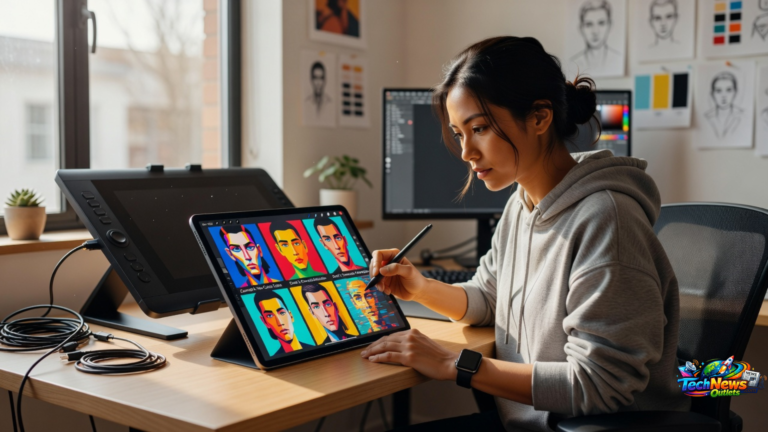
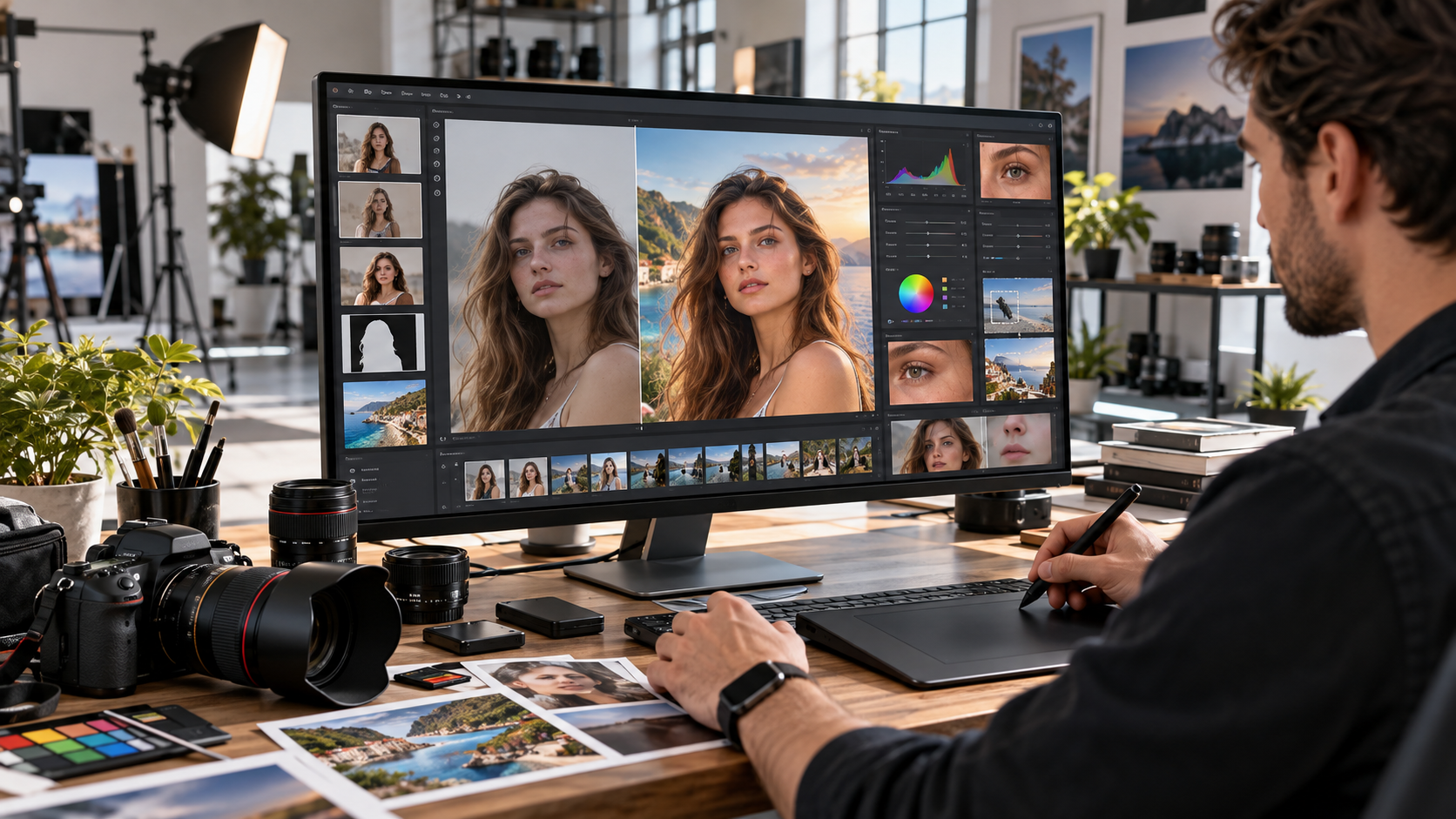
An AI Photo Editor can simplify tasks that once required advanced editing knowledge, allowing photographers, marketers, ecommerce sellers, content creators, designers, and everyday users to improve images more quickly. Artificial intelligence can assist with background removal, object removal, portrait retouching, colour correction, image restoration, noise reduction, sharpening, resolution enhancement, generative editing, and many other repetitive or technically demanding tasks. The most useful systems do not replace creative judgement. Instead, they reduce manual work and give users more time to focus on composition, branding, storytelling, and the final visual result.
Traditional photo editing often requires careful selections, masks, layers, brushes, and repeated adjustments.
AI changes that workflow by analysing image content.
A modern editing system may recognise people, products, skies, buildings, hair, clothing, foreground objects, and backgrounds automatically.
It can then apply targeted changes without requiring the user to manually select every pixel.
This makes professional looking editing more accessible while also improving productivity for experienced professionals.
However, AI editing still requires careful review.
Automatic results may introduce unrealistic details, alter important product characteristics, modify faces, create inaccurate backgrounds, or remove objects incorrectly.
The strongest workflow combines AI speed with human quality control.
What Is an AI Photo Editor?
An AI Photo Editor is image editing software that uses artificial intelligence, machine learning, computer vision, or generative models to understand and modify photographs.
Traditional editing tools normally require users to specify exactly where and how a change should happen.
AI assisted editing can interpret the content of the picture first.
For example, the software may automatically distinguish:
• A person from the background
• Hair from clothing
• A product from a tabletop
• A sky from buildings
• Skin from surrounding objects
• Unwanted objects from important subjects
• Blurred details from sharper areas
Once the image has been analysed, users can apply edits more efficiently.
How AI Photo Editing Works
Different AI features use different technologies.
Computer vision can identify objects and image regions.
Machine learning can analyse patterns and predict suitable adjustments.
Generative AI can create entirely new pixels based on surrounding visual information or written instructions.
An editor may combine several of these approaches.
The result can make complicated edits feel surprisingly simple.
Why AI Photo Editors Have Become Popular
Modern digital workflows create enormous amounts of visual content.
Businesses need photographs for:
• Websites
• Social media
• Advertising
• Ecommerce
• Email campaigns
• Presentations
• Product listings
• Blogs
• Marketplace profiles
• Digital publications
Editing every image manually can consume significant time.
AI helps reduce repetitive work.
A photographer may use automatic masking.
An ecommerce company may remove hundreds of backgrounds.
A marketing team may resize and enhance campaign images.
A family user may restore an old photograph without understanding advanced restoration techniques.
This combination of accessibility and efficiency is driving wider adoption.
7 Powerful Benefits of an AI Photo Editor
AI image editing can provide practical advantages for both professionals and casual users.
1. AI Photo Editor Tools Save Editing Time
Speed is one of the strongest benefits.
Consider background removal.
Traditional manual selection can require careful work around:
• Hair
• Fur
• Fine clothing edges
• Transparent objects
• Product details
• Complex backgrounds
An AI system can often create an initial selection automatically.
The user then reviews and refines the result.
This changes the workflow from building an entire mask manually to correcting a mostly completed selection.
The same principle applies to many editing tasks.
AI can accelerate:
• Subject selection
• Sky selection
• Skin masking
• Background removal
• Object removal
• Exposure adjustment
• Noise reduction
• Image sorting
• Batch processing
Professionals can spend more time on creative decisions instead of repetitive technical work.
2. Background Removal Becomes Easier
Background removal is one of the most widely used AI editing features.
It is particularly useful for ecommerce.
A seller may need product photographs on:
• White backgrounds
• Transparent backgrounds
• Branded backgrounds
• Lifestyle scenes
• Marketplace approved backgrounds
AI can detect the main subject and separate it from the environment.
AI Photo Editor Background Detection Still Needs Review
Automatic selection is not always perfect.
Difficult areas may include:
• Loose hair
• Transparent glass
• Reflections
• Shadows
• Thin jewellery
• Similar foreground and background colours
• Fine product edges
A professional workflow should zoom in and inspect the edges before publishing the image.
3. Unwanted Objects Can Be Removed Quickly
Object removal traditionally required cloning, healing, or detailed retouching.
Generative editing can analyse the surrounding environment and reconstruct an area after an unwanted object is removed.
Possible uses include removing:
• People in the background
• Electrical cables
• Small signs
• Dust
• Minor distractions
• Temporary objects
• Unwanted furniture
• Skin blemishes
• Sensor spots
This can be extremely useful when an otherwise strong photograph contains one distracting element.
However, generated areas should always be checked closely.
Complex architecture, text, hands, reflections, and repeating patterns may produce imperfect results.
4. Image Enhancement Can Become More Accessible
AI can analyse an image and recommend or automatically apply improvements.
Possible adjustments include:
• Exposure
• Contrast
• White balance
• Shadows
• Highlights
• Colour intensity
• Sharpness
• Noise reduction
• Detail recovery
This can help beginners produce more balanced images without understanding every technical control.
Experienced editors may use automatic adjustment as a starting point and then make manual corrections.
5. AI Photo Editor Tools Can Improve Image Resolution
AI upscaling attempts to increase image dimensions while reconstructing visual detail.
Traditional enlargement can make pixels more obvious because the software mainly interpolates existing information.
AI systems can analyse image patterns and generate additional detail.
This may help when preparing an image for:
• Larger displays
• Product pages
• Presentations
• Website banners
• Social media formats
AI upscaling cannot perfectly recover information that was never captured.
A severely blurred image will not automatically become equivalent to an original high resolution photograph.
The technology can improve appearance, but limitations remain.
6. Creative Editing Becomes More Flexible
Generative image tools allow users to make changes using written instructions.
For example, an editor may request:
• Extend the background
• Replace the wall
• Add more sky
• Change the environment
• Remove furniture
• Create additional space around the subject
• Modify lighting
This creates new possibilities for advertising and creative production.
A photograph captured vertically might be extended for a wide banner.
A product photographed in a simple studio could be placed into a conceptual lifestyle scene.
These capabilities can reduce the need for some reshoots.
7. Consistent Editing Can Improve Brand Content
Businesses often need visual consistency.
A catalogue containing hundreds of products can look unprofessional when every photograph uses different:
• Lighting
• Background colour
• Crop
• Exposure
• White balance
• Dimensions
AI assisted batch editing can help standardise these elements.
Consistency is particularly useful for:
• Ecommerce stores
• Real estate listings
• Restaurants
• Fashion catalogues
• Corporate headshots
• Marketplace sellers
• Social media campaigns
The final images should still be checked because automatic settings may not work equally well across every photograph.
AI Photo Editor for Ecommerce
Ecommerce is one of the strongest applications for AI photo editing.
Online customers cannot physically examine a product.
Photography therefore plays an important role in communicating:
• Colour
• Shape
• Size
• Texture
• Details
• Features
• Quality
AI can speed up product image preparation.
Product Background Removal
Clean backgrounds can help products remain the focus.
An AI editor can remove distracting surroundings and replace them with consistent backgrounds.
Image Resizing
Different marketplaces and websites may require different image dimensions.
AI assisted workflows can help create multiple versions while maintaining the main subject.
Shadow Creation
Removing the original background can sometimes make the product appear to float.
Realistic shadows can help restore visual depth.
Important Ecommerce Accuracy Rule
Product editing should not misrepresent what customers will receive.
Do not use AI to create:
• Features the product does not have
• Incorrect colours
• Unrealistic dimensions
• False accessories
• Misleading materials
Enhancement should improve presentation without changing the product itself.
AI Photo Editor for Portraits
Portrait retouching can be time consuming.
AI systems can identify facial features and make targeted adjustments.
Possible tools include:
• Skin smoothing
• Blemish removal
• Teeth adjustment
• Eye enhancement
• Lighting correction
• Background blur
• Hair selection
• Face relighting
Avoid Excessive Portrait Editing
A professional portrait should normally still look like the person.
Over editing can create:
• Plastic looking skin
• Unnatural eyes
• Altered facial proportions
• Unrealistic teeth
• Lost skin texture
Subtle changes generally produce more believable results.
AI Photo Editor for Social Media
Social platforms require constant visual content.
AI can help creators prepare photographs faster.
Common uses include:
• Cropping
• Background cleanup
• Colour correction
• Portrait enhancement
• Format conversion
• Object removal
• Background expansion
A single photograph may need several aspect ratios for different platforms.
Generative expansion can sometimes create additional space around the original photo while preserving the main subject.
AI Photo Editor for Real Estate
Real estate photography needs accurate but attractive presentation.
AI can assist with:
• Exposure balancing
• Window detail recovery
• Perspective correction
• Sky enhancement
• Noise reduction
• Object cleanup
• Colour correction
However, ethical accuracy matters.
Removing temporary clutter may be different from digitally removing permanent building defects.
Agents and photographers should avoid edits that materially misrepresent the property.
AI Photo Editor for Old Photo Restoration
Old photographs often suffer from:
• Dust
• Scratches
• Fading
• Tears
• Low contrast
• Noise
• Discolouration
AI restoration can help identify damage and reconstruct missing visual areas.
It may also sharpen faces and improve overall clarity.
Restoration Is an Interpretation
When visual information has been destroyed, AI may generate what it believes belongs in the missing area.
This means restored details may not be historically exact.
For important archival photographs, keep the original scan and clearly distinguish restored versions from untouched originals.
AI Photo Editor for Professional Photography
Professional photographers can use AI without abandoning manual editing.
AI can become part of the workflow.
Culling
Some systems can help identify:
• Closed eyes
• Blurred frames
• Similar photographs
• Poor expressions
• Technical problems
This can reduce the time required to sort large shoots.
Masking
AI subject detection can create masks for:
• People
• Sky
• Backgrounds
• Specific objects
This allows photographers to make local adjustments more efficiently.
Retouching
Routine blemish removal or background cleanup can be accelerated.
The photographer still determines the desired final look.
Generative Fill and AI Photo Editing
Generative fill represents one of the biggest changes in modern image editing.
Instead of modifying only existing pixels, the system can create new visual content.
Possible applications include:
• Expanding backgrounds
• Removing objects
• Replacing objects
• Filling missing regions
• Changing environments
• Creating advertising layouts
This can make composition more flexible.
Generative AI Needs Quality Control
Generated content may produce visual mistakes.
Common problems can include:
• Distorted hands
• Incorrect reflections
• Strange shadows
• Inconsistent perspective
• Unreadable text
• Impossible architecture
• Repeated objects
Inspect images at full resolution before publishing.
AI Photo Editor and Image Upscaling
Low resolution images are a common problem online.
AI upscaling can help create larger versions.
It works particularly well when the source image already contains reasonably clear information.
Results may be less reliable with:
• Severe motion blur
• Heavy compression
• Extremely small originals
• Faces with few original details
• Text
• Complex patterns
Upscaling should improve presentation rather than be treated as a substitute for capturing higher quality originals.
AI Noise Reduction
Digital photographs captured in low light can contain visible noise.
Traditional noise reduction can sometimes blur fine details.
AI models can distinguish between image details and noise patterns more intelligently.
This can produce cleaner photographs while retaining:
• Hair detail
• Fabric texture
• Fine edges
• Architectural details
• Wildlife detail
Noise reduction is especially useful for high ISO photography.
Colour Correction With AI
Colour problems can make otherwise strong photographs look unprofessional.
Common issues include:
• Incorrect white balance
• Colour casts
• Low contrast
• Dull colours
• Mixed lighting
AI can analyse the overall image and provide an initial correction.
The final colour choice remains subjective.
A fashion photographer may require exact garment colours.
A lifestyle photographer may prefer warmer creative tones.
AI Photo Editor Versus Traditional Photo Editing
The two approaches do not need to compete.
They work well together.
Traditional editing provides precision.
AI provides speed.
A professional workflow might involve:
• AI subject selection
• Manual mask refinement
• Automatic noise reduction
• Manual colour grading
• Generative object removal
• Manual final retouching
This combination can produce faster results without giving up creative control.
Choosing the Best AI Photo Editor
The best tool depends on what you need to edit.
For Ecommerce
Prioritise:
• Background removal
• Batch processing
• Product consistency
• Image resizing
• Shadow tools
For Photographers
Look for:
• RAW file support
• Noise reduction
• Masking
• Colour tools
• Local adjustments
• Retouching
For Social Media Creators
Useful features include:
• Templates
• Quick edits
• Generative backgrounds
• Mobile access
• Multiple aspect ratios
For Businesses
Consider:
• Team access
• Commercial usage rights
• Privacy controls
• Brand templates
• Batch workflows
• Export options
Do not choose an editor only because it has the largest number of AI features.
Choose one that solves your actual workflow problems.
AI Photo Editor Privacy Considerations
Some AI editing tools process images through cloud servers.
This can create privacy concerns when photographs contain:
• Customers
• Employees
• Children
• Medical information
• Private documents
• Confidential products
• Unreleased designs
Before uploading sensitive material, review:
• Privacy policy
• Data retention rules
• Model training policies
• File deletion controls
• Business agreements
• Storage location
Businesses handling confidential images may prefer software that supports local processing or stronger enterprise privacy controls.
Copyright and AI Photo Editing
Copyright issues can arise when users modify photographs they do not own.
AI does not remove normal intellectual property obligations.
Before editing an image commercially, ensure you have the necessary rights or permission.
This applies to:
• Stock images
• Photographer work
• Customer photographs
• Artwork
• Product images
• Celebrity photography
• Licensed content
AI generated additions can also create new questions around ownership and commercial rights.
Users should review the terms of the specific software they use.
Ethical Use of AI Photo Editing
AI editing can make realistic manipulation easier than ever.
This creates responsibility.
Users should avoid deceptive edits in areas where image accuracy matters.
Examples include:
• Journalism
• Healthcare
• Legal evidence
• Property listings
• Scientific research
• Product advertising
• Identity documents
A creative image used in an advertising concept may allow much more artistic modification than a photograph presented as documentary evidence.
Context matters.
How to Build a Better AI Photo Editing Workflow
A structured process can prevent mistakes.
Start With the Best Source File
AI works better when the original photograph already has:
• Good focus
• Suitable exposure
• Adequate resolution
• Clear subject detail
Make Global Corrections First
Adjust basic elements such as:
• Exposure
• White balance
• Contrast
Then move to smaller corrections.
Use AI for Repetitive Tasks
Let AI handle:
• Masking
• Background removal
• Noise reduction
• Object cleanup
where appropriate.
Review Manually
Zoom in and check edges, textures, faces, shadows, and generated regions.
Keep the Original File
Never rely solely on the edited version.
Keeping the original allows future reprocessing and protects against accidental changes.
Common AI Photo Editor Mistakes
Applying Too Much Enhancement
More sharpening, saturation, and smoothing does not automatically create a better photograph.
Trusting Automatic Results Without Checking
AI can make mistakes.
Always inspect the finished image.
Over Retouching Faces
Skin should retain natural texture.
Changing Products Too Much
Ecommerce photography needs accuracy.
Ignoring Image Rights
AI editing does not grant permission to use copyrighted photographs.
Uploading Sensitive Images Without Checking Privacy
Review how cloud based systems handle uploaded data.
Using Generative Content Without Context
Generated visual details may look convincing while being factually incorrect.
Future of AI Photo Editing
AI photo editing is moving toward more conversational workflows.
Instead of searching through numerous menus, users can increasingly describe the desired change in natural language.
Future systems are likely to improve:
• Subject understanding
• Lighting consistency
• Object reconstruction
• Video and photo workflows
• Batch editing
• Personal style learning
• High resolution generation
The role of the editor may increasingly shift from manually creating every adjustment to directing and reviewing intelligent tools.
Creative judgement will remain important because the software still needs someone to decide what the image should communicate.
Frequently Asked Questions
What is an AI Photo Editor?
An AI Photo Editor is image editing software that uses artificial intelligence to automate or assist tasks such as background removal, retouching, enhancement, masking, upscaling, and generative editing.
Can an AI Photo Editor remove image backgrounds?
Yes. AI can automatically detect subjects and remove backgrounds, although complex edges such as hair, glass, shadows, and reflective objects may require manual refinement.
Can an AI Photo Editor improve blurry images?
AI sharpening and upscaling may improve the appearance of mildly blurred or low resolution images, but they cannot perfectly recover detail that was never captured.
Is an AI Photo Editor useful for ecommerce?
Yes. Ecommerce sellers can use AI tools for background removal, product cleanup, consistent crops, image resizing, colour correction, and batch processing.
Can AI Photo Editor tools replace professional photographers?
No. AI can accelerate editing, but professional photography still requires lighting, composition, equipment knowledge, artistic judgement, accurate capture, and quality control.
Are AI Photo Editor tools safe for private images?
That depends on the software. Users should review privacy, data retention, cloud processing, and model training policies before uploading confidential or sensitive photographs.
Conclusion
An AI Photo Editor can dramatically simplify modern image editing by accelerating background removal, retouching, object cleanup, enhancement, upscaling, masking, and creative generative tasks. The technology is especially valuable when it handles repetitive work while people retain control over accuracy, aesthetics, and final quality. Businesses and creators should also consider privacy, copyright, authenticity, and responsible editing whenever AI generated changes are involved. Used carefully, AI photo editing can create a faster workflow without sacrificing the human judgement that makes an image effective.