How to Use a Beat Maker Free to Create Professional Sounding Music
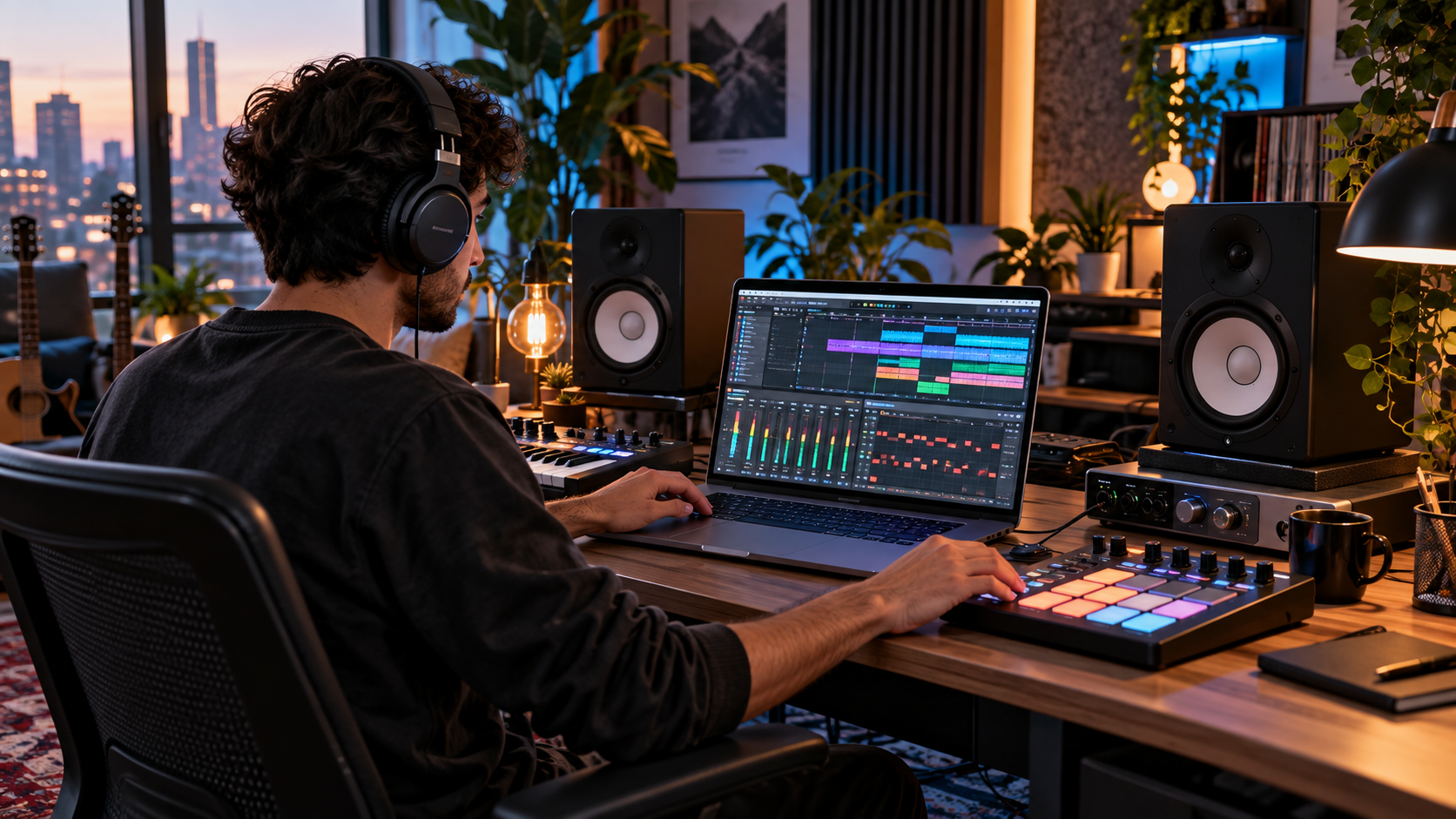
A beat maker free platform can give beginners, singers, rappers, producers, and content creators an accessible way to start producing music without immediately investing in expensive studio software. Modern beat making tools can provide drum kits, virtual instruments, loops, sequencing, recording functions, effects, and basic mixing controls directly from a computer or browser. The quality of the final track depends less on how much the software costs and more on rhythm, arrangement, sound selection, creativity, and the producer’s understanding of basic music production.
Free music tools are particularly useful for people learning how beats are structured.
A beginner can experiment with drums, bass, melodies, tempo, effects, and song arrangement while developing production skills at their own pace.
The key is understanding what a beat maker can do, which features matter, and how to turn individual sounds into a complete track.
What Is a Beat Maker Free Tool?
A beat maker is software designed to help users create instrumental music using digital sounds.
A free beat maker provides at least some of these features without requiring an upfront software purchase.
Depending on the platform, users may be able to create:
• Hip hop beats
• Trap instrumentals
• Pop tracks
• Electronic music
• Lo fi beats
• R&B instrumentals
• Drill beats
• Dance music
• Background music
• Podcast music
• Short social media tracks
Some tools work directly inside a web browser, while others must be installed on a computer or mobile device.
Features vary considerably.
A simple platform may provide only a drum sequencer and loops, while more advanced free software may provide multiple tracks, virtual instruments, effects, automation, recording, and detailed mixing controls.
How Beat Making Software Works
Most beat making programs use a timeline or pattern based system.
Producers place sounds at specific points in time to build rhythm.
For example, a basic drum pattern may contain:
• Kick drums
• Snare drums
• Hi hats
• Percussion
The producer can then add bass, chords, melodies, vocals, effects, and transitions.
Individual patterns are arranged into sections such as an introduction, verse, chorus, bridge, and outro.
The result can eventually be exported as an audio file if the software supports exporting.
Why Use a Beat Maker Free Instead of Paid Software?
Professional music software can provide powerful capabilities, but beginners do not always need advanced features immediately.
Starting with a free tool can help users understand production before deciding whether premium software is necessary.
Lower Cost for Beginners
The most obvious advantage is cost.
Someone who is still learning may not want to spend a large amount of money before knowing whether music production will become a long term interest.
A free platform creates an opportunity to learn basic concepts without financial pressure.
Easy Experimentation
Beat making requires experimentation.
Producers frequently try different drums, melodies, tempos, effects, and arrangements before finding the right combination.
Free tools make it easier to experiment without worrying about whether a software purchase was worthwhile.
Learning Fundamental Production Skills
The core principles of beat creation remain important regardless of software.
These include:
• Rhythm
• Tempo
• Arrangement
• Sound selection
• Frequency balance
• Dynamics
• Stereo placement
• Musical structure
Learning these fundamentals on a free platform can make moving to advanced software easier later.
7 Powerful Ways to Use Beat Maker Free Tools
A free platform can become much more useful when the producer follows a structured process.
1. Start With a Strong Drum Pattern
Drums form the rhythmic foundation of many modern music genres.
Instead of adding dozens of sounds immediately, begin with a simple pattern.
A basic beat may include a kick, snare, and hi hat.
The kick establishes low frequency impact.
The snare often provides the main rhythmic accent.
Hi hats create movement and help define the groove.
Once the foundation sounds good, additional percussion can be introduced.
Avoid adding unnecessary sounds only to make the project appear more complex.
A simple rhythm that feels good is usually more effective than a crowded pattern with no clear groove.
2. Choose the Right Tempo
Tempo is measured in beats per minute.
Different genres commonly use different tempo ranges, but there are no absolute rules.
The correct tempo depends on the mood and rhythm you want to create.
A slower tempo may feel relaxed or heavy.
A faster tempo may feel energetic.
Producers should experiment rather than assuming that every song in a genre must use the same speed.
Changing the tempo can completely alter how a drum pattern feels.
3. Add Bass That Supports the Drums
Bass provides low frequency energy and can connect the rhythm to the musical elements.
The bass line should work with the kick rather than competing with it.
In some styles, bass notes closely follow the rhythm of the kick drum.
In others, the bass may move more independently.
Listen carefully to the relationship between these elements.
If the low end sounds unclear, simplify the pattern before adding more processing.
Beat Maker Free Bass Patterns Should Stay Controlled
Beginners sometimes make bass lines too complicated.
A simpler bass pattern can create more impact because each note has enough space.
Start with notes that support the main chord or melody.
Once the basic pattern works, experiment with rhythm and movement.
4. Build a Memorable Melody
A melody gives the beat identity.
It might come from a piano, synthesizer, guitar, bell, string sound, or another virtual instrument.
A strong melody does not have to contain many notes.
Repeating a short musical idea can be highly effective.
Try creating a simple phrase and then changing one or two notes when the pattern repeats.
This creates familiarity without making the track feel completely repetitive.
5. Arrange the Beat Into Sections
A loop can sound interesting for a few seconds but become repetitive if it never changes.
Arrangement turns a loop into a complete instrumental.
Common song sections include:
• Introduction
• Verse
• Chorus
• Bridge
• Breakdown
• Outro
Different sections can be created by adding or removing elements.
For example, the introduction might use only melody and percussion.
The verse could introduce drums and bass.
The chorus could add additional instruments or stronger drum patterns.
This creates movement without requiring an entirely new composition for every section.
6. Use Effects Carefully
Effects can improve sound when used with purpose.
Common production effects include:
• Equalisation
• Compression
• Reverb
• Delay
• Distortion
• Filtering
• Chorus
• Stereo effects
Beginners often apply too many effects because the changes sound exciting individually.
However, excessive processing can make a track unclear.
Add an effect only when you understand what problem it is solving or what creative result you want.
7. Export and Test the Finished Beat
A track can sound different outside the production environment.
After exporting, listen using different playback systems.
These may include:
• Headphones
• Laptop speakers
• Car speakers
• Mobile phone speakers
• Home speakers
If important elements disappear on certain devices, the mix may need adjustment.
Testing helps identify problems that are difficult to notice when listening repeatedly through the same headphones or speakers.
Beat Maker Free Tools for Beginners
Beginners should prioritise usability over the number of available features.
A complicated production environment can slow down learning.
Look for tools with clear controls and basic functions such as:
• Drum sequencing
• Multiple audio tracks
• Virtual instruments
• Tempo adjustment
• Loop libraries
• Volume controls
• Basic effects
• Audio export
• Project saving
Not every free tool includes all of these features.
Check the platform’s current limitations before starting an important project.
Understanding Drum Programming
Drum programming is one of the most useful skills for beat makers.
Each drum sound has a different role.
Kick Drum
The kick provides low frequency impact.
Its placement strongly influences the groove.
Too many kick hits can make a beat feel crowded.
Too few may make the rhythm feel weak depending on the genre.
Snare and Clap
The snare or clap often provides the main backbeat.
It gives listeners a clear rhythmic reference.
Layering a snare and clap can create a different texture, but unnecessary layering may create harshness.
Hi Hats
Hi hats can add energy and movement.
Simple patterns can work extremely well.
More advanced producers may experiment with changing note lengths, velocity, rolls, and rhythmic variations.
Percussion
Percussion can add character.
Shakers, rims, toms, congas, and other sounds can create additional movement.
Use percussion to support the groove rather than filling every empty space.
Creating Better Melodies With Beat Maker Free Software
Melody creation can feel difficult for beginners who do not know music theory.
However, basic experimentation can still produce useful ideas.
Start With a Small Number of Notes
Choose a few notes and create a short pattern.
Listen to how they interact.
If a note sounds uncomfortable, move it up or down.
Many beat making platforms provide piano roll interfaces that make this process easier to visualise.
Use Repetition
Listeners often remember repeated ideas.
A melody can repeat while changing slightly every few bars.
This keeps the track recognisable while adding variety.
Leave Space
Every moment does not need a note.
Silence is part of music.
Leaving space allows drums, bass, and vocals to breathe.
This is particularly important when producing beats intended for singers or rappers.
How to Make a Beat Sound Less Repetitive
Repetition is important in modern music, but too much identical repetition can become boring.
Several simple techniques can help.
Remove drums briefly before a chorus.
Change the hi hat rhythm.
Add a new melody in later sections.
Mute the bass for a few bars.
Use a short transition effect.
Change the final drum hit before a new section.
Introduce an additional instrument gradually.
Small changes can create noticeable movement without changing the entire beat.
Beat Maker Free Mixing Basics
Mixing is the process of balancing individual sounds so they work together.
A good mix begins with volume.
Set Volume Before Using Effects
Many beginners immediately add equalisation and compression.
First adjust the volume of each track.
Ask whether every sound really needs to be equally loud.
Usually it does not.
Some elements should lead, while others should support them.
Use Stereo Position Carefully
Panning places sounds toward the left or right side of the stereo field.
Central elements commonly include important low frequency sounds and lead elements, depending on the production style.
Other sounds can be placed slightly to the sides to create width.
Avoid extreme panning unless it supports the creative idea.
Control Low Frequencies
Bass and kick can compete because both use low frequencies.
Sound selection and arrangement should solve as much of this problem as possible before heavy processing.
A clear low end often comes from choosing sounds that complement one another.
Recording Vocals Over a Free Beat
Some beat making platforms support microphone recording.
If recording vocals, the environment matters.
A quiet room can improve recordings more than adding expensive effects to noisy audio.
Try to reduce:
• Fan noise
• Street noise
• Computer noise
• Room echo
• Background conversations
Record at a level that avoids distortion.
If the signal is clipped during recording, processing cannot fully restore the lost information.
Beat Maker Free for Rappers and Singers
Artists who write vocals can use free beat makers to create rough ideas before entering a professional studio.
This can help with:
• Songwriting
• Testing flows
• Creating demos
• Choosing tempo
• Planning song structure
• Practising vocal delivery
• Developing reference tracks
A demo does not always need perfect production.
Its purpose may simply be to communicate the musical idea clearly.
Beat Maker Free for YouTube and Social Media
Content creators often need background music for videos, podcasts, short clips, intros, and presentations.
A beat maker can help create original music.
However, users should understand the licensing rules for every sound included in the project.
A free tool does not automatically mean that every loop or sample can be used commercially without restrictions.
Always review the licensing terms of the platform and individual sound libraries.
Copyright and Sample Licensing
Copyright is an important part of music production.
Using a commercially released recording without permission may create copyright issues.
This can apply even when only a short section is used.
Use Licensed or Original Sounds
Safer options include:
• Original recordings
• Original melodies
• Properly licensed samples
• Royalty free libraries used according to their licence
• Sounds provided by a platform with clear usage rights
The term royalty free does not always mean completely unrestricted.
Read the licence carefully.
Beat Maker Free Samples Still Need Licence Checks
Do not assume that a sample can be commercially released simply because it was downloaded at no cost.
Free describes the price, not necessarily the copyright permissions.
Check whether commercial use, streaming distribution, monetised videos, and modification are allowed.
Choosing the Best Free Beat Maker for Your Needs
Different producers need different features.
A beginner may want simplicity.
An experienced musician may want advanced editing.
Before choosing a platform, consider:
• Supported operating system
• Browser compatibility
• Number of tracks
• Available instruments
• Sample library
• Export formats
• Recording features
• Project storage
• Commercial licensing
• Collaboration options
• Free plan limitations
A platform that looks impressive may still be unsuitable if important export or licensing features require payment.
Common Beat Making Mistakes
Beginners often make similar production mistakes.
Adding Too Many Sounds
More tracks do not automatically create better music.
Every sound should have a purpose.
Ignoring Arrangement
A great four bar loop is not automatically a complete song.
Develop sections and transitions.
Making Everything Loud
When every track is loud, nothing stands out.
Create a clear hierarchy.
Overusing Effects
Reverb, delay, distortion, and compression can quickly make a track muddy when applied excessively.
Copying Without Learning
Reference tracks can help producers understand structure and mixing, but simply copying another artist’s work does not develop an individual style.
Study techniques and then create something original.
How to Improve at Beat Making
Music production develops through regular practice.
Completing many simple beats can teach more than endlessly editing one unfinished project.
A useful routine might include:
• Create drum patterns regularly
• Practise simple melodies
• Recreate song structures for learning purposes
• Compare mixes on different speakers
• Study music you enjoy
• Finish projects
• Save different versions
• Review older work
Progress becomes easier to recognise when completed projects can be compared over time.
Frequently Asked Questions
What is a beat maker free tool?
A beat maker free tool is software or an online platform that lets users create drum patterns, melodies, bass lines, and music arrangements without requiring an upfront purchase.
Can I make professional music with a free beat maker?
Yes, a free tool can be used to create strong musical ideas and finished tracks when it provides the necessary production and export features. Results depend heavily on the producer’s skills.
Can beginners use beat maker free software?
Yes. Free beat making software can be a practical way for beginners to learn rhythm, arrangement, melody, mixing, and basic music production without purchasing advanced software.
Can I sell beats created with a free beat maker?
It depends on the software and sound licences. Check whether the platform permits commercial use and whether every sample, loop, and instrument included in the beat can legally be monetised.
What do I need to start making beats?
A computer, tablet, or compatible phone may be enough for some platforms. Headphones are useful, while a MIDI keyboard, microphone, and studio monitors can be added later if needed.
Is free beat making software good for rappers?
Yes. Rappers can use free beat makers to create instrumentals, practise flows, develop demos, experiment with tempo, and plan complete song arrangements.
Conclusion
A beat maker free platform can provide everything a beginner needs to start learning modern music production without immediately investing in expensive software. Strong beats come from thoughtful drum programming, melody, arrangement, sound selection, mixing, and consistent practice rather than software price alone. By choosing a tool with suitable export and licensing options and developing the fundamentals step by step, producers can turn simple musical ideas into complete and original tracks.