AI Avatar Generator: How to Create Better Digital Characters Safely and Effectively
An AI avatar generator uses artificial intelligence to create or transform digital representations of people, characters, or fictional identities from text prompts, uploaded photographs, predefined styles, or a combination of inputs. These tools can produce professional profile images, illustrated characters, gaming personas, social media graphics, virtual presenters, and branded digital identities far faster than many traditional workflows. Quality varies substantially, however, and users also need to consider image rights, privacy, consent, commercial licensing, deepfake risks, and platform policies. Understanding how avatar systems work and how to write stronger prompts can help individuals and businesses generate more consistent images while using the technology responsibly.
What Is an AI Avatar Generator?
An AI avatar generator is software that applies generative or image transformation models to create a digital character or representation.
Depending on the product, users may enter a written description, upload one or more reference photos, choose visual styles, adjust characteristics, or provide other creative instructions.
The software then generates one or more images based on those inputs.
What Can an AI Avatar Generator Create?
Available capabilities depend on the model, but common outputs include:
• Professional profile portraits
• Social media avatars
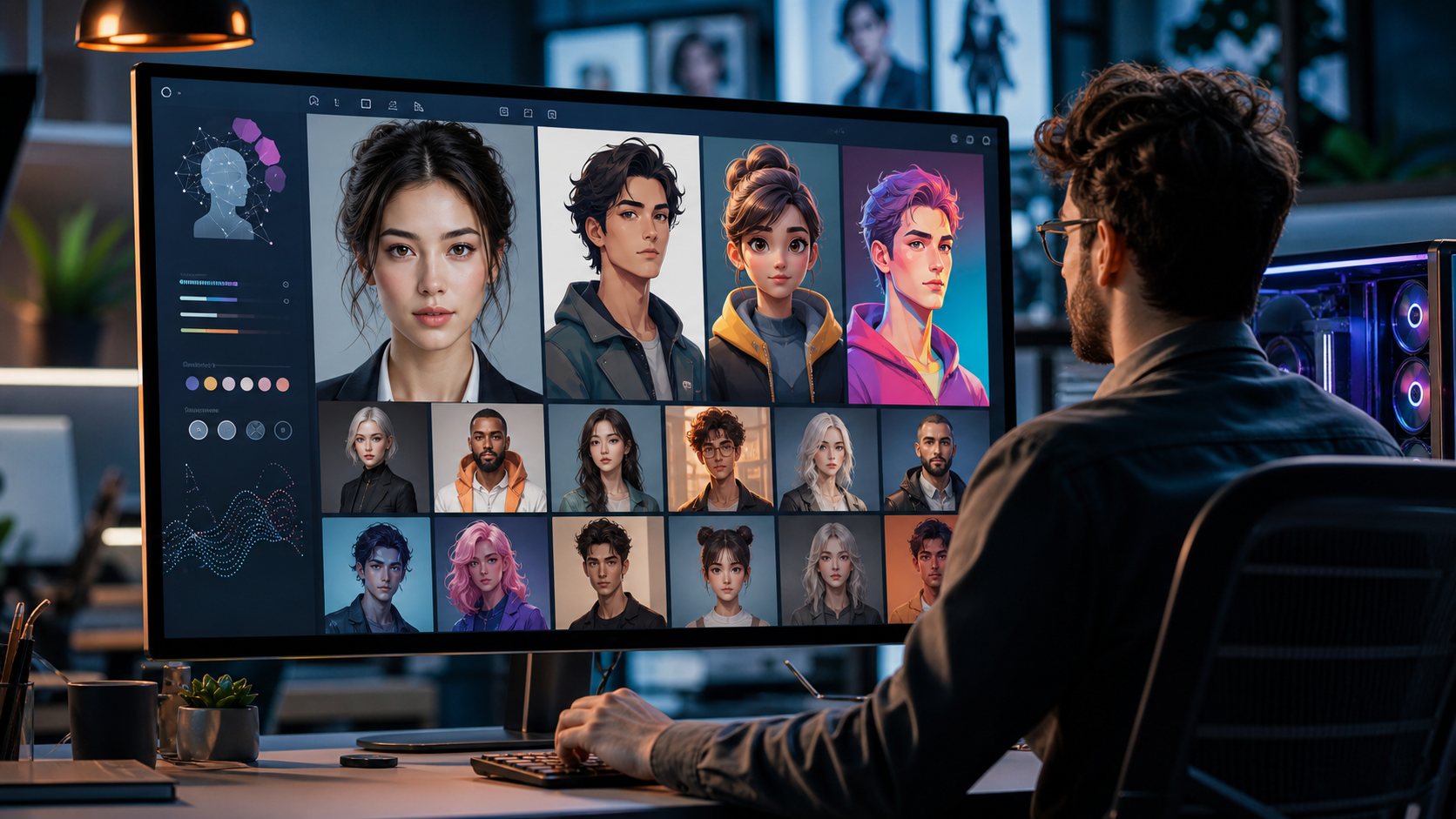
• Illustrated characters
• Gaming characters
• Anime inspired avatars
• 3D styled characters
• Cartoon portraits
• Fantasy characters
• Virtual presenters
• Branded mascots
• Fictional personas
• Stylized versions of user supplied photographs
Some systems produce still images only, while others can animate avatars or generate video and speech.
AI Avatar Generator Versus AI Image Generator
The categories overlap.
A general AI image generator can create landscapes, products, illustrations, people, architecture, and many other types of imagery.
An avatar generator focuses more specifically on characters, portraits, or digital identities and may include tools designed to preserve a subject’s appearance across outputs.
How Does an AI Avatar Generator Work?
Modern avatar creation can involve different technical approaches depending on the product.
Many systems are built on generative image models capable of synthesizing new visual content from learned patterns.
Text to Image Generation
A text based system takes a description such as:
“Professional fictional technology consultant, studio portrait, neutral background, natural lighting, realistic photography.”
The model interprets the prompt and produces an image matching the requested concepts as closely as its capabilities allow.
Image to Image Generation
Other tools accept an existing image and produce a transformed version.
For example, a photograph could become an illustrated or cinematic portrait.
Reference Based Generation
Some systems use one or more reference images to preserve recognizable characteristics of a subject while creating new poses, clothing, environments, or artistic styles.
Consistency varies between tools.
Model Training and Generation Are Different
A user uploading photographs does not necessarily mean the underlying AI model is being permanently trained on those images.
Services can process reference images in different ways.
Users should read the provider’s privacy and data use policies to understand storage, retention, model improvement, and deletion practices.
7 Powerful AI Avatar Generator Tips for Better Results
High quality avatars depend on more than clicking a generate button. These seven practices can improve output quality while reducing privacy and licensing problems.
1. Give the AI Avatar Generator a Specific Prompt
Generative systems work better when the requested result is clearly described.
A short prompt such as “make an avatar” leaves many visual decisions undefined.
Describe the Subject
Useful characteristics can include:
• Approximate adult age range
• Hairstyle
• Clothing
• Facial expression
• Pose
• Character type
• Accessories
• Professional role
• Fictional characteristics
Only include characteristics that matter to the intended image.
Describe the Style
Specify whether you want:
• Photorealistic
• Editorial portraiture
• Digital illustration
• 3D rendering
• Graphic novel style
• Minimal vector art
• Fantasy art
• Anime inspired art
• Corporate photography
Style language can strongly influence the output.
Specify the Background
A background affects the perceived purpose of the avatar.
For professional profiles, possibilities include a neutral studio background, modern office, subtle gradient, or clean architectural environment.
For gaming or creative characters, more complex environments may be appropriate.
2. Use Quality Reference Images When Appropriate
If the generator accepts photographs, input quality can affect results.
Dark, heavily filtered, or obstructed images may provide less useful visual information.
Choose Clear Photographs
Where the service’s instructions permit, use images with:
• Clear facial visibility
• Good lighting
• Natural facial proportions
• Limited motion blur
• Appropriate resolution
• Minimal obstruction
A variety of angles can help certain reference based systems.
Avoid Extreme Filters
Beauty filters can alter facial geometry, skin texture, eyes, jaw shape, and other features.
If resemblance matters, unfiltered source photographs generally provide a more faithful reference.
Only Upload Images You Have the Right to Use
Do not upload another person’s face without their permission merely to generate altered or deceptive images.
Consent is especially important for private individuals and sensitive uses.
3. Protect Privacy When Using an AI Avatar Generator
Uploading photographs can involve biometric or identity related information.
Users should understand how a service handles their data before providing identifiable images.
Review the Privacy Policy
Important questions include:
• Are photographs stored?
• For how long?
• Can users delete them?
• Are uploads used to improve models?
• Are images shared with service providers?
• Where is data processed?
• What account controls exist?
• How are generated images handled?
Privacy practices differ among services.
Avoid Unnecessary Sensitive Information
An avatar service generally does not need photographs containing passports, identity cards, medical documents, financial information, home addresses, or other sensitive data.
Crop or remove unrelated sensitive details where practical.
Children Require Additional Care
Images of minors deserve heightened privacy and consent considerations.
Parents and guardians should evaluate the service’s age requirements, privacy practices, retention policies, and intended use before uploading children’s photographs.
4. Check AI Avatar Generator Commercial Rights
Being able to download an image does not necessarily mean every commercial use is permitted.
Licensing terms vary by provider and subscription.
Review Terms Before Business Use
If an avatar will appear in:
• Advertising
• Brand materials
• Websites
• Apps
• Merchandise
• Paid campaigns
• Books
• Games
• Client projects
confirm that the service terms permit the intended use.
Copyright Questions Can Be Complex
Copyright treatment of AI generated material varies by jurisdiction and continues to evolve.
In some jurisdictions, the degree of human authorship can affect whether and how generated content receives copyright protection.
Do Not Assume Exclusivity
A generated image may not necessarily be exclusive to one user.
Other users may produce similar content, particularly from common styles or concepts.
Businesses requiring strong ownership and exclusivity should consider professional legal advice and more controlled creative workflows.
5. Use an AI Avatar Generator Consistently for Branding
Businesses often need the same character to remain recognizable across many images.
One excellent avatar is less useful if every new generation creates a different face.
Create a Character Specification
Record consistent characteristics such as:
• Hair
• Clothing
• Approximate age
• Face characteristics
• Color palette
• Accessories
• Expression style
• Illustration style
• Lighting
• Background approach
This acts as a simple digital character guide.
Save Successful Prompts
Keep the prompts, model settings, seeds where supported, aspect ratios, and reference images associated with successful results.
Use Reference Features
Some generators offer character consistency tools or reusable references.
These can produce more predictable results than repeatedly describing the same person with text alone.
Even then, inspect each output for unexpected changes.
6. Inspect Every AI Avatar Generator Output
Generative images can contain visual errors that are easy to miss at first glance.
Never publish important commercial imagery without reviewing it closely.
Check Facial Details
Look for problems involving:
• Eyes
• Teeth
• Ears
• Hairlines
• Eyeglasses
• Earrings
• Facial symmetry
• Skin artifacts
Photorealistic outputs can sometimes appear convincing until viewed at full resolution.
Check Hands and Accessories
Generative models have improved substantially, but complex anatomy and object interactions can still produce errors.
Review fingers, jewelry, clothing fasteners, microphones, glasses, and other detailed objects.
Inspect Text
Image generators can produce incorrect, meaningless, or distorted text.
For logos, name badges, signage, and typography, it is often preferable to add accurate text later using design software.
Look for Unwanted Brand Marks
Generated images can sometimes contain logo like shapes or unintended visual similarities.
Businesses should inspect commercial images carefully before publication.
7. Use AI Avatars Transparently Where Context Requires It
An avatar used as an obvious fictional game character creates different expectations from an artificial person presented as a real employee, doctor, journalist, or customer.
Context matters.
Avoid Fake Testimonials
Businesses should not create fictional customer avatars and present them as photographs of genuine customers.
This can mislead users and undermine trust.
Virtual Spokespeople
An AI generated presenter can be useful for educational or marketing content when audiences are not deceived about its nature.
Disclosure may be advisable or legally required depending on context and jurisdiction.
Sensitive Impersonation Is High Risk
Do not use AI avatars to deceptively impersonate real people for fraud, harassment, nonconsensual sexual content, political deception, or identity misuse.
The technical ability to create a likeness does not make deceptive use acceptable or lawful.
AI Avatar Generator for Professional Headshots
Professional avatars are popular with remote teams, freelancers, entrepreneurs, and users who need polished profile imagery.
They can be useful, but accuracy matters.
Keep the Result Recognizable
For professional profiles, an avatar that changes someone’s apparent age, facial structure, or other defining characteristics dramatically may create an inaccurate representation.
Use restrained transformations where authenticity matters.
Choose Appropriate Clothing
Specify business attire that matches the professional setting.
A technology founder, lawyer, healthcare professional, and creative designer may benefit from different visual styling.
Avoid False Professional Signals
Do not add uniforms, credentials, badges, awards, or occupational equipment that falsely implies qualifications the person does not have.
Visual presentation should not misrepresent professional status.
AI Avatar Generator for Social Media
Social platforms allow more stylistic freedom.
Users can create recognizable portraits without necessarily using a conventional photograph.
Match the Platform
A small circular profile image needs a different composition from a full size banner.
Keep the face or character sufficiently prominent for small display sizes.
Use High Contrast Carefully
A distinctive background can help an avatar remain recognizable, but excessive detail may disappear when the image is reduced.
Keep Branding Consistent
Businesses should coordinate avatar colors, typography, profile imagery, and brand tone across social accounts.
AI Avatar Generator for Gaming
Gaming avatars can range from realistic characters to highly stylized fictional personas.
This is one area where imaginative prompts can be particularly effective.
Define the Character World
Describe:
• Genre
• Clothing
• Armour
• Environment
• Era
• Character role
• Mood
• Color palette
• Art style
Avoid Copying Protected Characters
Creating a generic fantasy warrior is different from requesting a near identical copy of a recognizable copyrighted franchise character for commercial use.
Original character design provides greater creative flexibility.
AI Avatar Generator for Businesses
AI generated brand characters can act as mascots, assistants, presenters, or visual identities.
Businesses should create governance around how those characters are used.
Establish an Avatar Policy
Define:
• Character appearance
• Approved use cases
• Prohibited representations
• Disclosure practices
• Who can generate content
• Who reviews output
• Brand voice
• Data privacy requirements
This becomes more important as avatar generation scales across teams.
Avoid False Staff Profiles
A fictional avatar should not be used to fabricate a nonexistent expert employee, clinician, lawyer, customer support agent, or executive in a way that deceives users.
AI can support branding without inventing false credentials.
AI Avatar Generator for Virtual Presenters
Some services animate generated or selected avatars and synchronize them with text to speech audio.
These can be useful for training and informational videos.
Review Generated Speech
AI generated voices can mispronounce names, technical terminology, locations, and abbreviations.
Review audio before publishing.
Synchronization
Lip synchronization quality differs between platforms.
Inspect mouth movements, blinking, facial expressions, and head motion for visual artifacts.
Avoid Unauthorized Voice Cloning
Do not clone a real person’s voice without appropriate permission.
Voice likeness can raise privacy, publicity, fraud, and platform policy concerns.
AI Avatar Generator for Customer Service
AI avatars can provide a visual interface for automated support systems.
The avatar itself does not determine the quality of the underlying chatbot.
Focus on Answer Accuracy
A realistic face can make incorrect information feel more authoritative.
Businesses should test the knowledge system, escalation process, and safety rules separately from visual presentation.
Make Human Escalation Available
Customers should have a clear route to appropriate human support when automation cannot resolve an issue.
This is particularly important for financial, healthcare, legal, and safety related services.
Photorealistic Versus Illustrated AI Avatars
The best style depends on context.
Photorealistic avatars can appear more professional or human, while illustrations can make the artificial nature of the character clearer.
Photorealistic Avatars
Common uses include:
• Profile imagery
• Professional branding
• Virtual presenters
• Marketing
• Concept imagery
Review them carefully for realism and potential deception.
Illustrated Avatars
Illustrations can work well for:
• Gaming
• Communities
• Brand mascots
• Educational content
• Creative profiles
• Privacy conscious identities
3D Avatars
Three dimensional styles can suit virtual environments, games, livestreaming, and interactive applications.
Export format and rigging requirements matter for actual 3D use.
AI Avatar Generator Prompts That Produce Better Results
A good prompt communicates subject, style, composition, lighting, and intended context without unnecessary contradiction.
Professional Avatar Prompt Structure
A useful structure is:
Subject description, clothing, facial expression, framing, background, lighting, visual style, image quality, intended use.
For example:
“Fictional adult software consultant, dark blue business casual shirt, relaxed professional expression, shoulders and head framing, neutral modern office background, soft window lighting, realistic editorial portrait photography.”
Creative Character Prompt Structure
For stylized characters:
Character role, physical characteristics, clothing, genre, environment, lighting, medium, mood, composition.
Avoid Conflicting Instructions
A prompt asking simultaneously for photorealistic photography, flat vector illustration, watercolor, and 3D animation can produce unpredictable results.
Prioritize one clear visual direction.
How to Make an AI Avatar Look More Natural
Overly polished avatars can appear artificial.
Small prompt changes can produce more believable results.
Request Natural Texture
For realistic portraits, terms relating to natural skin texture, realistic lighting, subtle asymmetry, and ordinary camera characteristics can help.
Avoid Excessive Beauty Language
Repeated requests for flawless skin, perfect symmetry, extreme sharpness, and glamour effects can push results toward an artificial appearance.
Use Realistic Lighting
Soft window light, overcast daylight, or controlled studio lighting can create convincing portraits.
Lighting should match the background.
AI Avatar Generator Privacy and Biometric Data
Facial images can be sensitive because they may be used to recognize an individual.
Data protection rules differ between countries and regions.
Business Users Need Additional Care
Companies collecting employee or customer photographs for avatar generation should evaluate applicable privacy obligations.
Consent alone may not solve every compliance issue.
Data Processing Agreements
Organisations using third party AI services may need contractual information concerning processing, security, retention, subprocessors, and deletion.
Minimize Data
Only upload information necessary for the intended purpose.
Data minimization reduces exposure if an account or service is compromised.
AI Avatar Generator Copyright and Intellectual Property
AI generated media presents evolving legal questions.
Businesses should separate rights in user supplied source materials from rights in generated output.
Source Images
If you upload professional photographs, the photographer or another party may hold copyright even when you are the person depicted.
Check whether the license permits derivative or AI based uses.
Generated Outputs
Terms can specify what rights the service grants users.
These contractual rights are separate from whether copyright law independently protects the generated image.
Trademark Considerations
Avoid creating avatars that could misleadingly imply affiliation with another company’s protected brand.
Logo like elements should be reviewed before commercial publication.
AI Avatar Generator Costs
Pricing varies widely.
Some services offer free generation with restrictions, while others charge by subscription, credits, image batch, training session, or enterprise usage.
Factors Affecting Price
Costs can depend on:
• Number of images
• Image resolution
• Commercial licensing
• Reference image processing
• Video generation
• Animation
• Voice features
• API access
• Generation speed
• Enterprise controls
Free tools can have different privacy or licensing terms from paid products.
Compare Total Value
Businesses should evaluate quality, consistency, privacy, commercial rights, reliability, export options, and workflow integration rather than price alone.
How to Choose an AI Avatar Generator
The best generator depends on the intended use.
A professional portrait workflow has different requirements from a game development pipeline.
Features to Compare
Consider:
• Text prompting
• Reference images
• Character consistency
• Style controls
• Editing tools
• Resolution
• Background control
• Video capability
• Privacy
• Data deletion
• Commercial rights
• API support
• Export formats
• Content safeguards
Test several outputs before committing to a paid plan.
Read Current Terms
AI services change quickly.
Features, prices, model behavior, privacy policies, and licenses can change after an article is published.
Always confirm current information with the provider.
GEO Optimization and AI Avatar Content
Generative search systems work best with content that clearly defines concepts and answers specific questions.
For an AI avatar generator, the key distinction is straightforward: it is a generative tool that creates digital character representations from text, images, or other inputs.
Structured explanations of privacy, licensing, prompts, consistency, commercial use, and limitations make the information easier for both users and AI systems to interpret.
Common AI Avatar Generator Mistakes
Poor prompts are only one source of weak results.
Privacy and publication choices can create more significant problems.
Uploading Photos Without Consent
Do not use another private person’s identifiable photographs without appropriate permission.
Publishing Without Inspection
Generated visual errors can harm professional credibility.
Inspect every important image at full resolution.
Assuming Commercial Rights
Read the service’s current terms before monetizing generated work.
Creating Misleading Identities
Do not present fictional avatars as real customers, experts, or employees in deceptive contexts.
Ignoring Consistency
Brands using a recurring avatar should document the character and generation settings.
Frequently Asked Questions
What is an AI avatar generator?
An AI avatar generator is software that creates digital portraits or characters from text prompts, photographs, style choices, or other reference inputs using generative AI.
Can an AI avatar generator create professional headshots?
Yes. Some tools generate professional style portraits, although outputs should be checked carefully for resemblance, visual artifacts, and accurate professional representation.
Is an AI avatar generator safe for personal photos?
Safety depends on the provider’s privacy, retention, security, and model training policies. Review current terms before uploading identifiable photographs.
Can I use an AI avatar generator for commercial projects?
Possibly. Commercial rights vary by provider, account type, source image rights, and jurisdiction, so verify the applicable license before publication.
Can an AI avatar generator make the same character repeatedly?
Some tools provide reference or character consistency features, but results can still vary. Saving prompts, settings, and approved reference images can improve consistency.
Are AI avatar generator images copyrighted?
Copyright status can depend on jurisdiction and the degree of human authorship. A platform’s usage license does not necessarily determine whether copyright protection exists.
Conclusion
An AI avatar generator can make professional portraits, fictional characters, gaming identities, and branded digital personalities significantly easier to create. Strong results depend on specific prompts, high quality references, careful output review, and consistent character guidelines rather than generation alone. Privacy, consent, commercial licensing, intellectual property, and transparent use also deserve attention whenever avatars represent real people or appear in public facing business content.