AI Image Generator Guide: How to Create Better Visuals With Generative AI
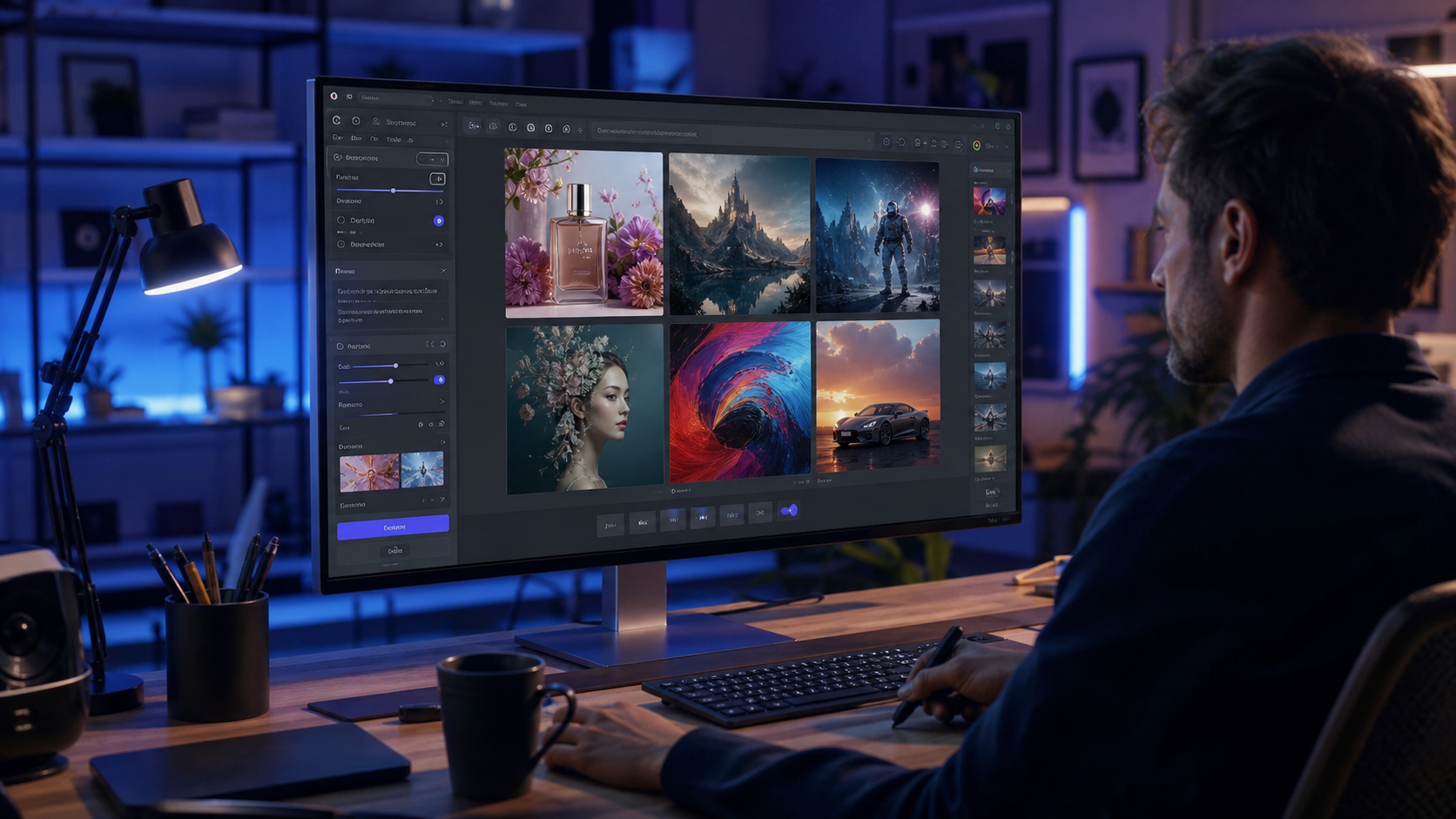
An AI image generator turns written prompts, reference images, sketches, or combinations of inputs into new visual content using generative artificial intelligence. These tools can support marketing, concept design, social media, advertising, product visualization, illustrations, website graphics, storyboards, and personal creative projects. Modern systems can produce highly convincing results, but image quality varies by model, prompt, source material, editing workflow, and intended use. Copyright, privacy, misleading content, commercial licensing, identifiable people, and brand assets also require careful attention. The most effective workflow treats AI as a creative tool rather than assuming every generated image is accurate, legally uncomplicated, or ready to publish without human review.
What Is an AI Image Generator?
An AI image generator is software that creates or modifies images using generative machine learning models.
A user can typically describe a desired image in natural language. The system interprets concepts in that description and generates visual output according to its model capabilities and settings.
Some tools also allow users to upload reference images or edit existing visuals.
What Can an AI Image Generator Create?
Depending on the model, users can create:
• Photorealistic images
• Digital illustrations
• Concept art
• Product mockups
• Advertising concepts
• Landscapes
• Architectural concepts
• Fictional portraits
• Social media graphics
• Website imagery
• Storyboards
• Textures and backgrounds
• Character designs
• Infographics with varying reliability
Capabilities differ between services and evolve rapidly.
AI Image Generator Versus Photo Editing Software
Traditional photo editing software primarily manipulates existing pixels and visual elements under the user’s direct control.
Generative tools can synthesize entirely new visual information.
The categories increasingly overlap because conventional editing applications now incorporate generative features such as object replacement, background generation, image expansion, and content aware editing.
How Does an AI Image Generator Work?
Modern generative image systems learn statistical relationships between visual information and associated concepts from training processes.
At generation time, they use that learned representation to create new output in response to an input.
Text to Image Generation
Text to image models create an image from a written prompt.
For example:
“Contemporary mountain cabin at sunrise, cedar exterior, large windows, light fog, realistic architectural photography, warm natural lighting.”
The generator interprets individual concepts and their relationships to produce an image.
Image to Image Generation
Image to image tools use an existing visual as part of the input.
Users might transform a rough sketch into a polished concept, restyle a photograph, or use a reference to guide composition.
Generative Editing
Many systems support targeted modifications.
A user can select an area and request changes such as replacing furniture, altering a background, removing an unwanted object, or extending the image beyond its original boundaries.
7 Powerful AI Image Generator Tips for Amazing Results
Generation quality improves when users communicate visual intent clearly and review outputs systematically. These seven strategies provide a practical workflow.
1. Give the AI Image Generator a Clear Prompt
A strong prompt describes what the image should contain rather than relying on vague adjectives.
Start with the primary subject.
Define the Subject
Useful details can include:
• Person or fictional character
• Product
• Building
• Landscape
• Object
• Activity
• Environment
• Materials
• Colors
• Relevant physical details
Prioritize information that meaningfully changes the visual.
Add the Setting
The same subject can look entirely different in a studio, forest, office, city street, kitchen, or abstract background.
Specify the environment when it matters.
Describe Composition
Composition terms can include:
• Close up
• Wide angle
• Eye level
• Overhead
• Symmetrical composition
• Centered subject
• Three quarter view
• Negative space
• Shallow depth of field
These instructions help define how the scene is presented.
2. Define a Consistent Visual Style
Style is one of the strongest influences on generated output.
Choose a coherent direction.
Photographic Styles
For realistic imagery, consider details such as:
• Editorial photography
• Product photography
• Architectural photography
• Documentary style
• Studio portrait
• Lifestyle photography
• Macro photography
• Cinematic photography
Illustration Styles
Creative options can include:
• Flat vector inspired illustration
• Watercolor
• Ink drawing
• Comic inspired art
• 3D rendering
• Children’s book illustration
• Technical illustration
• Minimalist graphic design
Avoid Too Many Conflicting Styles
A prompt demanding photorealism, watercolor, flat vector art, and 3D animation simultaneously can create inconsistent results.
Choose one dominant visual language.
3. Use Lighting to Improve AI Image Generator Quality
Lighting shapes realism, mood, texture, and perceived depth.
Adding useful lighting information can substantially change the output.
Natural Lighting
Options include:
• Soft window light
• Overcast daylight
• Golden hour
• Morning sunlight
• Diffused daylight
• Backlighting
• Side lighting
Studio Lighting
Commercial imagery can use descriptions such as softbox lighting, rim lighting, controlled reflections, or clean high key studio illumination.
Match Light to the Scene
A bright midday exterior with dramatic indoor studio lighting can create visual inconsistency unless that contrast is intentional.
Keep lighting physically plausible when realism is the goal.
4. Use Reference Images Responsibly
Reference inputs can guide composition, color, subject identity, product appearance, or general aesthetic direction.
They can be particularly useful when text alone is insufficient.
Use Images You Have Rights to Use
Before uploading a photograph, illustration, product image, or other protected work, consider whether you own it or have appropriate permission.
Being able to download an image from the internet does not grant a right to reuse it.
Identifiable People Require Care
Using a person’s photograph can raise privacy, consent, publicity, and impersonation concerns.
Obtain appropriate permission, particularly for private individuals.
Avoid Sensitive Misrepresentation
Do not create deceptive images showing real people participating in events, relationships, crimes, medical situations, sexual contexts, or endorsements that did not occur.
The realism of generative AI increases the potential harm from misleading imagery.
5. Inspect Every AI Image Generator Output
Generated images can appear convincing while containing small but important errors.
Review important output at full resolution.
Examine People Carefully
Check:
• Hands
• Fingers
• Teeth
• Eyes
• Eyeglasses
• Ears
• Jewelry
• Hair
• Clothing
• Body proportions
Generative models continue improving, but anatomical and interaction errors remain possible.
Inspect Objects
Look at:
• Furniture geometry
• Wheels
• Tools
• Doors
• Windows
• Electrical equipment
• Machinery
• Reflections
• Shadows
• Repeated patterns
Errors become especially problematic in technical, medical, architectural, and product contexts.
Verify Written Text
AI generated text inside images can be inaccurate, even when it initially looks plausible.
Logos, labels, signs, ingredients, safety instructions, addresses, and legal disclosures should be checked manually.
For important typography, add accurate text afterward with a dedicated design tool.
6. Understand AI Image Generator Copyright and Licensing
Downloading an AI generated image does not answer every intellectual property question.
Several distinct issues need consideration.
Platform Usage Rights
Each service has terms governing how users may use outputs.
Some plans support commercial use, while restrictions can vary by service, account, geography, or content source.
Review current terms before publication.
Copyright Protection
Whether AI generated output qualifies for copyright protection can depend on jurisdiction and the nature and extent of human authorship.
The law continues to evolve.
Platform Permission and Copyright Are Different
A service can contractually allow you to use an output without that output necessarily receiving copyright protection under local law.
Businesses requiring exclusive enforceable rights should obtain appropriate legal advice.
Trademark Issues
Generated images can accidentally resemble recognizable logos, packaging, mascots, or branded trade dress.
Inspect commercial content before publication.
7. Protect Privacy While Using an AI Image Generator
Generative services can process uploaded photographs, client assets, unpublished designs, and other potentially sensitive information.
Understand provider policies before uploading confidential material.
Review Data Practices
Ask:
• Are prompts retained?
• Are uploaded images retained?
• Can data be deleted?
• Is customer content used for model improvement?
• Are human reviewers involved?
• Which subprocessors receive data?
• What security controls apply?
• Are enterprise privacy options available?
Current provider documentation should answer these questions.
Do Not Upload Sensitive Documents Unnecessarily
Avoid uploading material containing:
• Identity numbers
• Medical records
• Financial information
• Private addresses
• Passwords
• Confidential client data
• Trade secrets
• Unreleased products
Use data minimization as the default.
How to Write a Strong AI Image Generator Prompt
Prompt writing does not need to be complicated.
A repeatable structure often works better than a huge list of unrelated keywords.
Basic Prompt Formula
A useful format is:
Subject, action, environment, composition, visual style, lighting, colors, important constraints.
For example:
“Modern ceramic coffee cup on a light oak table beside a window, close up product composition, premium commercial photography, soft morning light, warm neutral palette, realistic ceramic texture, uncluttered background.”
Put Important Information First
If a feature is essential, make it clear rather than burying it among dozens of decorative terms.
Use Natural Language
Modern systems generally understand normal descriptive sentences well.
Keyword stuffing is not inherently necessary.
Negative Prompts and Constraints
Some generators support negative prompts or explicit exclusion instructions.
These tell the system what should not appear.
Useful Constraints
Depending on the image, users might exclude:
• Text
• Logos
• Watermarks
• Extra objects
• Crowds
• Specific colors
• Unwanted background elements
The exact effectiveness depends on the model.
Do Not Rely on Negative Prompts for Safety
An exclusion instruction does not guarantee an unwanted element can never appear.
Review the final output manually.
AI Image Generator for Marketing
Generative images can accelerate concept creation for advertisements, landing pages, social posts, and campaigns.
Brands should still apply quality and compliance controls.
Establish a Brand Style
Document:
• Color palette
• Lighting
• Composition
• Product presentation
• Character style
• Background design
• Image proportions
• Brand tone
A visual specification improves consistency across generations.
Keep Products Accurate
A generated product image can invent buttons, packaging, materials, features, dimensions, or accessories.
Do Not Mislead Customers
If a generated image portrays a product differently from what customers will receive, advertising can become deceptive.
Use real photography or tightly controlled visualization when accurate representation matters.
AI Image Generator for SEO Content
Original visual assets can make articles easier to understand and more engaging.
However, generating hundreds of irrelevant images does not improve search quality by itself.
Match Images to Search Intent
A roofing article should use imagery that meaningfully represents roofing, not a generic AI pattern included only to fill space.
Write Accurate Alt Text
Alt text should describe the useful content of the image concisely.
Do not stuff keywords into alt text.
Optimize Image Files
Use suitable dimensions, compression, responsive delivery, and modern formats where appropriate.
Performance remains important for user experience.
AI Image Generator for GEO Content
Generative Engine Optimization focuses on making information easy for AI search systems to interpret and use.
Images can support the content, but clear textual facts remain important.
Pair Visuals With Context
Captions and surrounding text can explain what a generated diagram or illustration represents.
Label Concept Images Where Necessary
For architecture, products, news, medicine, or other contexts where viewers might mistake generated content for documentary evidence, appropriate labeling can reduce confusion.
AI Image Generator for Product Photography
AI can be particularly useful for creating product backgrounds, campaign concepts, and lifestyle mockups.
Physical product accuracy remains critical.
Use Real Product References
Reference images can help preserve shape and branding when permitted by the tool and licensing terms.
Inspect Geometry
Check packaging edges, labels, handles, controls, connectors, stitching, and dimensions.
Use Human Editing for Final Assets
Commercial workflows often combine generation with masking, compositing, color correction, typography, and manual retouching.
AI output can be the beginning rather than the end of production.
AI Image Generator for Social Media
Social channels demand frequent visual content, making generation useful for ideation and production.
Consistency prevents feeds from looking random.
Build Reusable Prompt Templates
Create templates for recurring categories such as:
• Product announcements
• Educational posts
• Seasonal graphics
• Blog promotions
• Testimonials using real authorized information
• Event concepts
Change only the necessary elements.
Do Not Create Fake Customer Photos
Presenting fictional generated people as genuine customers can mislead audiences.
Use transparent fictional imagery where appropriate.
AI Image Generator for Architecture and Interior Design
Generative tools are useful for early visual exploration.
They should not be treated as engineering or construction documentation.
Concept Visualization
Users can explore:
• Exterior styles
• Kitchen palettes
• Furniture arrangements
• Landscaping ideas
• Lighting concepts
• Material combinations
These images can accelerate design conversations.
Verify Buildability
AI can generate impossible stairs, structurally unsupported roofs, incorrect windows, nonfunctional plumbing, or code violations.
Use Qualified Professionals
Architects, engineers, contractors, and other professionals should verify actual construction plans.
A beautiful generated house is not evidence that it can be built safely.
AI Image Generator for Medical and Scientific Content
AI can create useful conceptual illustrations but can also invent anatomy or scientific details.
Accuracy is especially important in high impact contexts.
Verify Every Technical Detail
Medical diagrams should be reviewed by appropriately qualified experts before publication.
Do Not Use Generated Images as Diagnostic Evidence
An artificial medical image is not a patient’s scan or clinical photograph.
It should never be presented as such.
AI Image Generator for News and Documentary Content
Photorealistic generation can easily be mistaken for evidence of a real event.
Editorial use therefore requires particular care.
Avoid Fabricating Events
Do not depict a fictional disaster, arrest, protest, conflict, or public event as though the image documented reality.
Label Illustrations
When generated imagery is used to illustrate an abstract topic, clear disclosure can help audiences understand that it is not documentary photography.
AI Image Generator for Real People
Using generative tools with a real person’s likeness can be appropriate in authorized creative workflows.
Consent and context remain essential.
Public Figures
Public availability of someone’s photographs does not eliminate every legal or ethical consideration involving deceptive endorsements, defamation, publicity rights, or harmful manipulation.
Private Individuals
Obtain permission before creating or publishing identifiable synthetic imagery of private people.
Nonconsensual Intimate Imagery
Creating sexualized or intimate synthetic imagery of a real person without consent is harmful and can be illegal.
Responsible platforms prohibit or restrict such uses.
AI Image Generator and Deepfakes
A deepfake can involve synthetic or manipulated media that realistically depicts a person doing or saying something they did not do or say.
Not every AI image is a deepfake.
Context Determines Risk
A clearly fictional character is different from a generated image falsely portraying a real executive making an endorsement.
Disclosure Can Matter
Some jurisdictions and platforms require disclosure for particular kinds of synthetic media, especially around advertising or elections.
Check current rules relevant to publication.
AI Image Generator Commercial Use
Before using generated imagery in a commercial project, review both platform rules and the content itself.
Commercial Checklist
Confirm:
• Current usage rights
• Source image rights
• Model or likeness permissions
• Trademark issues
• Confidentiality
• Required disclosures
• Accuracy of products and claims
• Client approval
Legal advice can be appropriate for high value campaigns.
AI Image Generator Costs
Pricing models vary considerably.
Services can offer free tiers, monthly subscriptions, generation credits, API pricing, or enterprise agreements.
What Affects Cost?
Potential factors include:
• Number of generations
• Resolution
• Editing
• Priority processing
• Model access
• Commercial features
• API usage
• Team accounts
• Data privacy features
• Enterprise support
Free Versus Paid Tools
Free services can be suitable for experimentation.
Paid plans may provide higher limits, additional editing tools, faster processing, or different commercial and privacy terms.
Always check current provider information.
How to Choose the Best AI Image Generator
There is no single best tool for every user.
A designer, ecommerce business, game artist, and casual creator can require different capabilities.
Features to Compare
Consider:
• Photorealism
• Illustration quality
• Prompt adherence
• Text rendering
• Image editing
• Reference images
• Character consistency
• Product consistency
• Resolution
• Generation speed
• Privacy
• Licensing
• API integration
• Price
Test the tool using your actual workflow.
AI Image Generator Quality Problems
Generative systems can hallucinate visual details in much the same way language models can generate incorrect facts.
This becomes especially important in technical imagery.
Common Visual Problems
Watch for:
• Impossible reflections
• Incorrect shadows
• Repeated objects
• Distorted anatomy
• Broken perspective
• Inconsistent architecture
• Incorrect labels
• Invented products
• Fake logos
• Unreadable text
• Physically impossible equipment
Human review remains essential.
How to Edit AI Generated Images
Generation does not need to be a one step workflow.
Targeted editing can correct an otherwise strong image.
Inpainting
Inpainting replaces or regenerates a selected area while retaining the rest of the image.
Outpainting
Outpainting extends a visual beyond its original boundaries.
This can help adapt an image to different aspect ratios.
Traditional Editing
Color grading, typography, cropping, compositing, and retouching remain useful.
Professional workflows often combine traditional and generative tools.
Common AI Image Generator Mistakes
Several mistakes can reduce quality or create unnecessary legal and reputation risks.
Using Vague Prompts
Provide enough detail to communicate visual intent.
Overloading Prompts
Too many contradictory instructions can weaken composition.
Skipping Full Resolution Review
Small artifacts become much more visible on large screens or printed materials.
Ignoring Rights
Check source content and platform licenses before commercial publication.
Misrepresenting Generated Content
Do not present artificial events, customers, credentials, or products as real.
Uploading Confidential Information
Understand data handling before using sensitive business material.
Frequently Asked Questions
What is an AI image generator?
An AI image generator is software that uses generative artificial intelligence to create or modify images from text prompts, reference pictures, sketches, or other inputs.
How do I get better results from an AI image generator?
Describe the subject, environment, composition, style, lighting, colors, and important constraints clearly, then review and refine the generated result.
Can I use an AI image generator commercially?
Often, but usage rights differ by provider and plan. Review current terms, source image rights, trademarks, likeness permissions, and applicable laws first.
Are AI image generator outputs copyrighted?
Copyright eligibility varies by jurisdiction and can depend on human authorship. Platform permission to use an image does not necessarily establish copyright ownership.
Is it safe to upload photos to an AI image generator?
That depends on the service’s privacy, retention, security, and model improvement policies. Review them before uploading identifiable or confidential material.
Can an AI image generator create accurate product images?
It can create compelling product concepts, but generators may alter labels, geometry, features, or dimensions. Commercial product visuals require careful verification.
Conclusion
An AI image generator can accelerate visual creation across marketing, design, social media, ecommerce, entertainment, and editorial workflows. Better results come from precise prompts, coherent visual direction, responsible reference use, and detailed human review rather than generation alone. Privacy, consent, commercial licensing, copyright, trademarks, and factual accuracy should also remain part of the workflow whenever generated imagery is published professionally.