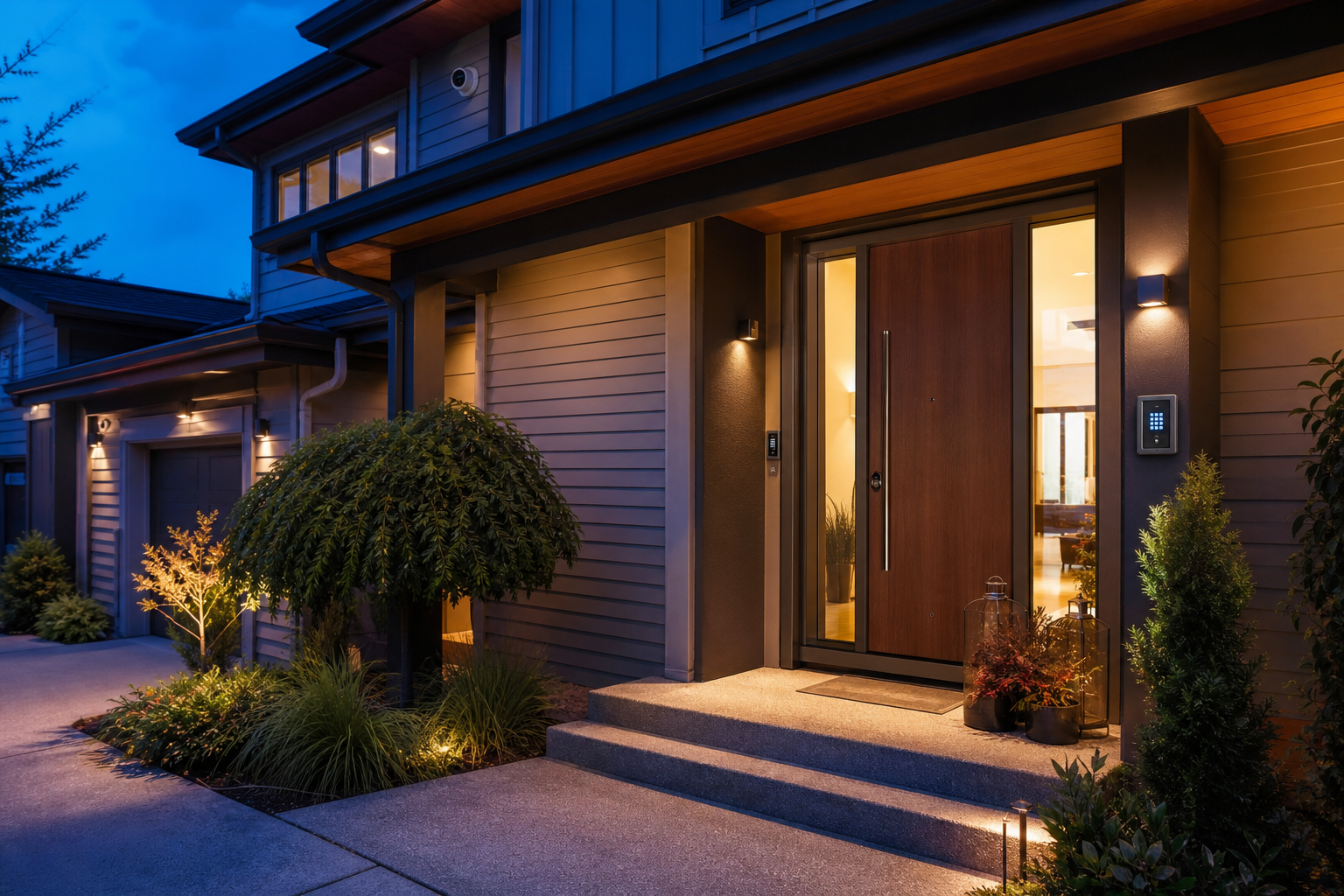
Home Security Guide: 9 Practical Ways to Make Your Home Safer and More Secure
Effective home security is best approached as a combination of physical protection, sensible daily habits, appropriate lighting, intrusion detection, secure access, cameras where useful, and a plan for responding when something goes wrong. No alarm, camera, lock, or smart device can guarantee that a burglary or other incident will never occur. A layered approach can instead address several vulnerabilities at once while balancing convenience, privacy, fire safety, cybersecurity, household needs, and budget.
What Is Home Security?
Home security refers to the measures used to protect a residence, its occupants, and possessions from risks such as unauthorized entry, theft, vandalism, and certain household emergencies.
It can include mechanical measures such as doors, locks, and window hardware alongside electronic equipment such as alarms, cameras, motion detectors, and smart locks.
Good security also includes human behavior.
A premium alarm provides limited value if doors are regularly left unlocked, access codes are shared carelessly, or household members do not know how to respond to an alarm.
The strongest plan therefore considers the property as a complete environment.
Rather than starting with whichever security product receives the most advertising, homeowners can first identify entrances, vulnerable areas, household routines, emergency requirements, and existing weaknesses.
9 Powerful Home Security Measures Worth Considering
Different homes face different risks. A ground floor apartment, detached suburban property, rural house, and urban townhouse do not require identical security measures.
These nine principles provide a practical starting point.
1. Strengthen Exterior Doors and Entry Points
Doors are an obvious place to begin because they provide legitimate entry into the home and can also become targets for unauthorized entry.
An exterior door is only as secure as the complete assembly.
Door material, frame condition, hinges, lock, strike hardware, glazing, and installation can all matter.
Inspect exterior doors for loose hardware, damaged frames, significant gaps, and locks that no longer operate correctly.
Where upgrades are necessary, use products suitable for the specific door and building construction.
2. Use Appropriate Door Locks
Deadbolts and other appropriate residential locks can improve physical security when properly installed on compatible doors.
A high quality lock cannot compensate for a badly deteriorated frame.
Lock selection should also preserve safe emergency exit.
Local building and fire codes can regulate egress requirements, particularly for rental housing and multiunit buildings.
Home Security and Safe Emergency Egress
Never improve burglary resistance by creating an unacceptable fire evacuation hazard.
Occupants should be able to leave the home according to applicable building and fire safety requirements.
Security bars, secondary locks, and specialized window devices need particularly careful consideration in sleeping rooms or other required escape locations.
3. Secure Accessible Windows
Ground level and otherwise easily reached windows deserve attention.
Ensure locking mechanisms work as intended and repair damaged frames or hardware.
Window security products may be useful in some applications, but they should be compatible with the window and emergency escape requirements.
A window that serves as an emergency egress opening should not be obstructed by a system occupants cannot quickly operate when necessary.
4. Improve Exterior Lighting
Appropriate outdoor lighting can improve visibility around entrances, paths, garages, and other areas.
Motion activated lighting can provide illumination when movement occurs without leaving every fixture operating continuously.
Placement matters.
Extremely bright or badly aimed lights can create glare, annoy neighbors, or reduce camera image quality.
The goal is usable illumination rather than maximum brightness.
5. Consider an Intrusion Alarm
An alarm system can detect certain conditions such as a door opening, window opening, glass break event, or movement within a protected area.
Systems can be self monitored or professionally monitored depending on the provider and configuration.
An alarm does not physically prevent entry.
Its role is primarily detection, notification, and potentially prompting an appropriate response.
6. Install Security Cameras Strategically
Cameras can document activity around selected areas and provide remote visibility where network connectivity permits.
Useful locations commonly include entrances, driveways, and other exterior areas that can be monitored without unnecessarily capturing private spaces.
Cameras should complement rather than replace physical security.
Home Security Camera Placement
Consider:
• Front entrance
• Secondary exterior doors
• Garage approach
• Driveway
• Appropriate side access
• Detached buildings where relevant
Avoid positioning cameras where they intrude unnecessarily into areas where others reasonably expect privacy.
Privacy and surveillance laws vary by jurisdiction, particularly for audio recording.
7. Use Smart Security Features Carefully
Smart locks, connected cameras, video doorbells, sensors, and alarm systems can provide remote management and notifications.
Connectivity also creates cybersecurity considerations.
Use unique passwords, enable multifactor authentication when available, keep applications and device firmware updated, and secure the home’s network.
Default passwords should be changed.
8. Protect Garages and Secondary Structures
Garages can contain vehicles, bicycles, tools, and other valuable property.
An attached garage may also provide another route into the residence.
Keep exterior garage doors and internal connecting doors appropriately secured.
Sheds and detached structures should receive security proportional to what they contain.
9. Build Secure Daily Habits
Many security improvements cost little or nothing.
Household routines can reduce avoidable opportunities.
Lock doors and windows when appropriate, avoid leaving spare keys in obvious exterior locations, protect alarm codes, and confirm that garage doors close completely.
Good habits turn hardware into an actual security system rather than a collection of devices.
How to Perform a Home Security Assessment
A security assessment identifies weak points before money is spent on equipment.
Begin from outside the property and consider how normal entrances, secondary entrances, windows, gates, garages, and outbuildings are used.
Examine Access Points
Inspect each exterior door and accessible window.
Ask whether it closes correctly, locks reliably, and is in sound physical condition.
Also consider whether an intruder could reach an upper window using permanently available structures or objects.
The objective is defensive assessment, not creating an exhaustive guide to bypassing security.
Evaluate Visibility
Landscaping can affect natural visibility around a property.
Dense vegetation directly around entrances or windows may create concealed areas.
Trim landscaping appropriately while preserving the appearance and environmental value of the property.
Prioritizing Home Security Improvements
Rank concerns based on realistic risk and consequences.
A simple priority list might address:
• Broken locks
• Damaged exterior doors
• Nonfunctioning exterior lights
• Unsecured accessible windows
• Missing smoke or carbon monoxide protection
• Alarm coverage gaps
• Poor camera visibility
• Weak account security for smart devices
Address fundamental safety and physical security before spending heavily on optional automation.
Home Security Systems Explained
Security systems range from simple local alarms to integrated platforms combining multiple devices and professional monitoring.
Door and Window Sensors
Contact sensors generally detect when two components move apart, such as when a protected door opens.
They are commonly placed on exterior entry points.
Sensor installation must match the door or window type.
Poor alignment can produce unreliable operation.
Motion Sensors
Motion detectors can provide interior coverage without placing contact sensors on every possible location.
Different sensing technologies exist.
Pets, room layout, heat sources, and environmental conditions can affect suitability and placement.
Glass Break Sensors
Certain security systems offer acoustic or other glass break detection.
These devices should be installed according to manufacturer instructions concerning range and room characteristics.
Choosing Home Security Sensors
Avoid adding devices simply to maximize sensor count.
Coverage should reflect:
• Property layout
• Entry points
• Household routines
• Pets
• Sleeping arrangements
• Valuable areas
• Environmental conditions
• Alarm response strategy
A professional assessment may be useful for large or complex homes.
Monitored vs Self Monitored Home Security
Monitoring determines what happens electronically after an alarm event.
Professional Monitoring
A professionally monitored system sends eligible alarm signals to a monitoring service.
The service follows established procedures, which may include contacting the homeowner and requesting emergency response according to local rules and provider policies.
Response is not instantaneous or guaranteed.
False alarm regulations and verification requirements vary by municipality.
Self Monitoring
Self monitored systems send notifications directly to the user’s phone or another device.
This can reduce recurring fees but places more responsibility on the homeowner.
A notification may be missed when the user is asleep, traveling without connectivity, or otherwise unavailable.
Which Home Security Monitoring Is Better?
Neither model is best for every household.
Compare:
• Monthly costs
• Contract terms
• Cellular backup
• Internet dependence
• Alert methods
• Alarm verification
• Local permit requirements
• Emergency procedures
• Customer support
Read the complete service agreement before subscribing.
Home Security Cameras
Camera quality depends on more than advertised resolution.
Lens angle, lighting, sensor performance, compression, network quality, positioning, and storage can all influence useful image quality.
Wired Security Cameras
Wired systems can provide stable power and data connections depending on the installation.
They may require more installation work, particularly in finished buildings.
Some systems use Power over Ethernet, allowing compatible network cabling to deliver both data and electrical power.
Wireless Security Cameras
Wireless commonly refers to network connectivity, not necessarily power.
Some cameras still require wired electricity, while battery powered products can operate without permanent power cabling.
Battery models require charging or battery replacement.
Local vs Cloud Video Storage
Local storage keeps recordings on equipment such as a recorder or memory device.
Cloud systems store eligible footage remotely through the provider’s service.
Each model has different costs, connectivity requirements, retention periods, and privacy implications.
Home Security Camera Privacy
Before installing cameras, determine what will be recorded, who can access recordings, how long footage is retained, and how accounts are protected.
Audio surveillance can trigger additional legal requirements.
Check applicable laws rather than assuming that anything visible from your property can always be recorded without restrictions.
Smart Locks and Home Security
Smart locks add electronic access features to traditional door security.
Depending on the product, access can be controlled through codes, applications, proximity systems, or other credentials.
Benefits of Smart Locks
Potential conveniences include temporary access codes, activity records, remote status checking, and integration with other smart home systems.
Features vary widely.
A smart lock should still provide appropriate mechanical security for the door.
Smart Lock Risks
Connected locks depend on electronics, software, batteries, and account security.
Homeowners should understand what happens if batteries die, internet service fails, the phone is unavailable, or the manufacturer discontinues online services.
Improving Smart Home Security
For connected devices:
• Use strong unique passwords
• Enable multifactor authentication
• Update firmware
• Secure the WiFi network
• Remove unused user accounts
• Review third party integrations
• Protect recovery credentials
• Install official software updates
Cybersecurity is part of modern physical security.
Video Doorbells for Home Security
Video doorbells provide camera coverage around a primary entrance and can send notifications when someone approaches or rings.
They can be convenient for deliveries and visitor communication.
Field of View Matters
A doorbell camera should provide useful coverage of the entrance.
Extremely wide views can introduce distortion, while poor mounting height can limit identification.
Test the actual scene after installation.
Package Visibility
Some devices provide additional vertical coverage intended to show the doorstep.
Package visibility depends on camera position and doorway layout.
Video Doorbell Privacy Considerations
Angle the camera toward the area necessary for legitimate security purposes.
Consider neighboring windows, shared hallways, and public areas.
People living in apartments or managed communities may also need to follow building rules concerning installation.
Home Security Lighting
Lighting supports visibility and can complement cameras and physical security.
Motion Activated Lights
Motion sensors can activate lights when movement is detected.
Adjust sensitivity and coverage to reduce repeated activation from irrelevant movement.
Smart Lighting Schedules
Timers and smart controls can operate selected lights on schedules.
Automation can help manage lighting while homeowners are away, but overly predictable patterns may provide limited benefit.
Camera Compatible Lighting
Infrared capable cameras can work in darkness, but visible lighting may improve certain image details.
Test camera footage under real nighttime conditions.
Energy Efficient Home Security Lighting
LED exterior fixtures can provide energy efficient lighting and are available with motion detection, timers, and photocells.
Choose products rated for the installation environment and have electrical work completed according to applicable codes.
Home Security When You Are Away
Travel changes a home’s occupancy pattern.
Simple preparation can make absence less obvious while helping owners monitor important systems.
Hold or Manage Deliveries
Accumulated parcels or mail can indicate prolonged absence.
Use available postal hold, delivery scheduling, secure parcel storage, or trusted person arrangements.
Maintain a Lived In Appearance
Lighting timers and normal property maintenance can help avoid obvious signs of vacancy.
Avoid publicly sharing detailed travel schedules in ways that unnecessarily reveal the home is empty.
Arrange Trusted Local Assistance
A trusted neighbor, friend, or property manager can inspect the home when appropriate.
Home Security Vacation Checklist
Before leaving:
• Lock exterior doors and accessible windows
• Close the garage
• Check alarm status
• Test essential cameras
• Confirm monitoring contacts
• Manage deliveries
• Secure spare keys
• Verify smoke and carbon monoxide alarms
• Review water leak monitoring where installed
• Avoid posting unnecessary absence details publicly
Security should complement broader home safety planning.
Home Security for Apartments and Renters
Renters may have fewer options for permanent modifications, but meaningful improvements are still possible.
Start With Existing Hardware
Report broken locks, damaged entry doors, defective windows, and building access problems to the landlord or property manager according to applicable procedures.
Landlord responsibilities vary by jurisdiction.
Use Nonpermanent Technology
Certain alarms, cameras, and sensors can be installed with limited property modification.
Always consider lease terms and privacy rules.
Renter Home Security and Smart Locks
Do not replace apartment locks without understanding landlord access requirements and local tenancy rules.
Unauthorized changes can create legal or emergency access problems.
Coordinate permanent security modifications appropriately.
Home Security for Families and Older Adults
Security systems should work for everyone who lives in the home.
A system that is too complicated may be left disarmed or used incorrectly.
Design for Easy Operation
Keypads, applications, locks, and emergency controls should be accessible and understandable for intended users.
Consider vision, hearing, dexterity, mobility, and cognitive needs.
Emergency Communication
Security plans should include fire and medical emergencies where relevant rather than focusing only on burglary.
Some systems can integrate additional safety devices, but integration should never compromise dedicated life safety equipment.
Home Security Without Creating Accessibility Barriers
Additional locks or barriers can create problems for people with limited hand strength or mobility.
Security improvements should preserve safe, practical access and emergency exit.
An occupational therapist or accessibility professional may assist where individual needs are complex.
Fire and Carbon Monoxide Safety
A complete home safety strategy includes more than intrusion prevention.
Working smoke alarms are essential.
Homes with fuel burning appliances, fireplaces, or attached garages may also require carbon monoxide alarms according to local codes and safety guidance.
Test Safety Alarms
Follow manufacturer instructions and local fire safety recommendations for testing, placement, battery replacement, and device replacement.
Never disable an alarm because it produces nuisance alerts without first identifying the cause.
Create an Escape Plan
Households should know how they will exit during a fire and where they will meet outside.
Security improvements must not obstruct planned escape routes.
Integrating Life Safety With Home Security
Connected alarm platforms can provide useful notifications, but smoke and carbon monoxide systems must comply with applicable requirements.
Use properly listed and approved devices where required and follow local fire codes.
Home Security and Cybersecurity
A connected security system creates digital as well as physical security considerations.
Secure the Home Network
Use modern router security settings where supported, a strong WiFi password, and current firmware.
Consider separating smart devices from sensitive computers through appropriate network segmentation when technically practical.
Protect Security Accounts
Email accounts used for password recovery deserve strong protection.
If an attacker gains control of the recovery email, changing a camera password alone may provide limited protection.
Home Security Software Updates
Security updates can fix known vulnerabilities.
Enable automatic updates where appropriate or establish a routine for checking them.
Before purchasing connected products, investigate how long the manufacturer commits to software support when that information is available.
How Much Does Home Security Cost?
Home security costs vary from basic mechanical improvements to professionally installed integrated systems.
There is no single meaningful average for every home.
Common Cost Categories
Potential expenses include:
• Door hardware
• Window security
• Cameras
• Alarm sensors
• Control panels
• Smart locks
• Installation
• Network equipment
• Cloud storage
• Professional monitoring
• Maintenance
• Battery replacement
Recurring costs deserve as much attention as purchase price.
Avoid Paying for Features You Will Not Use
Large device bundles may include unnecessary sensors or subscriptions.
Start with actual security requirements.
Comparing Home Security System Pricing
Ask about equipment ownership, installation charges, monthly monitoring, video storage, contract duration, cancellation, price increases, warranties, and equipment functionality after subscription cancellation.
This reveals the total cost more clearly than promotional introductory pricing.
DIY vs Professional Home Security Installation
DIY systems can be appropriate for straightforward homes and users comfortable with setup.
Professional installation can be useful for hardwired equipment, large properties, complex networking, integrated systems, or significant physical security upgrades.
Advantages of DIY Systems
DIY options can offer flexibility and potentially lower installation costs.
Users can add equipment gradually.
The homeowner also becomes responsible for correct positioning, configuration, maintenance, and troubleshooting.
Advantages of Professional Installation
Qualified installers can assess device locations, wiring, power, network connectivity, and integration.
Specialized work on doors, electrical systems, or building structures should use professionals with appropriate expertise.
Choosing a Home Security Company
Evaluate providers on security performance, contracts, privacy practices, cybersecurity, support, and costs.
Review Contracts Carefully
Some security services require long commitments.
Check contract duration, cancellation conditions, equipment ownership, moving policies, and recurring charges.
Check Data and Privacy Policies
Connected security providers may process video, audio, access history, device data, and account information.
Review who can access that information and under which circumstances.
Questions to Ask a Home Security Provider
Before signing up, ask:
• Who owns the equipment?
• What happens if internet access fails?
• Is cellular backup available?
• How are alarm events verified?
• Where is video stored?
• How long is footage retained?
• Is multifactor authentication available?
• How long is the contract?
• What cancellation charges apply?
• What happens when the subscription ends?
• Which warranties apply?
• Are local alarm permits required?
Written answers are easier to compare than sales claims.
Common Home Security Mistakes
Security often fails because of basic gaps rather than a lack of expensive equipment.
Common mistakes include:
• Leaving doors or windows routinely unlocked
• Hiding spare keys in obvious places
• Ignoring weak door frames
• Blocking emergency exits
• Reusing smart device passwords
• Failing to update connected equipment
• Installing cameras without testing nighttime images
• Ignoring privacy laws
• Letting camera batteries die
• Buying equipment without planning an alarm response
• Assuming cameras physically prevent every crime
• Advertising extended absences publicly
A straightforward system that household members consistently use is more valuable than a complex one they regularly bypass.
Frequently Asked Questions
What is the best home security system?
There is no universal best system. Choose according to property layout, entry points, household needs, monitoring preferences, privacy requirements, connectivity, and budget.
Do home security cameras prevent burglary?
Cameras can provide visibility, alerts, and evidence, but they cannot guarantee prevention. They work best alongside strong doors, locks, lighting, alarms, and sensible habits.
Is professional home security monitoring worth it?
It can be valuable when homeowners want third party alarm monitoring, particularly while unavailable. Compare costs, contracts, response procedures, and local requirements.
Where should home security cameras be installed?
Common locations include primary entrances, appropriate secondary doors, driveways, and garages. Position cameras for useful coverage while respecting applicable privacy laws.
Are wireless home security systems secure?
They can be when properly configured, but security depends on device design, passwords, multifactor authentication, software updates, network protection, and continued manufacturer support.
How can I improve home security on a budget?
Start with functional locks, strong doors and windows, outdoor lighting, consistent locking habits, protected spare keys, and inexpensive sensors before investing in advanced automation.
Conclusion
Home security works best as a layered strategy combining strong physical entry points, appropriate locks, lighting, alarms, cameras, secure technology, and consistent household habits. Start by correcting fundamental vulnerabilities before purchasing complex smart devices, and ensure every upgrade preserves fire safety, accessibility, and privacy. A system matched to the property and routinely maintained can provide more practical protection than relying on any single security product.