Uniswap Web App: The Complete Guide to DeFi Trading
Trading crypto without a middleman once sounded complicated. Today, it takes a browser tab, a wallet, and roughly sixty seconds. The platform that made this possible is the largest decentralized exchange in crypto, and its browser interface processes billions of dollars in volume every week.
Yet many traders still hesitate. They worry about connecting wallets, paying hidden fees, or picking the wrong network. This guide covers everything the Uniswap web app offers right now: core features, supported chains, real costs, and its newest Launches tab for discovering fresh tokens. Moreover, you will get step-by-step instructions, honest risk analysis, and practical safety habits.
Quick Summary
- The Uniswap web app is a browser-based decentralized exchange interface where you swap tokens directly from your own wallet — no account, no sign-up, no KYC.
- It routes trades across Uniswap v2, v3, and v4 pools plus UniswapX liquidity for competitive pricing on more than a dozen networks, including Ethereum, Base, Arbitrum, and Unichain.
- Its new Launches tab, added in late July in beta, aggregates trending token launches from multiple launchpads into one filterable feed.
- You pay liquidity provider fees and network gas, while Uniswap Labs currently charges no separate interface fee on most swaps.
What Is the Uniswap Web App?
The Uniswap Web App is the official browser interface for the Uniswap protocol, the pioneering decentralized exchange founded by Hayden Adams in 2018. It lives at app.uniswap.org and lets anyone trade cryptocurrencies directly from a self-custody wallet. There is no registration form, no email verification, and no identity check. You simply connect a wallet and trade.
Behind the clean interface sits serious infrastructure. Uniswap has processed over $3 trillion in lifetime trading volume, and it consistently handles roughly half or more of all decentralized exchange activity each week. Uniswap Labs, the company that maintains the app, shipped the current v4 protocol in January 2025. That version introduced Hooks, a system that lets developers customize pools with features like automated limit orders.
Crucially, the app is non-custodial. Your assets stay in your wallet until the moment a trade executes on-chain. This design removes the counterparty risk that burned so many users of centralized platforms, and it remains the core reason traders choose DeFi in the first place.
Key Features of the Uniswap Web App
The current interface packs far more than basic swaps. Here is what stands out in practice.
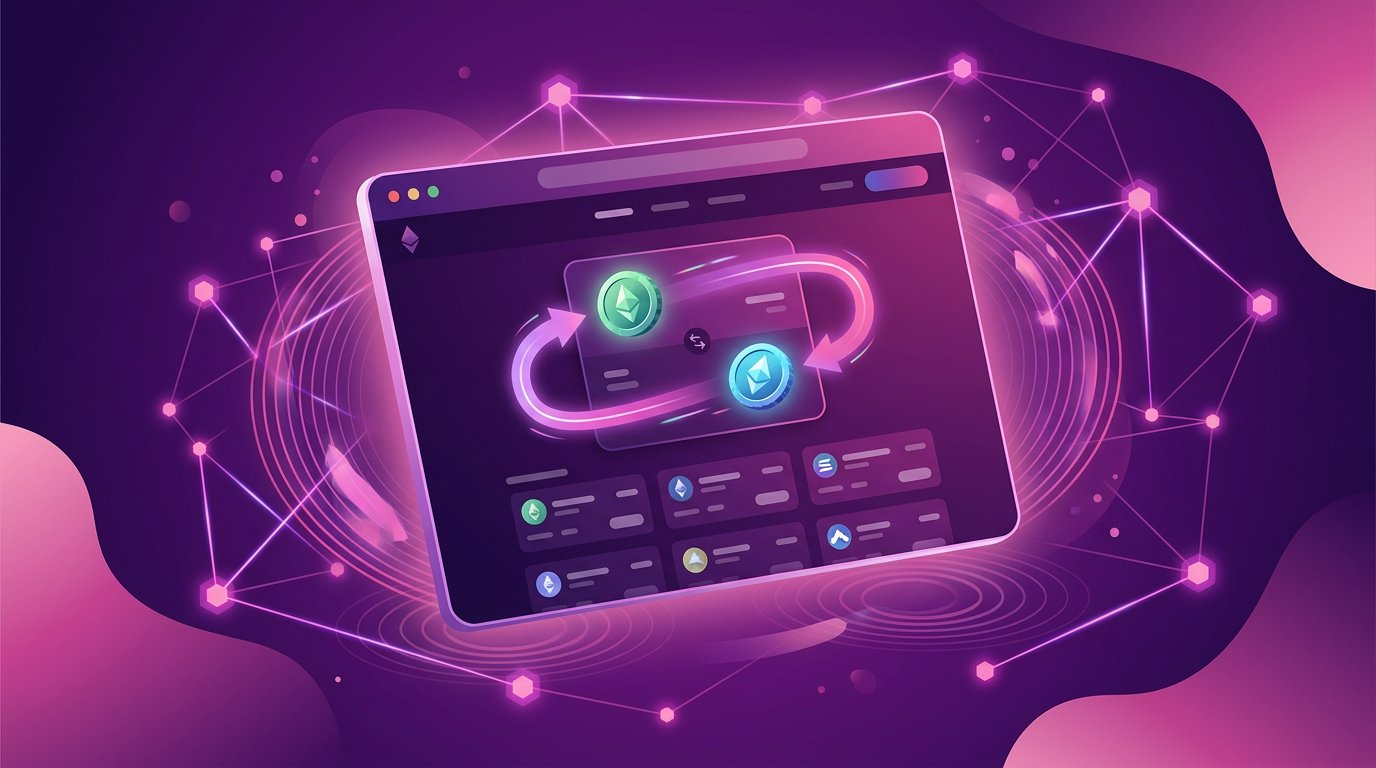
One-click swaps with smart routing. The trade panel compares prices across v2, v3, and v4 pools, plus off-chain liquidity through UniswapX. As a result, most trades execute at or near the best available rate. Recent wallet standards even allow swaps and token approvals in a single click.
Limit orders via v4 Hooks. You can set a target price, and the order fills automatically when the market reaches it. This brings a familiar exchange feature to decentralized trading without trusting a third party.
UniswapX aggregated liquidity. Launched in 2023, UniswapX sources quotes from competing fillers through a Dutch auction. Consequently, traders often enjoy gas-free trades and protection from MEV sandwich attacks.
Cross-chain swaps. Built-in bridging lets you move and swap assets across supported networks without leaving the app. As a result, you avoid the multi-tool juggling that once made multi-chain trading painful.
Fiat on-ramp and broad wallet support. The interface detects MetaMask, Coinbase Wallet, Rabby, WalletConnect, and dozens of other wallets automatically. Meanwhile, integrated third-party providers allow card purchases of crypto for users starting from zero.
Liquidity provision. Furthermore, advanced users can deposit pairs into pools and earn a share of trading fees. The position manager displays ranges, accrued fees, and impermanent loss implications clearly.
What Is the New Launches Tab?
The newest addition arrived in beta at the end of July: a dedicated Launches tab that aggregates token launches from multiple launchpads into one feed. Supported platforms include Bankr, Pons, and Long, among others. Instead of hunting across separate sites, traders browse everything inside the Uniswap web app.
The feed is filterable. For example, you can sort tokens by 24-hour volume, liquidity, trending activity, or how recently they launched. Each listing shows the launchpad, market metrics, and token age, which helps cut through the noise.
The timing is no accident. In fact, more than 340,000 new tokens launched on Robinhood Chain launchpads in July alone, generating billions in trading volume. Discovery has become the bottleneck, and this tab is Uniswap Labs’ answer.
However, treat this section with extra caution. Freshly launched tokens are the riskiest assets in crypto. Many lack audits, liquidity, or any substance beyond a ticker. Verify contracts independently, size positions modestly, and never invest emergency funds into unproven tokens.
How to Use the Uniswap Web App Step by Step
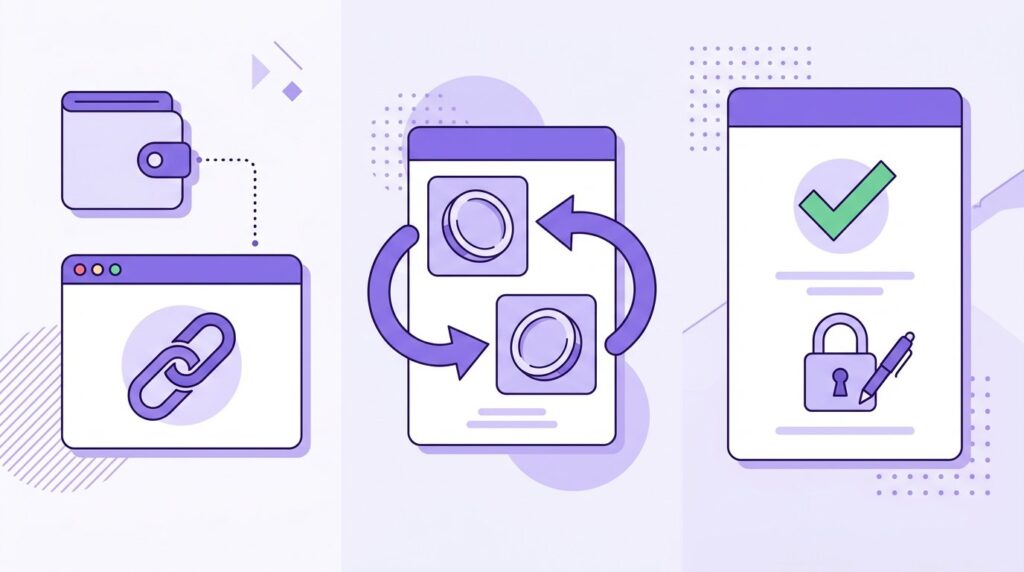
Your first swap takes about a minute once your wallet holds funds. Here is the exact process.
Step one — open the app and connect. Visit the official site and click the connect button. Choose your wallet from the detected list, then approve the connection inside the wallet popup. Connecting costs nothing and grants no spending permission.
Step two — choose your network. Pick the chain where your tokens live. For smaller trades, Layer 2 networks such as Base, Arbitrum, or Unichain offer dramatically cheaper gas than Ethereum mainnet.
Step three — select your token pair. Choose what you are selling and buying. For obscure tokens, paste the verified contract address rather than trusting name search, because fake tokens copy popular names constantly.
Step four — review the quote. The trade panel shows estimated output, price impact, minimum received, and network fees before anything happens. Read every line. If price impact looks painful, reduce your trade size or try a different route.
Step five — confirm and pay gas. Approve the trade in your wallet and pay the network gas fee. Swaps usually settle within seconds on Layer 2 and within a minute on mainnet. Your new tokens appear directly in your wallet.
Networks, Fees and Real Costs
Understanding the cost structure prevents nasty surprises. Three separate charges can apply to any trade.
First, liquidity provider fees reward the people supplying pool assets. On v3, these tiers run from 0.01 percent for stablecoin pairs up to 1 percent for exotic assets. Meanwhile, v4 allows fully flexible fee settings, so the app always displays the exact figure before you confirm.
Second, network gas pays blockchain validators. Ethereum mainnet gas can sting during congestion, sometimes costing several dollars per swap. In contrast, Layer 2 chains typically charge a few cents. Unichain, the protocol’s own Layer 2 launched in early 2025, offers one-second block times and aggressively low fees.
Third, interface fees have recently been waived. Uniswap Labs removed its separate swap interface fee in late 2025, and the app’s own marketing emphasizes zero app fees across its supported networks. Still, the panel always shows the final cost breakdown, so verify it before confirming every trade.
Supported networks now number more than a dozen, including Ethereum, Arbitrum, Optimism, Base, Polygon, BNB Chain, Avalanche, Celo, Zora, World Chain, and Unichain. Notably, the majority of daily trading volume already happens on Layer 2 networks rather than Ethereum itself.
Is the Uniswap Web App Safe?
The honest answer combines genuine strengths with real dangers you must manage yourself.
On the positive side, the protocol is battle-tested. Its smart contracts are open source, heavily audited, and have secured trillions in cumulative volume without a catastrophic protocol-level failure. Furthermore, the non-custodial design means the app never holds your funds. There is no exchange account to freeze and no central vault to drain.
Nevertheless, the dangers come from elsewhere. Fake tokens imitate legitimate projects by copying names and logos, which is why contract-address verification matters. Phishing clones copy the interface pixel-for-pixel and steal wallet approvals, so bookmark the official domain and never click sponsored search ads. Granting approvals to unfamiliar contracts can expose your wallet, so review permissions regularly with a revocation tool.
New launchpad tokens deserve special warnings. In particular, tokens discovered through the Launches tab can have unaudited contracts, concentrated insider holdings, or outright malicious code. Therefore, limit exposure, research independently, and assume that prices can go to zero without warning. Cryptocurrencies are volatile and high-risk; only trade what you can afford to lose entirely.
Pros and Cons of the Uniswap Web App
Pros
- No account, registration, or KYC — connect a wallet and trade immediately
- Non-custodial design keeps assets under your control at all times
- Smart routing across v2, v3, v4, and UniswapX for competitive pricing
- Broad network support with cheap Layer 2 options
- New Launches tab centralizes token discovery in one feed
- Deep liquidity across major trading pairs
Cons
- Ethereum mainnet gas fees make small swaps uneconomical
- No fiat recovery or customer support if you send funds to a scam
- Fake tokens and phishing sites target beginners constantly
- Newly launched tokens carry extreme risk with zero safeguards
- Impermanent loss can quietly erode liquidity provider returns
Uniswap Web App vs Centralized Exchanges
| Factor | Uniswap Web App | Centralized Exchange |
|---|---|---|
| Custody | You hold your keys | Platform holds your funds |
| Sign-up | None, wallet only | Account plus KYC required |
| Token selection | Vast, including new launches | Curated, slower listings |
| Fees | LP fee plus gas | Trading fee plus spread |
| Recovery options | None, self-responsibility | Password reset and support |
| Best for | DeFi natives and explorers | First-time fiat buyers |
Ultimately, neither option is universally superior. Centralized exchanges suit fiat deposits, card purchases, and beginners who want support. On the other hand, the decentralized interface suits anyone who values self-custody, instant access to long-tail tokens, and censorship-resistant trading.
FAQs
Do I need an account to use the Uniswap web app?
No. There is no registration, email, or identity verification. You connect a compatible crypto wallet and can trade immediately. This wallet-only model is why many traders prefer decentralized exchanges over centralized platforms.
What fees does the Uniswap web app charge?
Trades include a liquidity provider fee that varies by pool, typically between 0.01 and 1 percent, plus network gas costs paid to blockchain validators. Uniswap Labs currently waives its own interface fee. The trade panel always displays the full breakdown before you confirm, so review it carefully.
Which wallets work with the Uniswap web app?
The interface automatically detects most popular wallets, including MetaMask, Coinbase Wallet, Rabby, and anything supporting WalletConnect. Mobile users can also use the Uniswap Wallet app, which integrates swapping directly. Connect only wallets whose recovery phrases you have backed up securely.
What is the Launches tab inside the Uniswap web app?
Launches is a beta tab added in late July that aggregates new token launches from multiple launchpads, including Bankr, Pons, and Long, into one filterable feed. You can sort by volume, liquidity, trending activity, or launch date. It currently surfaces tokens on Robinhood Chain, with more networks planned.
Can I buy crypto with a card inside the app?
Yes, through integrated third-party providers available in the Uniswap Wallet. You can purchase crypto with debit cards and then swap instantly. Provider fees and regional restrictions apply, so compare the effective rate against a centralized exchange before choosing this route.
Is the Uniswap web app the same as the Uniswap Wallet?
No. The web app is a browser interface at app.uniswap.org that works with external wallets. Uniswap Wallet is a standalone mobile app for iOS and Android that includes a built-in wallet plus the same swap functionality. Both access the same protocol liquidity.
Conclusion
After eight years of continuous operation, the Uniswap web app remains the default gateway to decentralized trading for good reason. It combines non-custodial security, deep liquidity, and constant iteration — from v4 Hooks to UniswapX routing to the brand-new Launches tab. For anyone holding crypto, learning its workflow is nearly essential in 2026.
At the same time, DeFi rewards preparation and punishes haste. Bookmark the official domain, verify every token contract, prefer Layer 2 networks for smaller trades, and read the full fee panel before confirming. These four habits prevent most beginner disasters.
Ultimately, the Uniswap web app trades convenience for control. If you want a platform that holds your hand, a centralized exchange fits better. If you want open access to thousands of tokens with your keys in your pocket, open the app, connect your wallet, and start small while you learn the ropes.