Seedance AI Video Generator: 7 Proven Ways to Make Flawless Videos
A Seedance AI video generator is a multimodal artificial intelligence tool from ByteDance, the company behind TikTok and CapCut, that turns text prompts, reference images, and short clips into finished video with synchronized audio in a single pass. You describe a scene, add a few reference files, and the model renders a usable clip in minutes — no script meeting, no camera crew, no edit bay. It has become one of the most talked-about tools in AI video production, and this guide covers what it is, how it works, what it costs, and the seven habits that separate polished results from forgettable ones.
What Is the Seedance AI Video Generator?
Seedance is the video generation model developed by ByteDance’s research team. It belongs to the fast-growing category of generative AI tools that create moving images from written descriptions, still photos, or existing footage, and it has drawn attention for two things in particular: unusually realistic motion, and audio that is generated together with the picture.
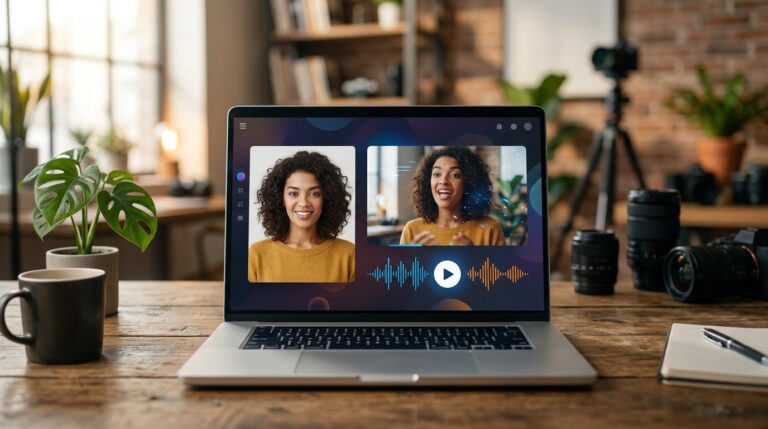
The current generation, Seedance 2.0, arrived in February 2026 and quickly became one of the most reviewed models in the category. Where many earlier tools produced silent clips that needed a separate soundtrack, Seedance renders dialogue, sound effects, and ambient audio at the same time as the frames, and the speech is lip-synced to whoever is on screen.
The model runs on ByteDance’s own creative platforms, inside CapCut, and through third-party services and APIs. For most users, the practical question is not where the model runs but what the Seedance AI video generator can actually produce: short cinematic clips, product videos, talking avatars, and multi-scene sequences built from a handful of references.
Text, Image, and Video Inputs
Seedance accepts far more than typed prompts. The multimodal reference system lets you upload up to twelve files — commonly nine images, three short videos, and three audio clips — and tag each one in the prompt with an @ symbol so the model knows exactly how to use it. A character photo keeps the same face across scenes. A style frame locks in the color grade. An audio file supplies the voiceover or the music bed. The result is far more controllable than typing a description and hoping for the best.
Native Audio and Lip-Sync
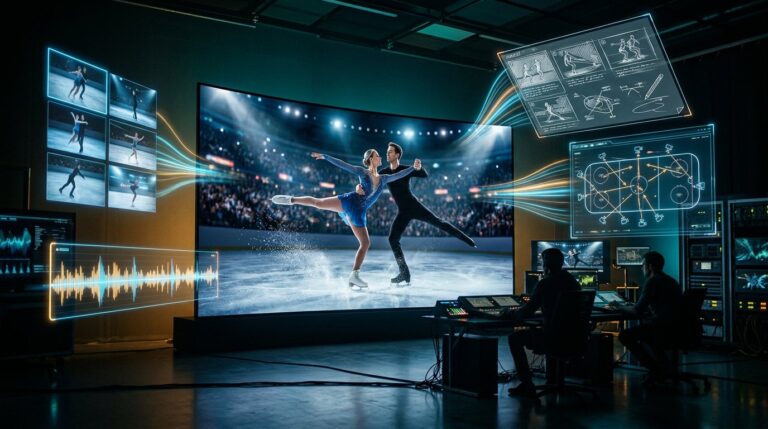
The dual-branch architecture generates audio and video together instead of bolting sound on afterwards. That is why dialogue timing matches the movement of lips, and why rain, footsteps, or crowd noise appear exactly when they should on screen. Lip-synced speech works in multiple languages, which matters for brands producing localized content without hiring voice actors for every market.
How Does the Seedance AI Video Generator Work?
The workflow is short enough to fit inside a lunch break. You open the tool, choose a generation mode, and pick your inputs.
First, the prompt. Describe the scene, the action, and the mood, and add @ tags for any reference files you uploaded. The model reads the whole instruction set at once rather than treating the text as an afterthought. Second, the settings: duration, aspect ratio, resolution, and whether to generate audio. Third, the wait. Most clips take a couple of minutes rather than hours, and many services report a high first-attempt success rate, meaning the first output is often usable.
Under the hood, the model was trained with a strong emphasis on physical realism. Fabric drapes, water flows, hair moves with wind, and objects carry weight. That sounds like a minor detail until you compare a clip where a coat behaves like a coat against one where it floats like a balloon. The physics-aware training is a large part of why Seedance footage reads as cinematic rather than synthetic.
Camera and Motion Control
You can direct camera movement the way a director would: push in, pull back, pan, orbit, or track a subject. Prompt-driven camera cues shape pacing and framing, and multi-lens storytelling lets you define several scenes within a single generation, each with its own angle and action, while keeping the same characters and visual style across the cuts.
Seedance AI Video Generator vs. Other AI Video Tools
Every comparison site now lines Seedance up against the usual suspects — the major video models from OpenAI, Google, Kling, and Runway. The honest summary is that the field moves monthly, but the patterns have been consistent across the recent generation of models.
- Seedance: strong motion realism, native synchronized audio, up to twelve reference files, and multi-scene generation, with outputs typically 1080p to 2K and clips up to around fifteen seconds in most workflows.
- Sora: cinematic quality and strong prompt adherence, but audio is not generated natively and reference support has been more limited, which leaves it trailing in hands-on comparisons of control.
- Veo: excellent visual fidelity from Google and strong text-to-video output, though audio generation and multi-reference control generally trail Seedance in side-by-side testing.
- Kling: solid quality and good value with a large user base in short-form content, though motion and physics realism are usually rated a step below.
- Runway: the veteran of the category, with mature editing tools and camera control, but native audio generation and multimodal reference handling are not its strengths.
The takeaway is that Seedance wins most head-to-heads on audio-video sync, reference control, and physics realism, while each competitor holds a specific niche. For short-form marketing content, product demos, and character-driven storytelling, it is worth testing first.
Key Features That Make Seedance Stand Out
Beyond the headline capabilities, a few practical features shape the day-to-day experience with the Seedance AI video generator.
- Reference-aware visual control: anchor subject identity, composition, and style with images and clips instead of hoping the prompt holds on its own.
- Audio-visual joint generation: one pass produces sound and motion, which removes an entire post-production step.
- Multi-shot storytelling: define several scenes in a single request and keep characters consistent across the cuts.
- Fast iteration: a couple of minutes per draft means a team can test five different hooks before lunch.
- Content provenance: outputs carry a credentials watermark, which helps platforms and audiences verify AI-generated content as disclosure rules tighten.
- Broad platform access: available on ByteDance’s creative platforms, CapCut, and third-party services, with API routes for teams that want to automate production.
Who Should Use the Seedance AI Video Generator?
The tool earns its keep anywhere short video is produced regularly.
- Social media managers: generate vertical clips, hooks, and variations for short-form feeds without waiting on a production schedule.
- E-commerce brands: turn product photos into looping demo videos for listings and ads, with the same product imagery used across many scenarios.
- Content agencies: test creative directions quickly and present polished drafts to clients before committing to full production.
- Small businesses: produce localized ads and explainer clips in multiple languages without hiring voice actors or studios.
- Educators and course creators: convert written lessons into illustrated video segments with voiceover.
- Filmmakers and pre-visualization teams: storyboard scenes, test camera moves, and communicate visual ideas before shooting.
If you have ever waited days for a video that took hours to shoot and edit, the value proposition is immediate: describe it, reference it, and review a draft in minutes.
Pricing for the Seedance AI Video Generator
Pricing depends on where you run the model. Consumer subscriptions on ByteDance’s creative platforms are credit-based, and third-party estimates put the cost of a single generation at roughly forty cents on pay-as-you-go plans, with monthly subscriptions improving the per-clip rate. As with most AI video tools, resolution, duration, and audio generation all affect credit consumption.
For a small business, the economics are easy to sanity-check. A product video that might cost hundreds of dollars with a crew can be drafted for a few credits and refined until it is right. Agencies running high volumes usually look at API pricing, where batch workflows and lower-latency variants bring the per-clip cost down further. Prices change often, so treat any figure as a starting point and confirm the current plan before committing.
7 Proven Ways to Make Flawless Videos with the Seedance AI Video Generator
The tool is capable, but capable tools reward deliberate use. These seven habits show up again and again in the work of teams that produce consistently good AI video.
1. Build a Reference Library First
Upload a set of reference images for your main characters, products, and brand style before you write a single prompt. Tag each one with @ so the model treats them as anchors. This one habit solves more consistency problems than any prompt trick you will find.
2. Write the Prompt Like a Shot List
Break the scene into beats: what the camera sees, what moves, what the mood is. Direct camera motion explicitly — push, pan, orbit — and describe lighting and atmosphere. Short, concrete sentences beat long, vague paragraphs every time.
3. Use Audio as an Input, Not an Afterthought
Voiceovers, music beds, and ambient sound can be supplied as reference files, and when they are, the model syncs dialogue to lip movement and times sound to action. Plan the audio before generating, not after the video is finished.
4. Generate Variations Deliberately
Produce three or four takes of the same idea with different hooks or camera moves, then pick the strongest. The speed of the tool makes this cheap, and it is the fastest route to a hook that actually stops the scroll.
5. Keep Scenes Short and Focused
Longer clips are harder to keep consistent. Think in shots: a five-second establishing shot, a three-second close-up, a four-second product reveal. Multi-scene generation handles the cuts, but clear scene boundaries keep quality high.
6. Check Faces and Hands Before You Publish
No AI video model is perfect. Look for the classic tells — extra fingers, melting edges, faces that shift between frames — and regenerate or mask problem spots. A two-second check saves you from a clip that undermines the whole piece.
7. Review Usage Terms and Disclose AI Content
Confirm the platform’s licensing terms, keep your references original, and disclose AI-generated content where the platform or your audience expects it. Clean usage builds trust, and trust is what turns a clever clip into a repeatable campaign.
Common Limitations to Know Before You Start
Honest expectations make any tool easier to use well. Clip lengths are still short relative to traditional production — most workflows land between five and fifteen seconds — so plan sequences rather than films. Very complex scenes with many interacting elements can still produce artifacts, especially around hands, fast motion, and crowd shots. Audio quality is impressive but not flawless; speech can occasionally speed up or lose natural pacing. And because the model is trained on real-world footage, moderation policies are strict: using real people’s faces without consent or reproducing copyrighted characters is blocked or restricted, so keep your references original and your usage clean.
Conclusion
The Seedance AI video generator has reset expectations for what AI video can do out of the box: realistic motion, native synchronized audio, multi-reference control, and multi-scene storytelling in a single pass. It will not replace a full production team, but it changes the math for short-form content, product demos, ads, and localized campaigns. Start with a reference library, write prompts like shot lists, plan audio as an input, and test variations early. Done consistently, these habits turn a powerful tool into dependable production capacity — and that is exactly what a Seedance AI video generator is built to deliver.
Frequently Asked Questions
What is the Seedance AI video generator?
It is ByteDance’s multimodal AI video tool that turns text, images, video, and audio references into finished clips with synchronized sound in a single generation pass.
Is Seedance free to use?
Consumer platforms use credit-based plans, and free allowances are limited or tied to sign-up promotions. Full-quality generation with audio usually requires a paid plan.
How long can Seedance videos be?
Most workflows produce clips of about five to fifteen seconds, and newer services are extending toward thirty seconds. Plan multi-shot sequences rather than single long takes.
Does Seedance generate audio?
Yes. Audio and video are generated together, including dialogue with lip-sync in multiple languages, sound effects, and ambient sound.
Can I use Seedance for commercial projects?
Yes, in most cases, but check the specific platform’s license terms, keep references original, respect content moderation rules, and disclose AI-generated content where required.
What is the difference between Seedance and Sora?
Seedance generates synchronized audio natively, accepts up to twelve reference files, and supports multi-scene storytelling, while Sora is known for cinematic visuals but has historically lacked native audio and comparable reference control.