D2 DTF Printer Guide: How to Get Better Prints, Workflow, and Production Value
A D2 DTF Printer can provide apparel decorators, print shops, custom merchandise businesses, and growing garment brands with a flexible workflow for producing full color transfers that can be heat applied to compatible fabrics and products. DTF, meaning direct to film, typically combines digital printing onto transfer film with white ink, hot melt adhesive powder, controlled curing, and heat pressing. The final result depends on far more than the printer’s advertised resolution or speed. Ink chemistry, printhead configuration, film quality, white ink circulation, RIP software, color management, powder application, curing conditions, environmental control, operator safety, and routine maintenance all influence print consistency and production reliability.
What Is a D2 DTF Printer?
The phrase D2 DTF Printer generally refers to equipment used in a direct to film printing workflow for producing heat transfer graphics.
Because product naming is not standardized across the entire printing industry, buyers should verify what a specific manufacturer or supplier means by D2 rather than assuming every D2 labelled machine has identical specifications.
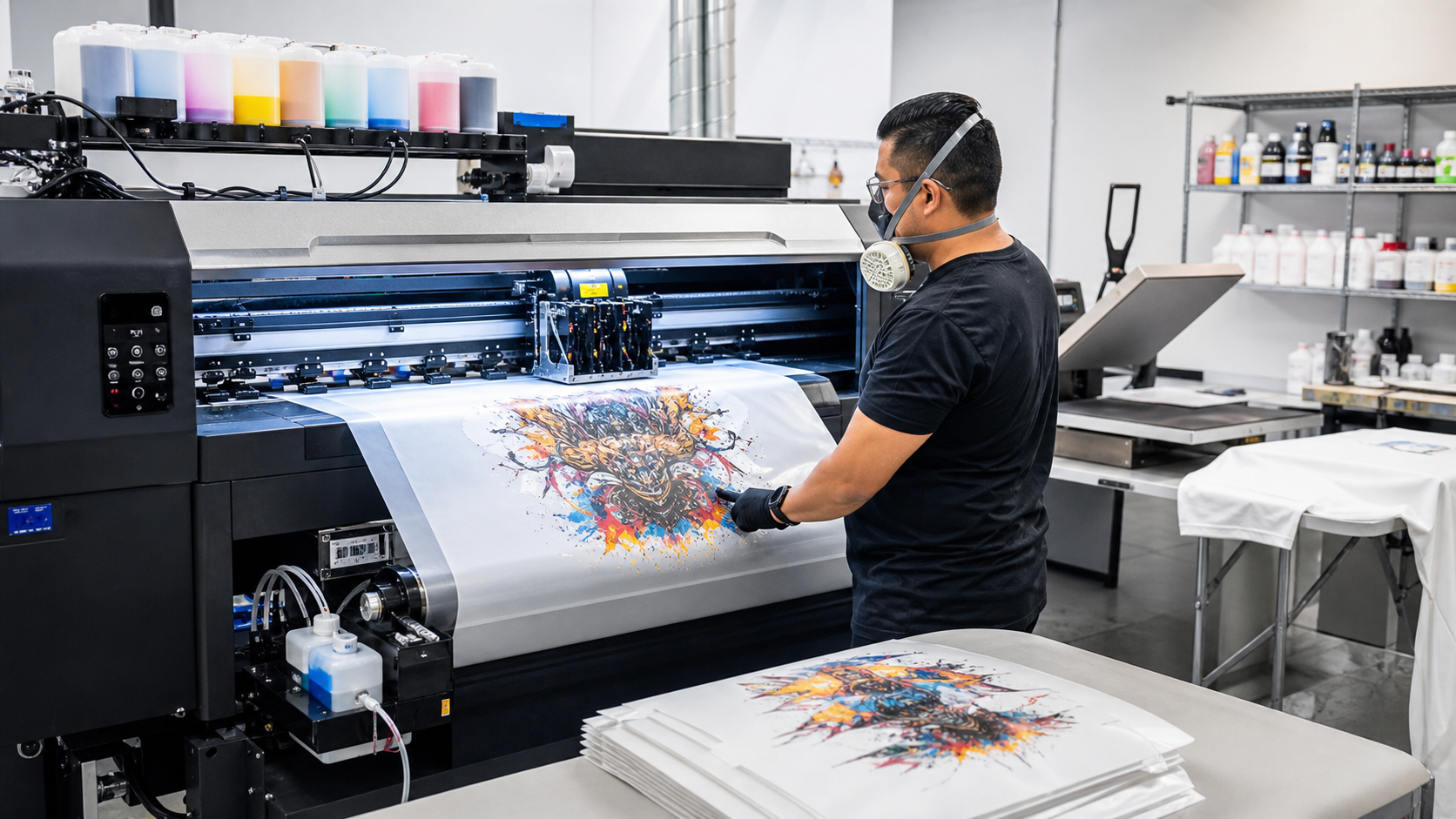
A DTF workflow normally produces an image on specialized film instead of printing directly onto the garment.
How Does a D2 DTF Printer Work?
A typical process involves:
• Creating artwork
• Processing the file through RIP software
• Printing color ink onto DTF film
• Printing a white ink layer
• Applying compatible adhesive powder
• Removing excess powder
• Curing or gelling the adhesive according to system requirements
• Positioning the transfer on the garment
• Heat pressing it
• Removing the film according to its peel instructions
• Performing a finishing press when recommended
The exact sequence, temperatures, times, and settings vary by consumables and equipment.
What Does DTF Mean?
DTF stands for direct to film.
The name refers to creating the transferable design on film before applying it to the final substrate with heat and pressure.
DTF Versus Direct to Garment Printing
Direct to garment, commonly called DTG, prints ink directly onto the textile.
DTF prints onto an intermediate film that becomes part of a heat transfer workflow.
Why the Difference Matters
DTG and DTF can have different requirements involving pretreatment, compatible garments, feel, artwork preparation, production workflow, maintenance, and finishing.
Neither method is universally better for every print business.
7 Powerful D2 DTF Printer Tips for Better Results
A dependable DTF operation requires consistency across printing, powdering, curing, pressing, and maintenance. These seven areas deserve particular attention.
1. Evaluate D2 DTF Printer Quality Beyond Resolution
Printer advertisements often emphasize dots per inch or other resolution specifications.
Resolution matters, but it is not a complete measure of finished print quality.
Printhead Configuration
Different printers use different printhead technologies and configurations.
The setup can influence:
• Ink delivery
• Printable width
• Production speed
• White ink application
• Maintenance requirements
• Droplet behavior
• Resolution options
• Replacement cost
Ask for the exact printhead configuration rather than relying on general terms such as industrial head or high speed head.
Print Speed Needs Context
A speed specification is only useful when the corresponding print mode and quality are identified.
Draft and Production Modes Are Different
A machine can print rapidly at settings that do not provide the quality required for the intended product.
Ask suppliers to demonstrate realistic production settings using artwork comparable to your own.
Request Real Print Samples
Evaluate actual transfers on the fabrics you expect to sell.
Check:
• Fine details
• Gradients
• Solid colors
• White opacity
• Skin tones
• Small text
• Color transitions
• Edge quality
A showroom image on a screen cannot demonstrate final garment performance.
2. Manage White Ink Carefully in a D2 DTF Printer
White ink is one of the most important technical aspects of DTF printing.
It creates the opaque backing that allows full color graphics to appear correctly on dark fabrics.
Why White Ink Requires Attention
White pigment can settle when ink remains stationary.
A properly designed system may use circulation or agitation to help maintain consistency.
The exact approach varies by machine.
Follow the Printer’s Maintenance Procedures
Manufacturer procedures can involve:
• White ink circulation
• Agitation
• Nozzle checks
• Printhead cleaning
• Cap station maintenance
• Wiper cleaning
• Scheduled printing
• Ink line inspection
Do not invent cleaning routines without understanding the system.
Avoid Long Unmanaged Idle Periods
DTF printers can require regular attention even when production volume is low.
A machine left unused for extended periods without following storage or idle procedures can experience nozzle or ink delivery problems.
Ask the supplier about shutdown requirements before purchasing.
3. Match D2 DTF Printer Ink, Film, and Powder
DTF is a coating system rather than just a printing machine.
The consumables need to work together.
DTF Ink
A typical system uses CMYK inks plus white ink.
Formulations vary.
Use products approved or validated for the printer where required by the manufacturer.
DTF Film
Transfer film influences ink reception, powder adhesion, release behavior, and image quality.
Hot Peel and Cold Peel Films
Films can have different peeling requirements.
Some are designed to be peeled soon after pressing, while others need additional cooling.
Follow the exact film supplier’s instructions.
Adhesive Powder
Hot melt powder bonds the printed transfer to the garment during heat pressing.
Powders can differ by:
• Particle characteristics
• Melting behavior
• Fabric compatibility
• Hand feel
• Wash performance
• Application requirements
Do not assume all DTF powder is interchangeable.
4. Control Curing in the D2 DTF Printer Workflow
After powder is applied, the adhesive needs to be processed according to the selected system before final transfer.
This stage is commonly referred to as curing or gelling.
Why Curing Matters
Insufficient processing can leave the adhesive improperly prepared.
Excessive heat can affect ink, film, adhesive, or transfer appearance.
The objective is to follow the consumable supplier’s validated process.
Curing Equipment
Depending on production setup, businesses can use:
• Purpose designed DTF curing ovens
• Integrated shaker and curing systems
• Other manufacturer approved equipment
Production scale often determines the most practical solution.
Avoid Guessing by Appearance Alone
Visual observations can help experienced operators, but documented temperature and time requirements provide a better starting point.
Actual equipment temperature can differ from a display setting.
Verification tools appropriate to the process can improve consistency.
5. Use Correct Heat Press Settings
A high quality transfer can still fail if it is applied incorrectly.
Temperature, pressure, time, fabric, film, adhesive, and press performance all interact.
Follow the Transfer System Instructions
There is no universal DTF heat press temperature or time that applies to every film, powder, and garment.
Use validated settings from the supplier.
Heat Press Pressure
Pressure needs to be appropriate and consistent.
Uneven Platen Pressure
An aging or poorly adjusted press can produce areas with different bonding quality.
Regularly inspect equipment and maintain it according to manufacturer instructions.
Garment Testing
Test unfamiliar fabrics before large production runs.
Heat can affect:
• Dyes
• Synthetic fibers
• Fabric coatings
• Water resistant finishes
• Texture
• Garment seams
• Decorative features
A pressing setting suitable for cotton may not behave identically on every polyester garment.
6. Build D2 DTF Printer Maintenance Into Daily Production
Maintenance is not optional for most inkjet DTF systems.
It is part of the production process.
Daily Checks
Depending on manufacturer instructions, routine tasks can include:
• Nozzle checks
• White ink system checks
• Wiper inspection
• Cap station inspection
• Ink level checks
• Waste ink monitoring
• Film path inspection
• General cleaning
Not every printer requires identical maintenance.
Keep the Print Environment Clean
Powder, lint, dust, and dried ink can interfere with equipment.
Separate powder handling from sensitive printer components where the workflow permits.
Record Maintenance
A maintenance log can track:
• Cleaning
• Consumable changes
• Nozzle problems
• Printhead replacement
• Filter changes
• Firmware changes
• Production issues
Patterns become easier to diagnose when records exist.
7. Treat D2 DTF Printer Safety as Part of the Workflow
Printing businesses work with inks, powders, cleaning chemicals, heat, electrical equipment, and moving machinery.
Safety should be based on manufacturer instructions and Safety Data Sheets for the actual products.
Adhesive Powder Handling
Fine powders can become airborne during handling.
Avoid creating unnecessary dust.
Use containment, ventilation, work practices, and personal protective equipment appropriate to the specific material and its Safety Data Sheet.
Curing and Heating
Heating inks and adhesives can release vapors or decomposition products depending on chemistry and temperature.
Ventilation Matters
Use ventilation appropriate to the equipment, consumables, workspace, and manufacturer requirements.
A household room should not automatically be considered suitable for commercial DTF production without evaluating ventilation and other safety needs.
Heat Press Safety
Heat presses operate at temperatures capable of causing burns.
Keep hands away from heated platens and follow equipment safety procedures.
D2 DTF Printer Workflow From Artwork to Garment
Understanding the complete workflow makes equipment comparisons easier.
The printer is only one part of the production line.
Create the Artwork
Start with a suitable digital file.
Artwork quality affects output.
Image Resolution
Raster artwork needs sufficient resolution for the intended print dimensions.
Enlarging a very small image substantially can reveal pixelation or softness.
Transparent Backgrounds
Many garment graphics need transparent backgrounds so unwanted rectangular areas are not printed.
Vector Artwork
Vector graphics can scale cleanly for logos and typography when prepared correctly.
Raster effects and photographs still require appropriate image resolution.
Process the File in RIP Software
Raster Image Processor software translates artwork into instructions the printer can use.
DTF RIP software commonly manages both color and white ink layers.
RIP Settings Can Influence
Settings can affect:
• Ink limits
• White ink density
• Print resolution
• Pass count
• Color management
• Mirroring
• Layout
• Halftoning
Do not assume default settings are ideal for every film and ink.
Print Onto DTF Film
Film needs to be loaded in the correct orientation.
Some films have a printable side with a specialized coating.
Avoid Touching Printable Areas
Skin oils and contamination can affect ink or powder behavior.
Handle film according to supplier recommendations.
Apply Adhesive Powder
Powder should cover the wet printed areas appropriately.
Excess powder needs removal according to the process.
Consistent Powdering
Uneven powder can contribute to bonding problems or visible residue.
Automated shaker systems can improve repeatability at higher production volumes.
Cure the Transfer
Process the powdered transfer using the validated temperature and time for the system.
Cooling and Storage
Allow transfers to cool and store them according to supplier recommendations.
Prevent dust, moisture, heat, or abrasion from damaging prepared transfers.
Heat Apply the Transfer
Position the image on the garment and press it using the specified settings.
Peel the Film Correctly
Follow hot, warm, or cold peel requirements for the exact film.
Peeling incorrectly can damage an otherwise good print.
Finishing Press
Some systems recommend an additional press after film removal.
Follow the supplier’s procedure, including any protective sheet requirements.
D2 DTF Printer for T Shirt Printing
T shirts are a common DTF application because the process can support detailed multicolor graphics and short production runs.
Fabric Compatibility
DTF systems are commonly used on various fabrics and blends, but actual compatibility should be verified with consumable suppliers and garment testing.
Cotton Shirts
Cotton can provide a familiar garment base for DTF transfers.
Correct pressing remains necessary.
Polyester Shirts
Polyester presents additional heat and dye migration considerations.
Dye Migration
Certain garment dyes can migrate into the transfer when exposed to heat.
Special inks, barriers, adhesives, garment selection, or adjusted workflows may be required.
Test before production.
D2 DTF Printer for Hoodies
Hoodies can work well with DTF transfers, but seams, pockets, zippers, and thick fabric can affect pressing.
Maintain a Flat Pressing Area
Raised seams can prevent the heat press from applying even pressure.
Pillows or specialized platens may help in suitable applications.
Check Fabric Composition
A cotton hoodie and performance polyester garment can respond differently to heat.
D2 DTF Printer for Workwear
Workwear can require stronger consideration of garment finish, abrasion, laundering, and safety.
Test the Exact Garment
Water repellents, coatings, treatments, and textured fabrics can affect adhesion.
High Visibility and Protective Garments
Do not apply decorative transfers in ways that compromise certified safety clothing.
Certification Matters
Altering flame resistant, high visibility, chemical protective, or other regulated workwear can affect performance or certification.
Consult the garment manufacturer before customization.
D2 DTF Printer Versus DTG
Both technologies can produce full color garment graphics.
Their production workflows differ.
DTF Advantages
Potential benefits can include:
• Transfer based production
• Ability to prepare transfers in advance
• Broad garment possibilities
• No cutting or weeding for standard full color designs
• Practical short runs
Actual advantages depend on equipment.
DTG Advantages
DTG prints directly on garments and can produce a softer feel for certain applications, especially when ink integrates closely with compatible fabric.
Pretreatment
DTG commonly requires pretreatment in various workflows, particularly for white ink printing.
DTF uses film and adhesive powder instead.
D2 DTF Printer Versus Screen Printing
Screen printing remains highly efficient for many larger production runs.
DTF can be attractive for complex artwork and smaller quantities.
Screen Printing
Advantages can include:
• High production speed at volume
• Specialized inks
• Strong spot color workflows
• Established garment decoration processes
Setup can be more substantial for many color designs.
DTF
Digital printing can simplify multicolor artwork because individual screens are not required for every color.
Choose by Job Mix
Businesses processing hundreds of identical simple shirts have different needs from shops producing personalized or short run graphics.
The best production method depends on orders.
D2 DTF Printer Versus Heat Transfer Vinyl
Heat transfer vinyl, commonly called HTV, is cut from colored material and applied with a heat press.
HTV
HTV can work well for:
• Names
• Numbers
• Simple logos
• Single color designs
• Specialty finishes
Complex multicolor designs require additional work.
DTF
DTF is more convenient for certain photographic, gradient, and highly detailed multicolor graphics.
Print Quality Problems With a D2 DTF Printer
Consistent troubleshooting begins by identifying which stage created the defect.
Do not adjust heat press settings when the real problem originated at the printhead.
Banding
Potential causes can include:
• Missing nozzles
• Alignment
• Incorrect print settings
• Film feed problems
• Ink delivery problems
Perform manufacturer recommended diagnostics.
Weak White Ink
Possible causes can include:
• Nozzle problems
• Ink settling
• Incorrect RIP settings
• Ink delivery problems
• Incompatible consumables
Do not compensate blindly by flooding the print with more ink.
Poor Adhesion
Potential causes include:
• Incorrect powder
• Incomplete curing
• Incorrect press settings
• Contaminated garment
• Incompatible fabric
• Uneven pressure
Troubleshoot systematically.
Color Management for a D2 DTF Printer
Color displayed on a monitor will not automatically match printed output.
Digital screens emit light, while printed transfers reflect it.
ICC Profiles
ICC profiles can help manage color behavior for particular printer, ink, film, and workflow combinations.
Calibrated Displays
Monitor calibration can improve visual consistency during artwork preparation.
Spot Colors and Brand Colors
Businesses needing precise corporate colors should produce physical tests and define acceptable tolerances.
Do not promise perfect color matching without testing.
D2 DTF Printer Production Speed
Advertised speed should be evaluated using real production conditions.
Printer speed is only one part of throughput.
Complete Workflow Capacity
Production can be limited by:
• RIP processing
• Printing
• Powdering
• Curing
• Cutting film
• Garment preparation
• Heat pressing
• Peeling
• Finishing
• Packing
The slowest production stage can become the bottleneck.
Roll Fed Systems
Higher volume machines can use roll film with automated powder shaking and curing.
This can improve workflow efficiency but requires more space, ventilation, maintenance, and investment.
D2 DTF Printer Maintenance Costs
The purchase price does not represent total ownership cost.
Consumables and replacement components matter.
Ongoing Costs Can Include
• CMYK ink
• White ink
• Film
• Powder
• Cleaning solution
• Wipers
• Dampers
• Filters
• Waste containers
• Printheads
• Maintenance labour
• Electricity
• Ventilation
• RIP software
Ask suppliers for realistic production cost assumptions.
D2 DTF Printer Price and Buying Factors
There is no universal price because printers range from compact desktop style systems to industrial roll fed production equipment.
Cost Factors
Pricing can depend on:
• Printable width
• Printheads
• Number of heads
• White ink circulation
• Roll feeding
• Powder shaker
• Curing unit
• RIP software
• Support
• Warranty
• Training
• Installation
• Shipping
• Consumables
Compare the complete production package.
New Versus Used D2 DTF Printer
Used printers can reduce acquisition cost but create additional risk.
Inkjet equipment condition can be difficult to judge from appearance.
Check Maintenance History
Ask for:
• Nozzle test
• Printhead age
• Maintenance records
• White ink history
• Firmware information
• Included software licensing
• Production samples
• Service history
Software Licences
Do not assume RIP software licences transfer to a new owner.
Verify with the software provider.
Choosing a D2 DTF Printer Supplier
Technical support can be as important as hardware specifications.
Downtime directly affects production businesses.
Questions to Ask
Consider:
• Which printheads does the machine use?
• What is the realistic production speed?
• Which ink is approved?
• Which film and powder do you recommend?
• Is RIP software included?
• How does white ink circulation work?
• What daily maintenance is required?
• What is the shutdown procedure?
• Are printheads covered by warranty?
• Are spare parts stocked locally?
• What technical support is available?
• Is operator training included?
Clear answers reduce expensive surprises.
D2 DTF Printer Warranty
Read warranty documents rather than relying solely on sales language.
Printhead and ink system coverage can have important exclusions.
Consumable Components
Some components may be treated as wear items.
Understand replacement responsibilities.
Approved Inks
Using third party ink can affect warranty coverage depending on supplier terms.
Check before changing consumables.
Workspace Requirements for a D2 DTF Printer
A print shop should be designed around equipment and consumable requirements.
Temperature and humidity can affect inkjet operation.
Environmental Control
Follow printer specifications for:
• Temperature
• Relative humidity
• Dust
• Ventilation
• Power
• Equipment clearance
Stable conditions can improve consistency.
Electrical Requirements
Printers, curing ovens, shakers, compressors where used, and heat presses can create meaningful electrical loads.
Have electrical capacity evaluated when necessary.
D2 DTF Printer Safety Data Sheets
Reputable chemical suppliers provide Safety Data Sheets where required.
These documents contain important handling information.
Review SDS Information
Topics can include:
• Hazard identification
• Personal protection
• Ventilation
• Storage
• Spill handling
• First aid
• Disposal
• Fire considerations
Train employees accordingly.
D2 DTF Printer and Copyright
A garment printing business needs rights to reproduce the artwork it sells.
Owning printing equipment does not create those rights.
Customer Supplied Artwork
A customer providing an image does not necessarily mean they own reproduction rights.
Businesses should develop policies for copyrighted or trademarked designs.
Famous Brands and Characters
Logos, sports teams, entertainment characters, artwork, and other protected material can require permission or licensing.
AI Generated Artwork
AI generated art has its own evolving copyright and licensing considerations.
Review the generator’s terms and ensure reference materials do not create infringement risks.
Starting a Business With a D2 DTF Printer
DTF can support custom apparel businesses, but production economics should be calculated before purchasing equipment.
Define the Business Model
Possible models include:
• Custom shirts
• Transfer sales
• Small business merchandise
• School apparel
• Event merchandise
• Fashion brands
• Print on demand
• Contract printing
Each has different production needs.
Calculate True Cost Per Print
Include:
• Ink
• Film
• Powder
• Labour
• Equipment depreciation
• Maintenance
• Spoilage
• Garments
• Electricity
• Rent
• Packaging
• Payment fees
• Shipping
Ignoring downtime and waste can make pricing unrealistic.
Frequently Asked Questions
What is a D2 DTF Printer?
A D2 DTF Printer is equipment marketed for direct to film garment printing, where designs are printed onto transfer film and later heat applied to compatible textiles.
What does a D2 DTF Printer need to make transfers?
A typical workflow requires compatible ink, DTF film, adhesive powder, RIP software, curing equipment, a heat press, maintenance supplies, and appropriate ventilation.
Can a D2 DTF Printer print on cotton and polyester?
DTF transfers can be used with various fabrics when the ink, adhesive, transfer settings, and garment are compatible. Polyester should be tested for heat sensitivity and dye migration.
Does a D2 DTF Printer require daily maintenance?
Many DTF inkjet systems require frequent maintenance, particularly around white ink, nozzles, capping systems, and waste ink. Follow the specific printer manufacturer’s schedule.
How much does a D2 DTF Printer cost?
Pricing varies by size, printhead configuration, production speed, shaker and curing equipment, software, support, warranty, and accessories. Compare complete installed workflows.
Is a D2 DTF Printer good for a small business?
It can be suitable for short runs, custom apparel, and transfer production, but businesses should calculate consumables, maintenance, labour, downtime, safety, and equipment costs first.
Conclusion
A D2 DTF Printer can provide a flexible workflow for producing detailed full color garment transfers, but dependable production depends on the complete printing system rather than the machine alone. Compatible ink, film, powder, controlled curing, accurate heat pressing, white ink management, ventilation, maintenance, and colour management all influence finished quality. Buyers who test real samples, evaluate supplier support, and calculate total operating costs are better positioned to select equipment that matches their production volume and business model.