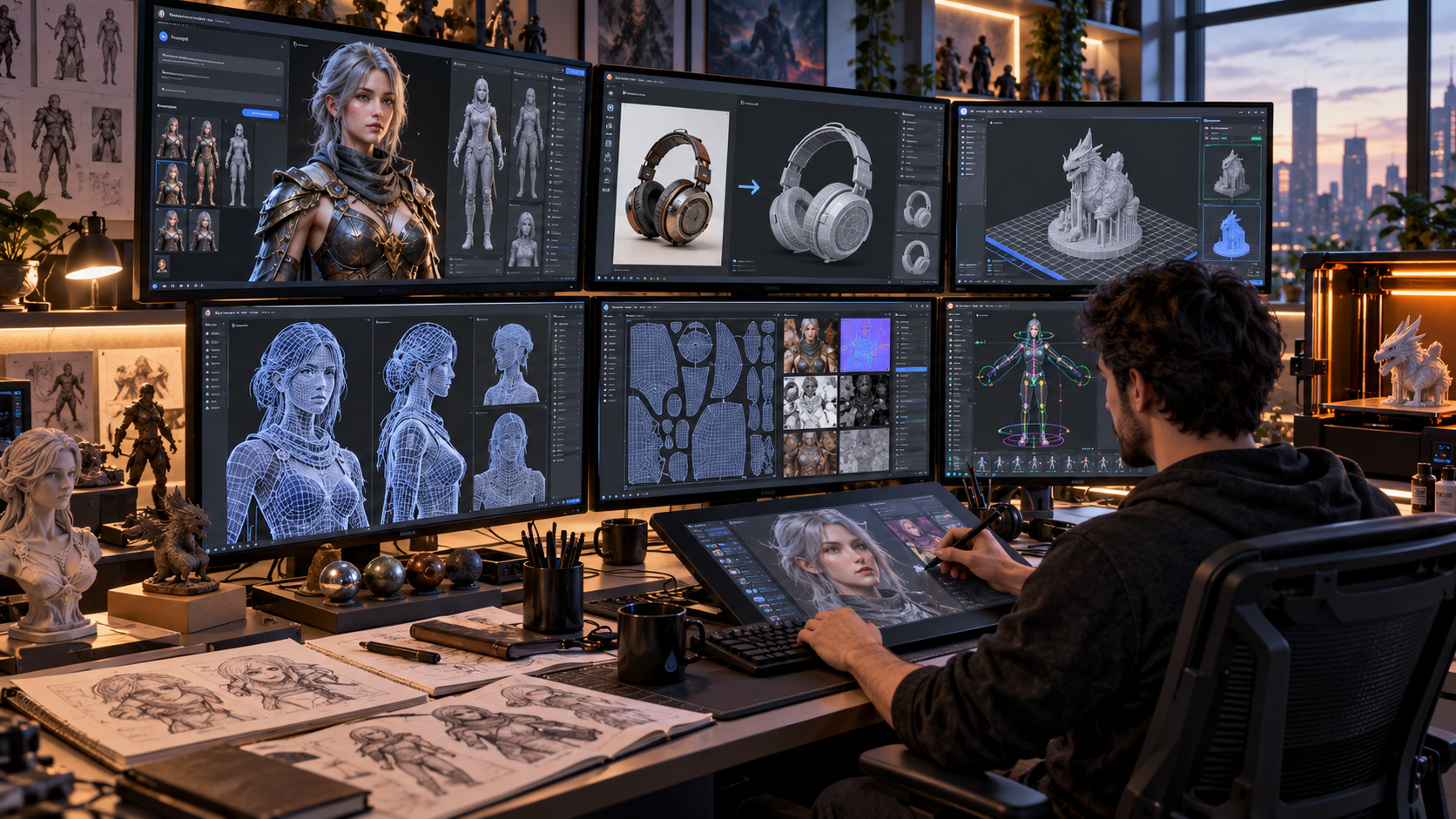
Meshy AI: How AI-Powered 3D Creation Is Changing Digital Design
Meshy AI is an AI-powered 3D creation platform that can turn written descriptions, images and conversational instructions into textured 3D assets while also providing tools for texturing, topology optimisation, rigging, animation and 3D-print preparation. Its 2026 workspace is designed for creators ranging from game developers and 3D artists to product designers, makers and developers who need models without building every asset manually from the ground up. Meshy currently supports browser-based creation, API workflows and integrations with established 3D software.
Traditional 3D modelling can require substantial knowledge of mesh construction, UVs, texturing, topology and optimisation.
AI does not remove the value of those skills, especially for production-quality work, but it can dramatically accelerate early concept creation and repetitive asset-production tasks.
A game developer can quickly generate prop concepts.
A product designer can convert reference art into a rough three-dimensional model.
A maker can prepare a model for 3D printing.
Experienced artists can then refine those outputs in software such as Blender, Maya, Unity or Unreal Engine.
The strongest way to use Meshy is therefore not necessarily to replace the entire 3D pipeline, but to understand which parts AI can accelerate and where human review remains necessary.
What Is Meshy AI?
Meshy is a web-based AI platform focused on generating and processing three-dimensional digital assets.
Its current official documentation organises the workspace into areas including Image, 3D Model, 3D Printing, Animate, Scene and Video. It also offers a conversational 3D Agent that allows users to explore ideas and create assets through chat-style instructions.
Major capabilities currently include:
- Text to 3D
- Image to 3D
- AI texturing
- Remeshing
- Smart Topology
- Rigging
- Animation
- 3D printing tools
- Image generation
- 3D-to-image workflows
- Video generation
- API access
- Software integrations
This makes the platform broader than a single text-to-model generator.
A user can move from concept generation to topology, texture, animation or printing preparation inside the same general ecosystem.
7 Excellent Tips for Getting Better Results With Meshy AI
AI-generated 3D output depends heavily on the quality of the input and the intended use.
The following seven practices can improve both speed and usability.
1. Start With a Clear 3D Prompt
Text-to-3D works best when a prompt describes the object in concrete visual terms.
Instead of writing:
“Fantasy chair”
a stronger prompt might specify:
“Ornate medieval throne made from dark carved oak, high back, iron detailing, worn edges, symmetrical design, realistic game asset.”
Useful prompt details can include:
- Object type
- Shape
- Style
- Material
- Proportions
- Surface detail
- Symmetry
- Intended visual style
Meshy’s current Text-to-3D interface accepts natural-language descriptions and lets users define characteristics such as style and model settings before generation.
Avoid Conflicting Instructions
A prompt asking for a highly realistic object, extremely low-poly geometry and tiny intricate details may create conflicting priorities.
Decide what matters most.
For a mobile game, efficient topology may be more important than maximum surface complexity.
For concept art, visual detail might matter more than final polygon count.
Describe One Main Object Clearly
AI generally has an easier task when the subject is clearly defined.
Complex scenes with many interacting objects can require several generations or separate assets assembled later.
Creating individual models and combining them in a conventional 3D application can provide greater control.
2. Use Image to 3D When Shape Accuracy Matters
When a specific visual reference already exists, Image to 3D may be more appropriate than generating entirely from text.
Meshy’s current Image-to-3D system can work from a single reference image and also supports multi-view input using up to four views of the same subject. Its current documentation describes Meshy 7 as the latest model for strong alignment between the reference image and generated result.
Use Clean Reference Images
Good reference images can improve results.
Whenever possible, use images with:
- Clear subject separation
- Minimal visual clutter
- Good lighting
- Visible object silhouette
- Limited perspective distortion
If the model is a product or prop, neutral backgrounds can make interpretation easier.
Multi-View Can Improve Reconstruction
A single photograph only shows one perspective.
AI must infer the hidden surfaces.
Multi-view references can provide more information about the object’s side and rear geometry.
This can be particularly useful for:
- Products
- Props
- Figurines
- Character references
- Symmetrical objects
The generated result should still be inspected because AI may invent geometry in areas not clearly represented by the source images.
3. Choose Topology Based on the Final Use
A visually impressive model is not automatically production ready.
A game asset, 3D-printed object and cinematic model have different geometry requirements.
Meshy currently provides Smart Topology and remeshing tools intended to help users optimise generated geometry for workflows such as real-time rendering.
Game Assets Need Efficient Geometry
For games, unnecessary polygon density can affect performance when hundreds of objects appear in a scene.
Developers should consider:
- Polygon count
- Silhouette
- UV quality
- Texture resolution
- Rigging needs
- Target hardware
A background prop does not necessarily need the same geometric detail as a hero character.
3D Printing Has Different Priorities
A printable model needs geometry that can physically manufacture correctly.
That can involve:
- Closed geometry
- Adequate wall thickness
- Appropriate scale
- Stable base
- Printability checks
- Part separation
Meshy’s current printing tools include features for printability repair and splitting models into parts.
High Detail Is Not Always Better
More polygons can increase file size and editing difficulty.
Choose the amount of geometry required for the final application rather than automatically selecting maximum detail for every asset.
4. Refine Textures Instead of Accepting the First Version
Geometry is only one part of a convincing 3D asset.
Texture quality can strongly affect realism and style.
Meshy currently provides AI texturing and retexturing features that allow users to change a model’s surface appearance and generate PBR-related texture information.
Match Texture Style to the Project
A realistic tactical game and a stylised mobile game require very different materials.
Useful texture directions can include:
- Hand-painted
- Photorealistic
- Stylised
- Weathered metal
- Painted wood
- Ceramic
- Stone
- Fabric
Consistency across assets is important.
A beautifully generated object can still look out of place if its texture style does not match the rest of the scene.
Review Lighting Embedded in Textures
Reference images can contain highlights and shadows caused by the original lighting environment.
Those baked-in lighting effects may look unnatural when the model is placed under a different lighting setup.
Meshy’s API documentation includes options intended to remove lighting information from certain generated base-colour textures, which can help produce cleaner materials for custom lighting environments.
5. Export in the Correct File Format
Choosing the wrong format can create unnecessary import problems.
Meshy’s current documentation lists six primary web-app export formats:
- GLB
- FBX
- OBJ
- STL
- USDZ
- 3MF
Its broader generation interfaces may expose additional format options depending on the workflow.
Use GLB for Web Workflows
GLB can package geometry and textures together in a single file.
That makes it convenient for web-based viewers and many modern 3D workflows.
Use FBX for Game Engines
Meshy’s documentation recommends FBX for common Unity and Unreal Engine workflows.
FBX is widely used for transferring meshes, rigging and animation-related information.
Use OBJ for Broad Compatibility
OBJ is an older but widely recognised format.
It can be useful when moving static geometry between many different 3D applications.
Textures may be stored separately, so users need to keep the associated files together.
Use STL or 3MF for Printing
Meshy recommends STL for standard single-colour 3D printing and 3MF where colour or multi-material information is useful.
Use USDZ for Apple AR
USDZ is designed for Apple’s augmented-reality ecosystem and can be useful for displaying 3D products on compatible Apple devices.
Choosing the correct format at export saves time later in the workflow.
6. Use Rigging and Animation for Characters Carefully
Meshy also supports character rigging and animation.
Its current feature set includes automatic rigging and motion presets for actions such as walking, idling, jumping and attacking.
This can substantially shorten the path from a static character model to an animated prototype.
However, automatic rigging still needs review.
Check Joint Placement
A rig can technically function while producing unnatural movement.
Inspect areas such as:
- Shoulders
- Elbows
- Wrists
- Hips
- Knees
- Ankles
Deformation problems are particularly visible around joints.
Use Appropriate Character Poses
When creating characters intended for animation, neutral poses such as A-pose or T-pose can make rigging easier.
Meshy’s Text-to-3D workflow currently provides pose options for relevant generation types.
Test Several Motions
Do not judge the rig only by an idle animation.
Try more demanding movement to expose weight-painting or topology issues.
A model that looks fine while standing may deform poorly during running, jumping or large arm movements.
7. Understand Pricing and Asset Licensing Before Production
Commercial creators should understand both credit usage and ownership before building a large production workflow around any AI tool.
Meshy currently uses credits as its internal usage system.
As of October 2026, the Free plan provides 100 credits each month. Individual paid tiers currently include Pro with 1,000 monthly credits, Premium with 3,000 and Ultra with 10,000, while team and enterprise plans are designed for higher-volume use. Pricing and allowances can change, so users should check the current pricing page before budgeting a production project.
Different Tasks Consume Different Credits
Credit usage depends on the operation and model.
Current examples include charges for:
- 3D generation
- AI texturing
- Printability repair
- Part splitting
- Image generation
- Motion generation
- Video generation
Meshy’s current Help Center notes that credit costs are consistent across subscription tiers for the same task, although the number of included credits varies by plan.
Understand Commercial Rights
Licensing differs significantly between free and paid plans.
Meshy’s current terms state that paid customers generally own the outputs they create, to the extent allowed by law and provided their input material does not violate another party’s rights.
Free-plan outputs are made available under a Creative Commons Attribution 4.0 licence, meaning attribution to Meshy is required under the platform’s current terms.
This distinction is especially important for:
- Client work
- Commercial games
- Asset marketplaces
- Advertising
- Product visualisation
Reference Images Must Also Be Lawful
Owning the generated output does not grant rights to copyrighted material used improperly as input.
Creators should have appropriate rights to uploaded reference images, characters, trademarks and other source materials.
Commercial licensing should be treated as part of the production workflow rather than something checked after a project launches.
Meshy AI Text to 3D Workflow
Text-to-3D is one of the platform’s most accessible features.
A typical workflow begins by writing a natural-language description.
The platform then produces a model that can be viewed inside the built-in 3D viewer.
Users can rotate the model, inspect geometry and continue with operations such as retexturing or remeshing.
Meshy’s current feature page says its text workflow can produce a textured model in roughly a minute under typical conditions, although generation time can vary by settings and platform demand.
What Makes a Good Text Prompt?
Good prompts usually include enough visual information to establish:
- Main subject
- Design style
- Materials
- Shape
- Important details
Avoid filling prompts with irrelevant narrative.
Describe what should physically exist in the model.
Meshy AI Image to 3D Workflow
Image-to-3D is particularly useful when visual consistency matters.
A concept artist can draw an asset first and then use the artwork as a generation reference.
An ecommerce designer could create a model from product imagery for prototyping, although accurate commercial product representation should be verified against real measurements.
Current Meshy documentation supports both single-image and multi-view generation paths.
Where AI Reconstruction Can Struggle
AI must infer hidden geometry.
Common challenges can include:
- Thin structures
- Transparent objects
- Highly reflective surfaces
- Complex intersecting geometry
- Hidden rear details
- Small mechanical components
For technical or engineering uses, an AI-generated mesh should not be assumed to have accurate dimensions unless it has been checked and corrected.
Meshy AI for Game Development
Game development is one of the clearest applications for rapid 3D generation.
Teams need large quantities of:
- Props
- Background objects
- Characters
- Environment assets
- Prototypes
AI can accelerate early production and reduce time spent modelling low-priority assets manually.
Meshy supports export formats suitable for Unity and Unreal Engine and offers topology tools designed for real-time assets.
AI Assets Still Need Art Direction
A game requires visual consistency.
Generating each object independently without a shared style can produce a scene where everything appears to come from a different project.
Teams should define:
- Colour palette
- Texture style
- Scale
- Polygon targets
- Material standards
AI works better as part of an art pipeline than as an uncontrolled asset generator.
Meshy AI for 3D Printing
Meshy now includes a dedicated 3D-printing workflow.
Official documentation describes tools that can check printability, repair models, optimise multi-colour models and split objects into printable sections.
This can help hobbyists move more quickly from an idea to a slicer-compatible file.
However, print success still depends on:
- Printer type
- Material
- Wall thickness
- Supports
- Orientation
- Scale
- Mechanical strength
AI generation cannot automatically account for every physical manufacturing constraint.
Always inspect the model inside appropriate slicing software before printing.
Meshy AI API for Developers
Meshy provides a REST API that allows developers to integrate generation into their own applications and production pipelines.
Potential uses include:
- Automated game-asset creation
- Product configurators
- Creative tools
- Custom 3D applications
- Batch generation systems
The API also supports format conversion and generation outputs in common 3D formats.
Watch Model Deprecation Notices
API users should pay close attention to version changes.
Meshy’s current documentation states, for example, that some older model identifiers are scheduled for retirement during October 2026.
Production applications should therefore avoid assuming that an old model endpoint will remain available permanently.
Monitor release notes and update integrations before deprecation deadlines.
Meshy AI Plugins and Existing 3D Software
AI tools do not have to replace established software.
Meshy supports workflows involving applications such as Blender, Maya and game engines.
This hybrid approach can be powerful.
Meshy can produce the first version of an asset, while traditional software handles:
- Precision modelling
- Sculpting
- UV correction
- Retopology
- Rig adjustments
- Animation refinement
- Final rendering
Experienced artists may gain significant productivity by using AI for ideation and repetitive work while retaining manual control over the final result.
Is Meshy AI Free?
Yes, Meshy currently offers a Free plan.
The free tier currently provides 100 monthly credits and a limited number of eligible model downloads. Meshy’s current Help Center states that free-plan users receive 10 downloads per month for models generated using the supported free-download model path.
The free version is useful for:
- Testing the interface
- Learning prompt techniques
- Experimenting with concepts
- Evaluating output quality
However, commercial creators should pay attention to the free-plan attribution licence.
Paid plans provide different ownership and privacy terms.
Meshy AI Pricing in 2026
Current individual pricing includes Free and several paid levels.
Meshy’s September 2026 plan comparison lists:
- Free: $0
- Pro: $20 per month
- Premium: $40 per month
- Ultra: $100 per month
The current Studio plan is designed for collaborative teams and starts with a shared credit package, while Enterprise pricing is customised.
Pricing, promotions and regional plans can change.
For example, Meshy also currently offers a $10 Starter plan in selected developing countries with 250 monthly credits and limited downloads.
Creators should therefore check the pricing available to their account and region rather than relying on older reviews.
Advantages of Meshy AI
The platform offers several clear benefits.
Fast Prototyping
Creators can explore ideas without modelling everything manually.
Accessible for Beginners
A user can start from natural-language prompts or images rather than learning a full modelling application first.
Multiple Workflows
Text, image, animation, topology and printing tools are available within one ecosystem.
Common Export Formats
Assets can move into established 3D production software.
API Access
Developers can automate generation at scale.
Limitations to Understand
AI-generated 3D is not perfect.
Potential issues can include:
- Incorrect hidden geometry
- Inconsistent topology
- Texture artifacts
- Poor deformation
- Incorrect proportions
- Excessive polygons
- Unwanted asymmetry
Technical assets may need substantial manual correction.
Professionals should view generated models as assets requiring quality control rather than assuming every output is immediately production ready.
Frequently Asked Questions
What is Meshy AI used for?
Meshy AI is used to generate and process 3D assets from text, images and conversational prompts, with additional tools for texturing, topology, animation and 3D printing.
Can Meshy AI create 3D models from images?
Yes. Its Image-to-3D workflow can generate textured 3D models from a single image or multi-view references, with the current platform supporting Meshy 7 for image-based generation.
Is Meshy AI free?
Yes. The current Free plan provides 100 credits per month, although download limits and licensing conditions differ from paid plans.
Can Meshy AI models be used commercially?
Paid users generally own their generated outputs under Meshy’s current terms, while free outputs are licensed under CC BY 4.0 and require attribution. Users must also have rights to their input material.
What file formats does Meshy AI support?
Current documentation lists major export formats including GLB, FBX, OBJ, STL, USDZ and 3MF, covering web, game-engine, AR, DCC and 3D-printing workflows.
Is Meshy AI suitable for game development?
Yes. Meshy supports game-oriented exports, Smart Topology, texturing, rigging and animation, but generated assets should still be reviewed and optimised for the target game engine and hardware.
Conclusion
Meshy AI provides a fast way to move from an idea, prompt or reference image to a textured 3D asset while also supporting topology optimisation, rigging, animation, printing and developer workflows. Its biggest advantage is speed, but professional results still depend on good prompts, appropriate topology, accurate references and careful quality control. By combining AI generation with established 3D tools and understanding current licensing terms, creators can use Meshy as a powerful part of a modern game, design, animation or 3D-printing pipeline.






One Comment