NVIDIA Quadro RTX A4000 GPU: 7 Outstanding Capabilities for Elite Workstations
Choosing a pro graphics card means matching the silicon to the workload, and for professionals who render, model, and simulate every day, the NVIDIA Quadro RTX A4000 GPU remains a benchmark of balance. It pairs Ampere-generation cores with ECC memory inside a compact frame, which makes it a practical fit for dense towers.
Every pro card is a set of trade-offs. Some prioritize raw speed, others lean on memory, and a few chase efficiency. This card spreads its strength across the full range, which is why it still anchors thousands of production machines after launch.
What Defines This Card
The NVIDIA Quadro RTX A4000 GPU carries the Ampere architecture and a GA104 die tuned for sustained work rather than short bursts. That tuning shows up in its thermal behavior and its driver stack, both built for all-day operation.
Generational gains matter here. The Ampere design reworks the streaming multiprocessor so each clock cycle completes more useful work, and the improved scheduler keeps the cores fed during mixed graphics and compute loads. For a user, that translates into faster viewport updates and shorter preview times without workflow change.
A Compact, Efficient Build
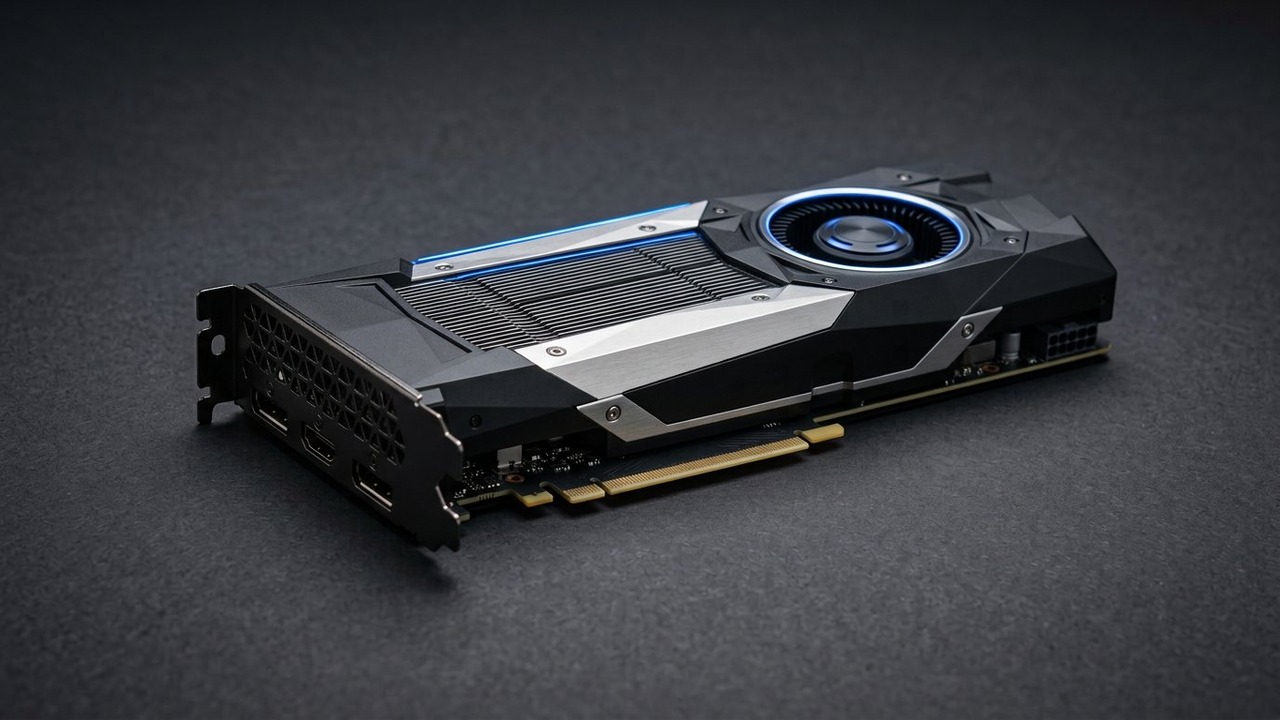
The card occupies a single slot and draws 140 watts at full load. It slips into towers where larger boards do not fit. A blower-style cooler exhausts heat out the back. That keeps neighboring components cooler in multi-card setups.
Built for Sustained Loads
Workstation silicon differs from consumer silicon in how long it can hold peak clocks. This board is validated to run around the clock, which suits render farms, overnight simulations, and continuous visualization duty. The cooler is sized for that reality, not brief benchmark sprints. The result is steady, dependable output across long working sessions.
Memory That Guards Accuracy
Its memory subsystem pairs a 256-bit bus with 448 GB/s of bandwidth. The 16-gigabyte GDDR6 buffer carries error correction. That correction matters during long renders or overnight simulations, where a silent bit flip can ruin hours of output.
Seven Outstanding Capabilities
These distinct strengths explain why this GPU remains a fixture in professional studios and engineering labs, and each targets a real bottleneck that slows creative work.
Serious Rendering Muscle
Its 6144 CUDA cores deliver nineteen teraflops of FP32 throughput, enough to chew through architectural scenes and product visualizations without stalling the viewport.
Why Viewport Speed Matters
A lagging viewport breaks the design loop, because every camera move becomes a wait. Smooth interaction lets an artist judge proportion and materials instantly, which shortens the path from concept to approval.
Fast Ray Tracing
Its 48 second-generation RT cores handle real-time ray tracing, so reflections and shadows preview accurately during design reviews instead of waiting for a final render.
When Ray Tracing Helps Most
Ray tracing proves essential when reflections, glass, and indirect light must read correctly in a client review. Previewing those effects live prevents unwelcome surprises that appear only in the final render.
On-Card AI Acceleration
A cluster of 192 third-generation Tensor cores powers inference and AI-assisted tools, from denoising in renderers to machine-learning previews inside design software.
Ample Memory for Complex Scenes
Large assemblies and dense point clouds stay resident in VRAM instead of swapping to slower storage, which keeps camera navigation fluid during heavy edits.
Certified Application Support
ISV certification covers the leading CAD, simulation, and rendering packages, and the Studio driver branch favors stability over bleeding-edge updates. The NVIDIA Quadro RTX A4000 GPU appears on supported-hardware lists for these tools, which gives IT teams confidence during deployment.
Multi-Monitor Flexibility
Four DisplayPort outputs drive several high-resolution panels at once, which suits control rooms, broadcast studios, and visualization walls.
Virtualization and AI Readiness
The card supports vGPU sessions and AI workloads, so a shared workstation can host several remote users or run local inference without a separate accelerator.
How It Compares in Its Class
Placing the NVIDIA Quadro RTX A4000 GPU among its peers clarifies where it belongs. It sits above consumer graphics cards on memory integrity, driver discipline, and form factor, while staying compact enough for dense systems.
Against Consumer Cards
Gaming-oriented boards of a similar generation emphasize peak frame rates on a handful of titles. This pro card instead guarantees guarded memory, certified application support, and a slim profile that fits where thick gaming coolers cannot. The trade is deliberate, and for studios it is usually justified.
Against Earlier Workstations
Compared with previous professional generations, this card adds ray-tracing and Tensor hardware while keeping the same restrained power draw. Teams moving up notice better viewport responsiveness and smoother AI-assisted features without a bigger power supply.
Where It Fits Best
It suits the middle of a professional lineup: stronger than entry cards, more compact than flagship boards, and flexible enough for mixed workloads. That middle ground covers most design studios and engineering departments.
Where This GPU Shines
The NVIDIA Quadro RTX A4000 GPU excels most in workflows that punish weaker cards, and it rewards teams that push geometry, materials, and datasets at once.
Rendering and Visualization
Architectural visualization, industrial design, and film pre-visualization all lean on fast ray tracing plus steady frame rates, exactly the pair this board offers.
CAD and Simulation
Solid modeling and engineering analysis favor driver stability and precise memory behavior, which the protected buffer provides over long solve runs. Engineers who run thermal or structural solvers demand repeatability, since a result must match a previous run digit for digit.
AI and Machine Learning
For inference and light training, the Tensor cores deliver acceleration that general-purpose CPUs cannot match, letting data teams iterate locally before scaling to a cluster. Local iteration keeps data on site, which matters for clients with confidentiality rules.
Video and VR
Media teams use the onboard encoders for smooth timeline scrubbing and fast exports, while the display outputs feed VR headsets and reference monitors. Broadcast setups benefit from the same steady performance.
Keeping It Running Well
Long service life depends on habits as much as hardware, and the NVIDIA Quadro RTX A4000 GPU responds well to a few simple routines.
Driver and Thermal Care
Keep the Studio branch current, clear dust from the intake, and confirm the chassis moves air across the backplate. These steps preserve clock behavior and memory accuracy. Schedule updates outside working hours and reboot after each install so the new driver fully loads.
Monitoring for Drift
Watch temperatures and clock behavior with the vendor utility, and investigate any sudden change in fan noise or render times. Early attention prevents the larger failures that interrupt schedules.
Common Mistakes
A frequent error is installing gaming drivers on a workstation card, which can destabilize certified applications. Another is crowding the intake vent in a multi-card case, which raises temperatures and shortens boost windows. Testing a lone monitor at first also avoids confusing the display setup. Skipping ECC verification leaves errors undetected until a rendered frame shows artifacts.
A Selection Checklist
Teams should confirm several points before deployment.
- Memory needs: does the workload exceed the on-board capacity?
- Application support: is every daily tool on the certified list?
- Physical fit: does the chassis accept the card’s length and cooling style?
- Expansion plans: will future projects add displays or remote users?
Conclusion
For teams that need production-grade rendering, certified CAD, and AI acceleration in a card that fits a slot, the NVIDIA Quadro RTX A4000 GPU is a sound long-term choice. It balances core count, memory, and power draw so that none of the three becomes a bottleneck, and its certified drivers keep the heaviest applications stable. Pairing the right habits with that hardware turns a workstation into a reliable engine for daily creative and engineering work, which is exactly what professionals should expect from their tools.
Frequently Asked Questions
What is this graphics card?
A professional Ampere-generation GPU for rendering, CAD, AI, and visualization, delivered in a compact form factor.
Which memory does it include?
It carries a graphics buffer with error correction, a wide bus, and high bandwidth for large scenes.
Which workloads suit it best?
Ray-traced rendering, engineering simulation, video editing, and AI inference all run well on this board.
Does it guard against memory errors?
Yes, the ECC buffer catches silent bit errors during long renders and overnight solves.
How many displays can it drive?
It offers several DisplayPort outputs for multi-monitor setups and visualization walls.
Which driver should I install?
Use the Studio branch for certified-application stability rather than gaming-oriented drivers.