Wireless Earbuds: How to Choose Better Sound, Comfort, Battery Life, and Features
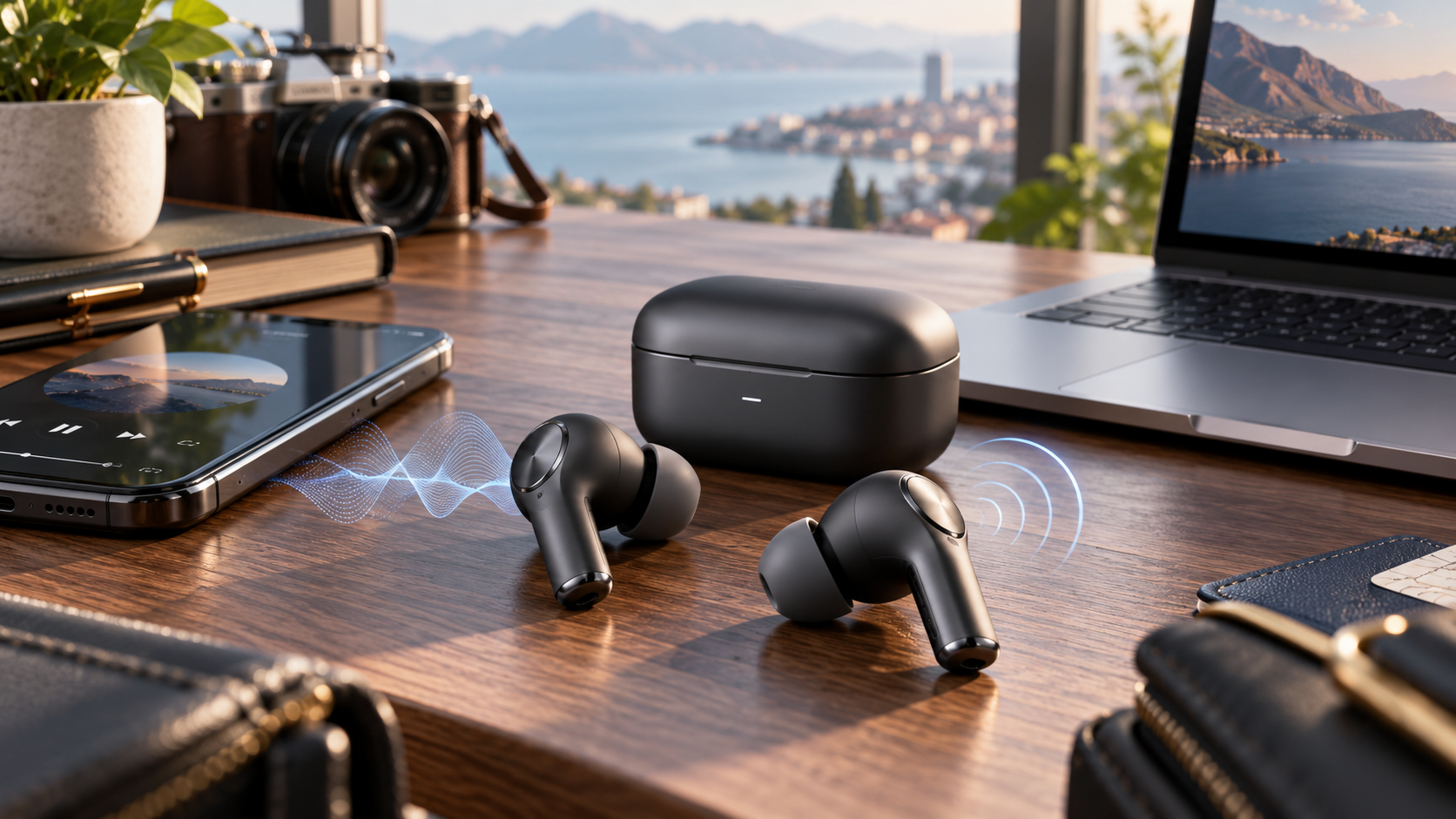
wireless earbuds have become one of the most convenient ways to listen to music, make calls, watch videos, exercise, travel, and work without dealing with traditional audio cables. Modern models can combine active noise cancellation, transparency modes, advanced Bluetooth connectivity, compact charging cases, customizable controls, multiple microphones, water resistance, and increasingly sophisticated audio processing in devices small enough to fit inside a pocket. However, specifications alone do not determine whether a pair will be enjoyable to use. Fit, sound tuning, microphone quality, battery performance, device compatibility, controls, durability, and the quality of the companion software all affect the everyday experience.
Choosing earbuds can appear simple because many products look similar.
In reality, two models with nearly identical specifications may feel completely different once worn for several hours.
One may fit securely during exercise but become uncomfortable during long meetings.
Another may sound excellent for music but struggle with voice calls outdoors.
A third may have impressive noise cancellation but limited battery life.
The best choice therefore depends on how the earbuds will actually be used.
What Are Wireless Earbuds?
Wireless earbuds are compact audio devices that connect to smartphones, tablets, computers, televisions, and other compatible devices primarily through Bluetooth.
Most modern true wireless models use:
• One left earbud
• One right earbud
• A portable charging case
The case protects the earbuds and contains its own battery so the earbuds can recharge when placed inside.
This design allows users to extend total listening time without connecting to a wall charger after every session.
True Wireless Versus Traditional Wireless Earphones
Traditional wireless earphones may still connect the left and right earpieces with a cable.
True wireless earbuds eliminate that physical connection.
True wireless designs provide greater freedom of movement but require more attention to:
• Battery management
• Small component handling
• Individual earbud fit
• Charging contacts
• Wireless connection stability
For many users, the convenience outweighs these considerations.
7 Smart Tips for Choosing Wireless Earbuds
Rather than buying based on advertising claims alone, compare the features that directly affect your routine.
1. Wireless Earbuds Should Fit Comfortably and Securely
Fit may be the most important factor.
Even excellent audio hardware will be frustrating if the earbuds constantly loosen or create discomfort.
Many in ear models include several silicone ear tip sizes.
Users should test different sizes rather than automatically using the tips installed at the factory.
Why Fit Affects Sound
Ear tips do more than hold the earbuds in place.
A proper seal can improve:
• Bass response
• Passive noise isolation
• Active noise cancellation
• Overall sound balance
A poor seal may make expensive earbuds sound thin or weak.
If the left and right ears are shaped slightly differently, using different tip sizes can sometimes provide a better result.
Comfort for Long Listening Sessions
Consider how long the earbuds will normally be worn.
A person who uses earbuds for a 30 minute gym session has different comfort requirements from someone wearing them through several hours of work calls.
Check for:
• Pressure inside the ear
• Excessive weight
• Sharp housing edges
• Ear fatigue
• Secure positioning
• Heat or irritation
Comfort is personal.
A shape that works perfectly for one person may not suit another.
Earbuds for Exercise
For running, cycling in safe environments, gym workouts, or other movement, stability matters.
Look for features such as:
• Secure in ear fit
• Wings or stabilizers where available
• Appropriate water resistance
• Lightweight construction
Before relying on new earbuds during intense activity, test them during gentle movement first.
2. Active Noise Cancellation Can Improve Listening in Busy Environments
Active noise cancellation, usually called ANC, uses microphones and digital processing to reduce external sound.
It is particularly useful for continuous lower frequency noise such as:
• Aircraft cabin noise
• Train movement
• Bus engines
• Air conditioning
• Office background hum
Modern ANC systems can also reduce some voices and higher frequency sounds, although complete silence should not be expected.
Passive Isolation Still Matters
ANC works alongside physical isolation.
Well fitted ear tips can block some noise before the electronic cancellation system begins working.
This means fit remains important even on premium ANC earbuds.
Transparency Mode
Transparency or ambient mode performs almost the opposite function.
Microphones intentionally pass outside sound through the earbuds so the user can remain more aware of the environment.
This can be useful when:
• Talking to someone briefly
• Waiting for announcements
• Walking through public spaces
• Working in an office
• Ordering food or coffee
A good transparency mode should sound relatively natural rather than making the environment excessively harsh or artificial.
Awareness Around Traffic
Noise cancellation should be used carefully in environments where awareness is important.
Reducing external sound too aggressively near vehicles, roads, machinery, or other hazards can make it harder to notice danger.
3. Compare Realistic Battery Life, Not Only Marketing Numbers
Battery life is an important part of wireless listening.
Manufacturers commonly provide separate figures for:
• Earbuds alone
• Earbuds plus charging case
These figures may vary depending on features being used.
ANC, high quality codecs, high volume, spatial audio, voice processing, and other features can affect power consumption.
Earbud Battery Life
Think about the longest period you will normally use the earbuds without returning them to the case.
For example:
A commuter may only need a few hours.
A frequent traveler may want significantly longer continuous playback.
A remote worker may need earbuds that can handle long meetings.
Charging Case Capacity
The charging case can recharge the earbuds multiple times depending on the model.
This can provide several days of normal intermittent use before the case itself requires charging.
Fast Charging
Some models can provide additional listening time after a short period in the case.
This is useful when the user realizes the battery is low just before leaving home.
Battery Aging
Rechargeable batteries gradually lose capacity with use and age.
This is normal for lithium based batteries.
Because earbud batteries are physically small, battery degradation can become noticeable over time.
Avoid buying based only on the minimum battery life you need today.
A comfortable reserve can make the product more practical long term.
4. Sound Quality Depends on More Than Driver Size
Marketing often emphasizes driver size.
Driver design matters, but it is only one part of the final sound.
Audio quality also depends on:
• Acoustic chamber design
• Earbud fit
• Digital signal processing
• Tuning
• Bluetooth codec
• Source device
• Recording quality
• Equalizer settings
Two earbuds using similar driver sizes can sound very different.
Sound Signature
Different earbuds may emphasize different parts of the frequency range.
Some have stronger bass.
Others prioritize vocals.
Some aim for a more neutral presentation.
Listeners who enjoy electronic or hip hop music may appreciate stronger low frequency impact.
People listening primarily to podcasts or spoken content may prioritize clear midrange reproduction.
Equalizer Controls
A companion app may allow users to adjust:
• Bass
• Midrange
• Treble
Some applications offer presets such as:
• Balanced
• Bass boost
• Vocal
• Treble boost
• Custom
An equalizer can make a good pair of earbuds better suited to personal preferences.
5. Wireless Earbuds Need Good Microphones for Calls
Music quality and call quality are different problems.
Earbuds may sound excellent to the wearer but transmit poor voice quality to the other person.
Call performance depends on:
• Microphone number
• Microphone positioning
• Noise reduction algorithms
• Wind handling
• Voice processing
• Bluetooth connection
• Environmental conditions
Indoor Calls
Most reasonably designed earbuds can handle calls in a quiet room.
The bigger differences become noticeable in challenging conditions.
Outdoor Calls
Wind can be particularly difficult for small microphones.
Traffic, crowds, cafés, and public transport can also interfere with speech clarity.
People who regularly use earbuds for business calls should prioritize microphone performance rather than judging models only by music quality.
Sidetone
Some earbuds allow users to hear a controlled amount of their own voice during calls.
This can make conversations feel more natural because users are less likely to speak unusually loudly while their ears are sealed.
6. Bluetooth Features and Codecs Can Affect Performance
Bluetooth technology continues to evolve.
Modern earbuds may support different combinations of:
• Standard Bluetooth audio
• Bluetooth LE Audio
• Multipoint connectivity
• Auracast compatibility
• AAC
• SBC
• aptX family codecs
• Other manufacturer specific codecs
Not every phone supports every feature.
Codec Compatibility Matters
A premium codec provides no benefit if the connected device does not support it.
For example, certain Android devices may support advanced codec options that are unavailable on other platforms.
Before buying for a specific audio feature, check compatibility between:
• Earbuds
• Smartphone
• Tablet
• Laptop
• Operating system
Bluetooth LE Audio
Bluetooth LE Audio is designed to expand Bluetooth audio capabilities while using the Low Energy radio.
Compatible products can offer new audio functionality and potentially greater efficiency depending on implementation.
One important feature associated with the newer Bluetooth audio ecosystem is Auracast.
Auracast
Auracast allows compatible audio transmitters to broadcast audio that compatible receivers can join.
Potential applications include shared or public audio environments.
Availability depends on both the earbuds and transmitting device supporting the required technology.
Buyers interested in these emerging features should confirm actual product support rather than assuming every new Bluetooth device includes them.
Multipoint Bluetooth
Multipoint can allow earbuds to maintain connections with more than one device.
This can be useful for someone working on a laptop while keeping a smartphone connected.
For example:
Music plays from the laptop.
A phone call arrives.
The earbuds switch to the phone.
Implementation differs between products, so switching may feel smoother on some models than others.
7. Water Resistance and Build Quality Matter for Everyday Use
Earbuds are frequently exposed to:
• Sweat
• Light rain
• Dust
• Pockets
• Bags
• Accidental drops
Durability therefore matters.
IP Ratings
Some earbuds use IP ratings to describe protection against dust and water.
The exact rating should be interpreted carefully.
Water resistance is not the same as complete waterproofing.
A model designed to tolerate sweat should not automatically be used for swimming.
Charging Case Protection
The case may have a different protection rating from the earbuds.
Even if the earbuds resist sweat or rain, the charging case may need to remain dry.
Build Quality
Check:
• Hinge strength
• Charging contacts
• Earbud finish
• Case closure
• Magnet strength
• Port quality
A product that will be opened and closed several times every day should feel durable.
Wireless Earbuds for Music
Music listeners should prioritize:
• Fit
• Sound tuning
• Codec compatibility
• Equalizer options
• ANC
• Battery life
People who value sound quality should also remember that the recording and source device matter.
High quality earbuds cannot improve a poor source file beyond its limitations.
Bass Does Not Equal Better Sound
Powerful bass can be enjoyable, but excessive bass may cover vocals and details.
Balanced sound generally means different frequencies are reproduced without one area overwhelming everything else.
Preferences remain subjective.
Wireless Earbuds for Calls and Work
Remote and hybrid workers may spend hours each day in video meetings.
Important features include:
• Clear microphones
• Comfortable fit
• Long battery life
• Multipoint connectivity
• Reliable connection
• Easy mute controls
• Transparency mode
If calls are the main purpose, microphone testing should be more important than extreme bass response.
Wireless Earbuds for Gaming
Bluetooth audio can introduce latency.
Latency is the delay between an action happening on screen and the corresponding sound reaching the listener.
High latency can be noticeable during:
• Competitive games
• Rhythm games
• Video editing
• Interactive applications
Some earbuds offer low latency modes.
Others use specialized wireless connections for gaming.
Casual users may never notice small delays, while competitive gamers may care significantly.
Wireless Earbuds for Travel
Travelers often prioritize:
• Effective ANC
• Comfortable long term fit
• Strong battery life
• Compact charging case
• Reliable connection
• Transparency mode
An aircraft cabin is one of the environments where noise cancellation can make a noticeable difference.
However, travelers should still pay attention to important safety announcements.
Wireless Earbuds for the Gym
Workout earbuds should remain stable under movement.
Important features include:
• Sweat resistance
• Secure fit
• Easy controls
• Lightweight design
• Durable construction
• Awareness modes
Touch controls can sometimes become difficult to operate with wet hands.
Physical buttons may suit some athletes better.
Touch Controls Versus Physical Buttons
Many wireless earbuds use touch sensitive surfaces.
Common actions include:
• Play
• Pause
• Skip
• Volume
• ANC control
• Voice assistant
Touch controls keep the design clean but can sometimes trigger accidentally when adjusting the earbud.
Physical buttons provide clearer feedback but require pressure against the ear.
Neither method is universally better.
Companion Apps
Many premium wireless earbuds use companion applications.
These apps may control:
• EQ
• ANC level
• Transparency mode
• Firmware updates
• Touch controls
• Ear detection
• Device finding
• Multipoint settings
• Sound personalization
A good application can significantly improve the ownership experience.
Check whether all important features work on your phone’s operating system.
Spatial Audio and Head Tracking
Some modern earbuds offer spatial processing intended to create a wider or more immersive sound field.
Certain systems can also track head movement.
These features may be useful for:
• Movies
• Games
• Selected music
However, not everyone prefers spatial processing for normal stereo recordings.
It should be treated as an optional feature rather than a requirement for good sound.
Ear Detection
Sensors in some earbuds can detect when an earbud is removed.
Music may pause automatically and resume when it is reinserted.
This feature can be convenient but should usually be configurable because some users prefer manual playback control.
Single Earbud Use
Some models allow either earbud to function independently.
This can be useful for:
• Phone calls
• Office listening
• Extending battery availability
• Keeping one ear open to the environment
Check whether both sides support independent operation if this matters to your routine.
How to Choose the Correct Ear Tip
Start with the medium size and evaluate the seal.
Try a larger or smaller tip if:
• Bass sounds weak
• Earbud falls out
• ANC performs poorly
• Ear feels excessive pressure
• Sound changes when pushing the earbud inward
Some premium models include fit testing through their companion apps.
Foam ear tips are another option for certain earbuds and may provide stronger isolation for some users.
Wireless Earbuds and Hearing Safety
Good audio should not require extremely high volume.
Long periods of loud sound can increase the risk of hearing damage.
Users can reduce risk by:
• Keeping volume moderate
• Taking listening breaks
• Using ANC to avoid raising volume excessively in noisy environments
• Paying attention to device volume warnings
If ringing, discomfort, or hearing changes occur, reduce exposure and seek appropriate medical advice if symptoms persist.
How to Maintain Wireless Earbuds
Regular cleaning can improve comfort and sound.
Ear tips can accumulate:
• Earwax
• Sweat
• Dust
• Skin oils
Follow manufacturer cleaning instructions.
Avoid allowing liquids to enter speaker openings unless the product is specifically designed for such exposure.
Clean Charging Contacts
Dirty charging contacts can prevent earbuds from charging correctly.
Wipe them carefully using an appropriate dry or lightly recommended cleaning method.
Keep the Case Clean
Dust and debris inside the case can transfer to the earbuds.
Do not insert wet earbuds directly into the charging case unless the manufacturer specifically indicates that this is safe.
Common Wireless Earbud Buying Mistakes
Choosing Only by Brand
Different models from the same manufacturer can perform very differently.
Ignoring Fit
Poor fit can ruin sound and ANC.
Buying ANC When You Do Not Need It
Noise cancellation is valuable, but users who mainly listen in quiet rooms may prioritize other features.
Ignoring Microphone Quality
Important for calls and meetings.
Comparing Only Total Case Battery Life
Continuous earbud battery life may matter more.
Assuming Every Bluetooth Codec Works With Every Phone
Compatibility should be checked.
Ignoring the Companion App
Software can control many important features.
Paying for Features You Will Never Use
Buy for your real routine, not the longest specification list.
Budget Versus Premium Wireless Earbuds
Affordable earbuds have improved significantly.
Budget models can now provide:
• Good sound
• Useful battery life
• Basic ANC
• Water resistance
• App controls
Premium models may offer stronger performance in areas such as:
• Noise cancellation
• Microphones
• Transparency mode
• Codec support
• Software
• Build quality
• Seamless device integration
Higher price does not guarantee a better fit or better sound for every listener.
A Simple Buying Checklist
Before purchasing, check:
• Comfortable fit
• Secure seal
• Sound profile
• ANC performance
• Transparency mode
• Microphone quality
• Earbud battery life
• Case battery life
• Charging method
• Bluetooth compatibility
• Multipoint support
• Codec support
• Water resistance
• App availability
• Control customization
• Warranty
The features at the top of your personal list should receive the most weight.
Frequently Asked Questions
What are wireless earbuds?
Wireless earbuds are compact audio devices that connect to compatible phones, computers, tablets, and other devices through Bluetooth without requiring an audio cable.
Are wireless earbuds good for phone calls?
Yes, but microphone quality varies significantly. People who make frequent calls should prioritize voice clarity, wind handling, noise reduction, and comfortable long term fit.
Is active noise cancellation important in wireless earbuds?
ANC is particularly useful for commuting, travel, offices, and other noisy environments. People listening mainly in quiet locations may consider it less important.
How long should wireless earbuds battery life last?
Battery requirements depend on usage. Compare continuous earbud playback time as well as the additional charging capacity provided by the case.
Are wireless earbuds suitable for exercise?
Many models are suitable for workouts when they provide a secure fit and appropriate sweat or water resistance. Always check the specific protection rating before use.
What should I check before buying wireless earbuds?
Compare fit, sound, ANC, microphones, battery life, Bluetooth compatibility, codecs, controls, water resistance, charging options, software support, and warranty.
Conclusion
Wireless earbuds now offer far more than basic cable free listening, combining strong audio performance with ANC, transparency modes, modern Bluetooth technologies, smart controls, compact charging, and increasingly capable microphones. The best model is not necessarily the one with the longest specification list but the pair that fits comfortably and performs well for the user’s actual routine. Buyers should prioritize fit, sound, battery life, call quality, connectivity, durability, and device compatibility before considering optional features. Choosing carefully can turn a small pair of earbuds into a reliable everyday tool for music, work, travel, exercise, and entertainment.