AhaConvert: A Practical Guide to Easy Online File Conversion
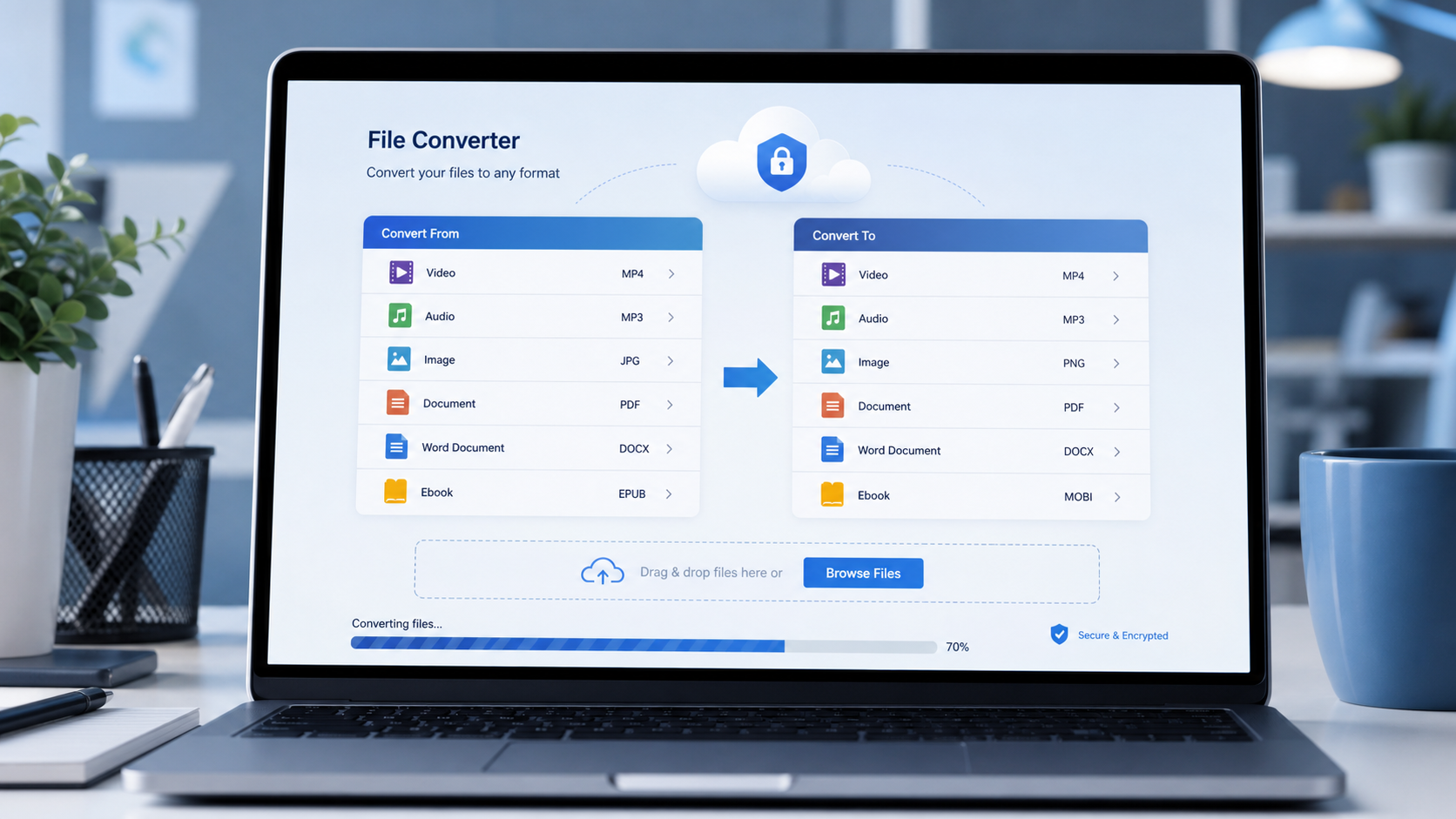
AhaConvert is a browser based file conversion platform designed for people who need to change videos, images, audio files, documents, and ebooks from one format to another without installing dedicated conversion software. According to its official website, the platform supports more than 300 file types and works across Windows, macOS, Linux, iOS, and Android through a web browser. This makes it potentially useful for students, office workers, designers, content creators, and everyday users who occasionally receive a file that their preferred application or device cannot open.
File compatibility problems are common because different applications and devices use different formats.
A photographer may need to turn an image into JPG or PNG.
A video editor may receive a MOV file that needs to become MP4.
A student might need a document in another format before submitting an assignment.
An ebook reader may support one format but not another.
Online converters aim to solve these situations by providing one place where a file can be uploaded, processed, and downloaded in a compatible format.
The important question is not simply whether conversion is possible. Users should also consider output quality, format support, privacy, upload time, device compatibility, and whether an online tool is appropriate for the sensitivity of the file being processed.
What Is AhaConvert?
AhaConvert is an online file converter that operates through a web browser.
The platform’s homepage states that it supports more than 300 file types across several major categories, including:
• Video
• Images
• Audio
• Documents
• Ebooks
The service is designed so users can upload a file, select an output format, adjust supported settings, and start the conversion without installing a desktop application.
The official website currently states that no software installation or registration is required for its core online conversion workflow.
This approach can be useful when a user needs a quick conversion but does not want to install a separate program for a task they may only perform occasionally.
How AhaConvert Works
The basic workflow is straightforward.
A user selects or uploads a file through the website.
The desired output format is then selected.
Depending on the conversion type, additional options may be available to control the final result.
The file is processed through the service and the converted version becomes available for download.
The exact settings differ according to the input and output formats.
For example, video conversion may require different controls from image or document conversion.
The official site states that advanced settings are available for supported conversions so users can customize output characteristics.
Why AhaConvert Uses a Browser Based Workflow
A browser based converter removes the need to install separate software on each device.
This can be convenient for people who work across several computers or switch between desktop and mobile devices.
The tradeoff is that files generally need to be transferred to the provider’s infrastructure for processing.
That means internet speed and file size can directly influence the total time required.
A small image may upload and process quickly.
A large video may take substantially longer because the complete workflow can include upload time, processing time, and download time.
7 Powerful Benefits of Using AhaConvert
The usefulness of an online converter depends on the task, but several features make the service relevant for common file conversion needs.
1. Support for More Than 300 File Formats
One of the main advantages promoted by AhaConvert is broad format coverage.
The official website states that more than 300 file formats are supported.
Examples listed on the site include:
Video formats such as:
• MP4
• AVI
• MOV
• MKV
• WMV
Image formats such as:
• JPG
• PNG
• WEBP
• GIF
• SVG
Audio formats such as:
• MP3
• WAV
• MP2
• FLAC
• M4A
Document formats such as:
• DOCX
• XLSX
• PPTX
• TXT
This range can reduce the need to search for a different converter each time an unfamiliar file type appears.
2. No Desktop Installation Required
Installing software for a single conversion can feel unnecessary.
It may also be impossible on workplace, university, or shared computers where the user does not have administrator permissions.
AhaConvert runs through a web browser, so the conversion workflow does not depend on a dedicated desktop installation.
This provides flexibility for users who need temporary access to a converter.
It can also reduce storage usage on devices with limited available space.
The platform states that it works on Windows, macOS, Linux, iOS, and Android.
3. Access Across Different Devices
Cross platform availability is particularly useful for people who regularly move between devices.
A file received on a phone may need to be converted before being uploaded somewhere else.
A document stored on a laptop may need to become a different format before it is opened on another computer.
Because AhaConvert is browser based, users are not tied to a specific desktop operating system.
A compatible browser and internet connection are the main requirements.
This can simplify workflows for:
• Remote workers
• Students
• Freelancers
• Content creators
• Small businesses
• Travellers
• Mobile users
Device compatibility should still be checked when working with particularly large files because mobile devices may have more limited storage, memory, or network performance.
4. Multiple File Categories in One Platform
Some conversion websites specialize in only one category.
One website may focus on video while another handles PDFs or image formats.
AhaConvert combines several categories within one platform.
Its website currently lists tools for video, audio, image, document, and ebook conversion.
This can be convenient for users who regularly work with mixed file types.
For example, a content creator might need to:
• Convert a video into another container format
• Extract or convert an audio file
• Change an image from WEBP to JPG
• Prepare a PDF or document
Using one conversion platform can reduce the need to learn several separate interfaces.
5. Advanced Conversion Settings
Format conversion is not always as simple as selecting a new extension.
Users may also care about resolution, quality, compatibility, or other output characteristics.
AhaConvert states that it provides advanced settings for supported conversion tasks.
These settings can be useful when users need more control over the result.
For example, a smaller output file may be preferable when sharing content through email or uploading to a website.
A higher quality file may be preferred for professional editing or archiving.
Users should remember that converting a low quality source file into a higher resolution format cannot recreate detail that does not exist in the original.
Conversion can change the format and supported output settings, but it cannot guarantee an improvement in source quality.
6. No Registration for Core Conversion Tasks
Account creation can slow down simple online tasks.
AhaConvert states that its online converter can be used without registration for its standard conversion workflow.
This can be useful when users want to convert an occasional file without creating another account or remembering another password.
It may also reduce the amount of personal information required for basic use.
Users should still read current terms and privacy information before uploading important files because service conditions can change.
7. Privacy Controls for Uploaded Files
Privacy is one of the most important considerations when using any online file converter.
AhaConvert states that uploaded files are protected during transfer using 256 bit SSL encryption and that files are automatically deleted from its servers within 24 hours.
The site also states that it does not view or share uploaded files.
These are provider claims, so users dealing with highly confidential material should still make their own risk assessment.
Examples of files that deserve additional caution include:
• Legal documents
• Confidential business records
• Medical information
• Financial statements
• Identity documents
• Private client material
• Unreleased commercial projects
For highly sensitive content, local conversion software that processes the file entirely on the user’s own device may be more appropriate because the file does not need to be uploaded to an external server.
What File Types Can AhaConvert Handle?
AhaConvert covers several common file categories.
Understanding them helps users identify where an online converter may fit into their workflow.
AhaConvert for Video Files
Video formats vary because different devices, editing programs, websites, and media players support different containers and codecs.
The official AhaConvert website lists popular video formats such as MP4, AVI, MOV, MKV, and WMV.
Common reasons for converting a video include:
• Improving device compatibility
• Preparing a file for upload
• Changing the container format
• Creating a version suitable for editing
• Reducing compatibility problems
Users should remember that video files can be large.
The speed of an online conversion therefore depends heavily on the upload connection.
A fast broadband connection can make cloud conversion practical, while a slow connection may make local software more efficient for very large files.
AhaConvert for Image Files
Image conversion is useful for web design, ecommerce, social media, presentations, and document preparation.
AhaConvert currently lists image formats including JPG, PNG, WEBP, GIF, and SVG.
Different image formats serve different purposes.
JPG is commonly used for photographs.
PNG is useful when transparent backgrounds or lossless image storage are needed.
WEBP is widely used on websites because it can provide efficient file sizes.
SVG is useful for scalable vector graphics.
Choosing the correct output format depends on where the image will ultimately be used.
How AhaConvert Can Help With Web Images
Website owners frequently receive images in formats that do not match their publishing workflow.
A photographer might provide a large PNG.
A smartphone may produce a newer image format.
A designer may provide an SVG while a publishing system requires another file type.
Converting images can help standardize media libraries.
However, website performance also depends on compression, dimensions, responsive image delivery, and caching.
Format conversion alone is only one part of image optimization.
AhaConvert for Audio Files
The platform lists audio support for formats including MP3, WAV, MP2, FLAC, and M4A.
Audio conversion can be useful when:
• A device cannot play the original format
• A smaller file is required
• Editing software expects another format
• Audio needs to be shared through a specific platform
• An archive needs consistent formatting
Lossless formats such as FLAC preserve more original audio information than heavily compressed formats.
Compressed formats can provide smaller files but may involve some loss of audio data depending on the codec and settings.
The right format therefore depends on whether the priority is compatibility, file size, or audio preservation.
AhaConvert for Documents
The service lists support for documents including PDF, DOCX, XLSX, PPTX, and TXT.
Document conversion can help when a user needs to:
• Share a document with someone using different software
• Turn an editable document into a more consistent viewing format
• Extract information into another supported format
• Prepare a file for printing
• Improve compatibility across devices
Document conversion should always be checked carefully after processing.
Complex formatting, fonts, charts, formulas, page layouts, or embedded media may not transfer perfectly between every format.
Open the converted file and confirm that the important content remains intact before sending or publishing it.
Is AhaConvert Safe to Use?
No online service should be described as completely risk free.
A more useful question is what security and privacy measures the provider states it uses and whether those measures are suitable for the user’s file.
AhaConvert currently states that:
• Transfers use 256 bit SSL encryption
• Files are stored in a secure cloud environment during processing
• Uploaded files are automatically deleted within 24 hours
• Uploaded files are not viewed or shared by the service
These statements appear on the platform’s current security section.
Users should still consider the sensitivity of each file.
A vacation photograph and a confidential corporate contract present very different privacy risks.
Privacy Questions to Ask Before Uploading
Before using any online converter, consider:
• Does this file contain personal information?
• Does it contain confidential client data?
• Would disclosure create financial or legal problems?
• Is the file protected by a confidentiality agreement?
• Can I remove sensitive information before conversion?
• Could the task be completed locally instead?
For ordinary non sensitive files, an online converter can be convenient.
For highly sensitive information, avoiding external upload altogether may be the safer approach.
AhaConvert for Students
Students regularly work with multiple digital formats.
A lecturer may request a PDF while the student created the assignment in DOCX.
A presentation may need images converted to a supported format.
Audio or video material may need to work with an educational platform.
A browser based converter can be useful because students often switch between personal laptops, university computers, tablets, and phones.
However, students should avoid uploading confidential academic records or private research data without first checking institutional policies.
Universities may have specific requirements governing where research or personal information can be processed.
AhaConvert for Businesses and Professionals
Professional users often need file compatibility across different systems.
A marketing agency might receive images from several designers.
An office may work with spreadsheets, presentations, and PDFs.
A freelance video editor may receive footage from multiple devices.
AhaConvert can provide a convenient option for ordinary conversion jobs where cloud processing is acceptable.
Businesses should create clear internal rules about which files can be uploaded to external services.
Sensitive client information, employee data, proprietary material, and regulated records may require approved enterprise tools or local processing.
Convenience should not override internal security requirements.
How to Get Better Results From AhaConvert
Conversion quality begins with the source file.
Use the highest quality original available whenever possible.
Choose the Correct Output Format
Do not select a format simply because it is familiar.
Choose according to the destination.
For example:
Use JPG when broad photo compatibility and smaller file sizes are important.
Use PNG when transparency matters.
Use PDF when preserving document presentation is important.
Use MP4 when broad video compatibility is required.
The correct choice depends on the purpose of the final file.
Keep an Original Copy
Never rely on the converted file as the only copy.
Keep the source file until the conversion has been checked successfully.
This is especially important when converting documents, videos, or professional media.
Inspect the Output
After downloading the result, open it and check:
• Visual quality
• Audio quality
• Page layout
• Missing content
• Fonts
• Colours
• Resolution
• Playback
• File size
A successful download does not automatically mean every element converted perfectly.
When AhaConvert May Not Be the Best Option
Online conversion is convenient, but it is not ideal for every situation.
Extremely Large Files
Uploading very large files can take time.
If the same large files need frequent conversion, desktop software may be more efficient.
Confidential Files
Highly sensitive material may be better processed locally.
Unstable Internet Connections
Cloud conversion depends on a reliable connection.
Interrupted uploads can create delays.
Repetitive Professional Workflows
Users converting hundreds of large files every day may benefit from dedicated desktop or enterprise software that integrates more directly with local storage and production systems.
The right tool should match the frequency, size, privacy requirements, and complexity of the task.
AhaConvert and the Future of Browser Based File Conversion
Browser based productivity tools continue to reduce the need for specialized software for occasional tasks.
File conversion is a good example.
A user who once needed separate applications for audio, video, image, and document conversion can now perform many basic conversions from one browser interface.
AhaConvert positions itself within this shift by offering broad format support and cross platform access.
The official platform currently emphasizes more than 300 supported formats, browser access, advanced settings, and automatic deletion of uploaded files.
For everyday users, the biggest advantage is simplicity.
The file already exists.
The required output format is known.
The user simply needs a practical way to move from one to the other.
Frequently Asked Questions
What is AhaConvert?
AhaConvert is a browser based online file converter that supports more than 300 file types across video, audio, images, documents, and ebooks.
Is AhaConvert free to use?
The official website currently promotes free online file conversion without requiring registration for its core conversion workflow. Users should check current terms for any service limits.
Does AhaConvert require software installation?
No. AhaConvert operates through a web browser and currently supports Windows, macOS, Linux, iOS, and Android.
What formats does AhaConvert support?
The service states that it supports more than 300 formats, including MP4, MOV, JPG, PNG, MP3, WAV, PDF, DOCX, XLSX, PPTX, and other file types.
Is AhaConvert safe for private files?
AhaConvert states that transfers use SSL encryption and uploaded files are deleted within 24 hours, but highly confidential files may still be better converted locally.
Can I use AhaConvert on a phone?
Yes. The platform states that its browser based converter works on both iOS and Android in addition to desktop operating systems.
Conclusion
AhaConvert offers a practical way to convert a wide range of video, image, audio, document, and ebook formats without installing dedicated software. Its broad format support, browser accessibility, advanced settings, and stated privacy controls make it suitable for many everyday conversion tasks. Users should still choose output formats carefully, verify converted files before deleting originals, and avoid uploading highly sensitive material when local processing would provide stronger privacy control.