AI Photo Enhancer: 7 Smart Ways to Transform Blurry Pictures Into Stunning High Quality Images
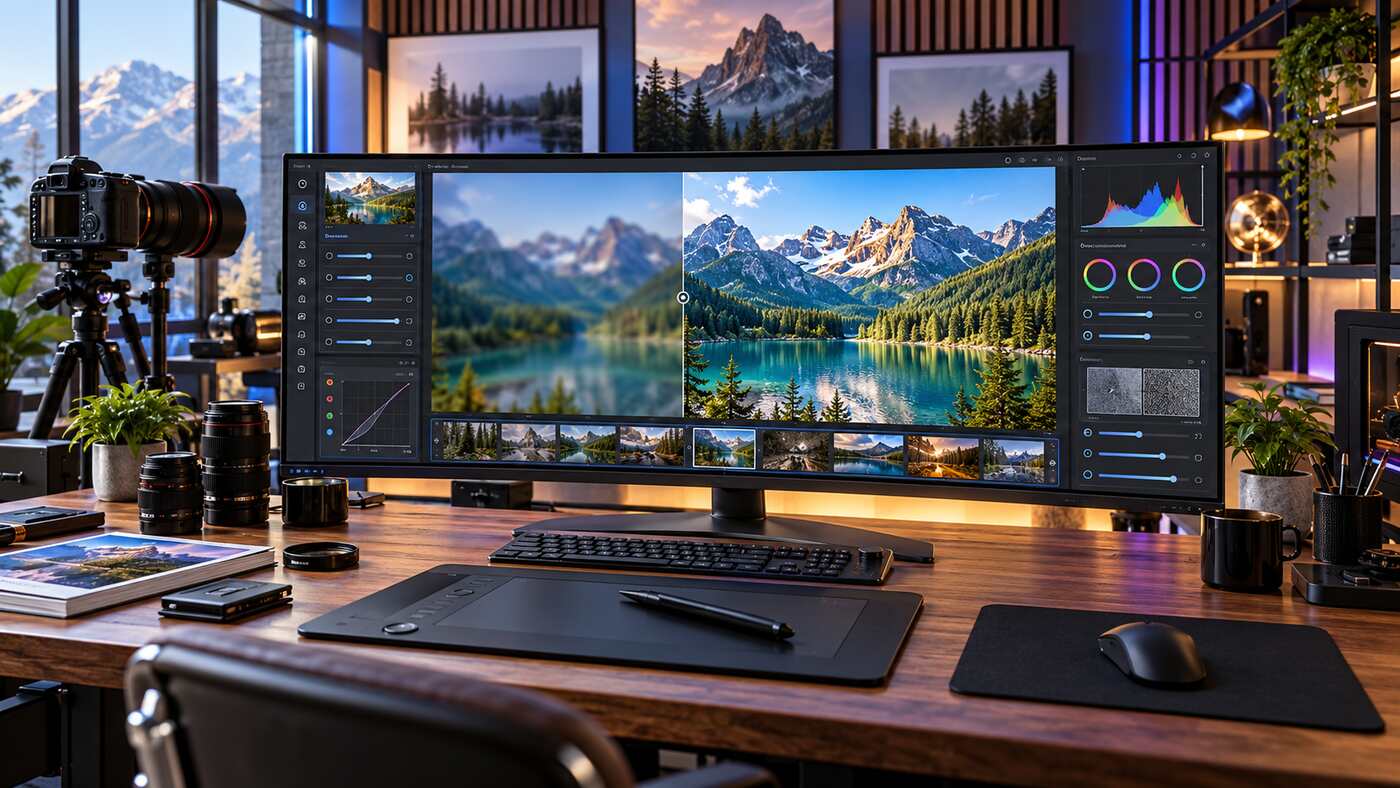
A beautiful photograph can capture a memorable moment, showcase a product, or make digital content more engaging. Unfortunately, even carefully planned photographs sometimes suffer from poor lighting, unwanted noise, low resolution, or blurry details. An AI photo enhancer offers a practical way to improve certain image quality problems using artificial intelligence, helping photographers, businesses, and everyday users create clearer and more polished pictures.
Across the United States, digital creators increasingly work with photographs captured on smartphones, professional cameras, and older devices. Not every image arrives in perfect condition. Some need brighter colors, better facial detail, improved sharpness, or a higher resolution for printing and online publication.
Modern AI image enhancement tools can simplify many of these editing tasks. However, the technology has limitations, and the best results come from understanding how different enhancements work.
This guide explains seven effective techniques for improving photographs, compares popular AI editing features, and explores how to select the right software for your needs.
What Is an AI Photo Enhancer?
An AI photo enhancer is a software application or online service that uses artificial intelligence to improve selected visual characteristics of digital photographs.
Unlike traditional image editing tools that rely mainly on manually adjusted filters, many AI enhancement systems analyze image patterns and estimate changes that could improve clarity, texture, brightness, or resolution.
Depending on the application, AI enhancement features may include:
- Image upscaling and resolution improvements
- Intelligent sharpening and blur reduction
- Digital noise removal
- Portrait and facial enhancement
- Automatic color and exposure correction
- Restoration of older photographs
- Reduction of compression artifacts
- Background and object editing
- Batch processing of multiple images
Not every application includes all these capabilities.
Some platforms specialize in professional photo restoration, while others provide convenient enhancement features for smartphone users.
How Does AI Photo Enhancement Work?
AI image enhancement systems use trained models to recognize patterns in photographs and estimate how an improved image might look.
For example, a noise reduction model attempts to distinguish unwanted digital noise from meaningful image information.
An upscaling model estimates additional pixels when increasing the dimensions of a photograph.
A sharpening model may improve the appearance of edges and small textures affected by certain types of blur.
These adjustments are based on learned patterns rather than direct recovery of information that was never recorded.
This distinction matters because artificial intelligence may generate plausible details that do not perfectly match the original scene.
7 Powerful Ways to Get Better Results With an AI Photo Enhancer
Achieving professional looking results requires choosing the right enhancement tools and applying them carefully.
The following techniques can improve photo editing workflows while reducing the risk of unnatural images.
1. Start With the Highest Quality Original Image
The first step toward successful enhancement is choosing the best available source photograph.
AI technology can improve certain visual problems, but it works with the information contained in the original image.
A photograph captured with a high quality camera and saved with minimal compression generally provides more usable information than a tiny, heavily compressed screenshot.
Before editing, examine the file format, dimensions, lighting, and overall condition.
Check the Original Resolution
Image resolution refers to the number of pixels contained in a photograph.
For example, an image measuring 1200 × 800 pixels contains fewer pixels than a photograph measuring 4000 × 3000 pixels.
Higher pixel counts can support larger prints or detailed crops, provided the source image contains useful detail.
However, resolution alone does not guarantee quality.
A high resolution photograph can still look blurry if the camera moved during exposure or the subject was out of focus.
Preserve Your Original Photograph
Always keep an unmodified copy before applying AI enhancement.
This is especially important when editing family photographs, historical images, or professional client work.
AI models can occasionally produce unwanted changes to facial features, textures, or small objects.
Keeping the original allows you to compare results and return to the authentic source if necessary.
2. Use AI Upscaling to Increase Image Resolution
Image upscaling is one of the most useful capabilities of an AI photo enhancer.
Traditional resizing increases image dimensions by calculating new pixels from existing ones.
AI upscaling uses trained models to estimate additional visual information and may improve the appearance of certain details during enlargement.
This can be useful when preparing smaller photographs for websites, presentations, posters, or prints.
When Should You Upscale a Photograph?
Upscaling may be appropriate when:
- A photograph is too small for its intended display size
- An older digital image needs enlargement
- A cropped picture has limited remaining resolution
- A product photograph requires larger dimensions
- A personal photograph is being prepared for printing
However, increasing image size does not automatically improve every visual characteristic.
If the source contains severe motion blur or extensive compression damage, additional processing may be needed.
Avoid Excessive AI Upscaling
A common mistake is enlarging an image far beyond what the project requires.
Extremely aggressive upscaling can produce artificial details, strange textures, and longer processing times.
For many websites, an appropriately sized image with good compression performs better than an unnecessarily large photograph.
Choose the final dimensions based on the intended use rather than selecting the highest available resolution.
3. Remove Noise Without Losing Natural Texture
Digital noise is a common problem in photographs captured under difficult lighting conditions.
It may appear as colored speckles, random grain, or uneven textures.
Noise becomes particularly noticeable when photographers use high camera sensitivity settings to capture images in low light.
An AI photo enhancer with denoising capabilities can sometimes improve these photographs by reducing unwanted noise while retaining useful details.
How AI Noise Reduction Helps
AI denoising tools analyze image patterns to estimate which details belong to the original scene and which are likely unwanted noise.
This may improve the appearance of dark backgrounds, shadow areas, and certain indoor photographs.
Adobe Lightroom Classic, for example, includes an AI powered Denoise feature within its Enhance workflow.
The tool is designed to reduce noise while retaining fine image detail in supported files.
Avoid Overprocessing Skin and Fabric
Excessive noise reduction can make photographs look unnatural.
Skin may appear overly smooth, hair may lose individual strands, and clothing may lose visible texture.
The goal should be to reduce distracting noise without removing the characteristics that make the photograph realistic.
Compare the enhanced image with the original at a detailed zoom level.
If the result appears plastic or artificial, reduce the processing strength.
4. Improve Sharpness and Reduce Certain Types of Blur
Sharpness influences how clearly viewers can identify important details.
Photographs may look soft because of camera movement, missed focus, low quality lenses, or image compression.
AI sharpening tools can improve some of these problems, although results vary.
Different Types of Image Blur
Motion blur occurs when the camera or subject moves during exposure.
Focus blur occurs when the intended subject is not properly focused.
General softness can result from optical characteristics, compression, or previous resizing.
Different problems may require different enhancement models.
Topaz Photo, for example, includes sharpening options designed for general softness and specific blur characteristics.
How to Use AI Sharpening Naturally
Start with moderate settings.
Pay attention to important features such as eyes, hair, product edges, architectural details, and natural textures.
Excessive sharpening may produce bright outlines around objects or exaggerate unwanted grain.
If the photograph contains substantial noise, applying appropriate denoising first may produce a better result.
Can AI Fix a Completely Blurry Photo?
Not reliably.
Artificial intelligence can sometimes make a blurry photograph appear clearer by estimating missing detail.
However, it cannot guarantee that reconstructed features accurately represent the original subject.
This limitation is especially important for faces, identification documents, and photographs used as evidence.
5. Enhance Portraits While Preserving Natural Appearance
Portrait photography is another popular application of artificial intelligence.
A portrait may benefit from improved lighting, moderate sharpening, subtle color correction, or noise reduction.
Some applications also provide specialized facial enhancement models.
These tools may improve the appearance of low resolution faces by estimating facial textures and other visual characteristics.
However, aggressive processing can change how a person looks.
Keep Facial Features Authentic
When improving portraits, avoid unnecessary changes to:
- Eye shape and facial proportions
- Skin texture and natural complexion
- Hairline and individual facial details
- Smile and facial expression
- Distinctive marks and identifying features
A professional portrait should generally remain recognizable as the same person.
For historical photographs, exercise additional caution because AI generated facial details may not reflect the original individual accurately.
AI Portrait Enhancer vs. Traditional Retouching
Traditional retouching provides direct control over individual adjustments.
AI enhancement can automate some of these tasks and speed up the editing process.
For professional work, combining both methods may offer greater control.
A photographer might use AI to reduce noise and improve overall sharpness, then manually adjust exposure and skin tones.
The final objective should be a natural appearance rather than an obviously altered photograph.
6. Improve Lighting, Contrast, and Color Balance
A photograph can have good resolution but still look unattractive because of poor lighting.
Images captured indoors may contain unwanted color casts, while outdoor photographs can have overly bright skies or dark foregrounds.
AI assisted editing tools may help identify these problems and suggest useful adjustments.
Correct Exposure Problems
Exposure determines how bright or dark an image appears.
An underexposed photograph may contain shadows that hide important details.
An overexposed photograph may lose visible detail in bright areas.
Editing tools can sometimes recover usable information from shadow or highlight regions, depending on the original file.
However, completely clipped highlights and severely underexposed areas may contain insufficient information for accurate recovery.
Adjust White Balance
White balance influences how colors appear under different lighting conditions.
For example, indoor lighting can make white surfaces look yellow or orange.
Automatic adjustment tools may help produce more neutral colors.
However, creative photography sometimes intentionally uses warm or cool lighting.
The correct choice depends on the intended appearance.
Maintain Realistic Colors
Excessive saturation can make landscapes and product photographs look unnatural.
Bright green grass, intensely blue skies, and unusually smooth skin may appear attractive at first glance but can reduce credibility.
A well edited photograph should preserve believable colors unless a deliberate artistic style is intended.
7. Export Images With the Right Format and File Size
The final stage of photo enhancement is exporting the image correctly.
Even a beautifully enhanced photograph may perform poorly online if the file is unnecessarily large or saved using unsuitable compression settings.
For websites, social media, and digital marketing, image optimization is especially important.
Choose an Appropriate File Format
JPEG is widely supported and suitable for many photographs.
PNG can be useful when transparency or certain lossless image characteristics are required.
WebP and AVIF can provide efficient compression for compatible online environments.
TIFF may be useful in professional workflows requiring specific image preservation or editing characteristics.
The best format depends on the final destination.
Optimize Image Dimensions
A website image should generally match its intended display requirements.
For example, a blog featured image may use a wide landscape format, while a social media profile photograph may require a square crop.
Avoid resizing images without preserving the correct aspect ratio.
Stretching an image can distort faces, buildings, and other objects.
Crop appropriately when the target dimensions differ from the original photograph.
Balance File Size and Image Quality
Smaller files can improve website loading performance, but excessive compression may introduce visible artifacts.
Choose settings that preserve acceptable quality while meeting the publishing platform’s requirements.
After export, verify the actual file dimensions, format, and size.
Do not assume that changing the filename extension converts the image into a different format.
Popular AI Photo Enhancer Tools in 2026
Several established applications offer AI powered image improvement features.
The best option depends on your device, budget, editing requirements, and experience.
Adobe Lightroom Classic
Adobe Lightroom Classic is widely used for professional photography management and editing.
Its Enhance features include Denoise, Raw Details, and Super Resolution.
Super Resolution increases both the width and height of a supported image by a factor of two, producing four times the original pixel count.
These tools can support workflows involving photography captured in RAW formats and other compatible files.
Lightroom is particularly useful for photographers who want image organization, color correction, and enhancement within one editing environment.
Topaz Photo
Topaz Photo specializes in AI powered photo enhancement.
Its available tools include denoising, sharpening, upscaling, and facial recovery.
The software provides different enhancement models for different image problems.
In 2026, Topaz introduced updated models including enhanced facial recovery, noise aware sharpening, and newer upscaling options.
Some advanced processing features use local hardware, cloud resources, or a combination of supported workflows.
Topaz Photo may be useful for photographers working with older images, wildlife photographs, portraits, and technically challenging pictures.
Google Photos
Google Photos provides image editing features through supported mobile devices and web interfaces.
Depending on device compatibility, users may have access to tools such as Unblur, Magic Eraser, lighting adjustments, and automated enhancement suggestions.
These features can be useful for everyday smartphone photography.
However, availability may depend on the device, operating system, hardware capabilities, and Google Photos version.
Users should review the available tools within their own application rather than assuming every feature is supported on every device.
Online AI Image Enhancement Services
Browser based services offer another option for improving photographs.
They can be convenient for occasional editing, particularly when users do not want to install desktop software.
However, online services may limit free processing, export resolution, file size, or available features.
Because files are uploaded to an external service, privacy and data handling policies deserve attention.
How to Enhance a Photo With AI: Step by Step
A straightforward workflow helps beginners make consistent improvements without unnecessary experimentation.
Step 1: Choose the Best Original Image
Select the highest quality photograph available.
If possible, use the original camera file rather than a screenshot or compressed social media download.
Step 2: Select an Appropriate AI Photo Enhancer
Choose an application that supports your file format and intended editing tasks.
For basic smartphone pictures, a simple editor may be sufficient.
Professional photographers may prefer software with advanced denoising, sharpening, and resolution controls.
Step 3: Identify the Main Image Problem
Determine whether the photograph needs noise reduction, sharpening, enlargement, lighting correction, or restoration.
Address the most important issue first.
Step 4: Apply Moderate Enhancements
Use a preview to compare the original and processed versions.
Avoid applying the strongest available settings automatically.
Step 5: Review Fine Details
Examine facial features, hands, hair, clothing, foliage, and small objects.
Look for artificial patterns or missing textures.
Step 6: Export and Verify the Final Image
Choose the appropriate image dimensions, file format, and compression settings.
Save the enhanced photograph as a new file.
Inspect the exported version before sharing or publishing it.
Who Can Benefit From an AI Photo Enhancer?
AI image enhancement is useful across several professional and personal activities.
Photographers and Creative Professionals
Photographers may use AI tools to improve noise, selected focus issues, and image resolution.
These applications can complement traditional editing software and help streamline repetitive work.
However, accurate exposure, proper focus, good lighting, and careful composition remain essential photography skills.
E-commerce Businesses
Online retailers depend on clear product photographs.
AI enhancement may improve brightness, sharpness, and consistent presentation.
However, product editing should not misrepresent color, material, size, condition, or other characteristics.
Accurate images help customers understand what they are purchasing.
Bloggers and Website Owners
Website owners often need appealing photographs for articles, landing pages, and marketing campaigns.
AI tools can help refine images before publication.
For SEO purposes, image relevance, descriptive alternative text, suitable compression, and fast loading are also important.
A sharper image alone does not guarantee better search rankings.
Real Estate Professionals
Property photographs benefit from balanced lighting, clear architectural details, and realistic colors.
AI enhancement may help improve certain technical characteristics.
However, removing permanent defects or adding nonexistent property features can mislead potential buyers.
Real estate images should accurately represent the property.
Families and Everyday Users
AI photo restoration tools can help improve certain older photographs, scanned pictures, and family memories.
They may reduce noise or create clearer versions for digital albums.
However, generated facial details should not be mistaken for historically verified information.
AI Photo Enhancer vs. Traditional Photo Editing
Traditional photo editing and AI enhancement have overlapping but distinct strengths.
Conventional editing tools provide direct control over exposure, cropping, curves, color balance, and sharpening.
AI powered tools may automate complex adjustments and estimate details through trained models.
When Traditional Editing Is Better
Manual editing can be preferable when a photograph requires precise artistic control.
For example, a professional editor may need carefully managed colors for a commercial campaign.
Traditional tools also allow corrections without necessarily generating new visual information.
When AI Enhancement Is Useful
AI enhancement may be especially valuable for low resolution photographs, visible image noise, and certain blur problems.
It can simplify some difficult operations that would otherwise require extensive manual work.
However, AI generated improvements should always be reviewed for accuracy.
The Best Results Often Combine Both Methods
A practical workflow may use AI denoising first, followed by conventional exposure and color adjustments.
Sharpening and output sizing can then be applied according to the intended use.
This combination supports efficiency while preserving creative control.
Can an AI Photo Enhancer Restore Old Photographs?
Older photographs may contain scratches, faded colors, low resolution, dust, and physical damage.
AI photo restoration can sometimes improve their appearance.
However, restoration involves two different objectives.
One is making the image easier to view.
The other is preserving accurate historical information.
These goals are not always identical.
Improving Scanned Family Photographs
Start with a high quality scan of the original photograph.
Preserve the unedited scan.
Apply modest noise reduction, color correction, or sharpening where appropriate.
If the tool generates missing facial or background details, recognize that those elements may be estimates rather than authentic recovered information.
Restoring Damaged Images Responsibly
For valuable historical photographs, avoid replacing the original with a heavily reconstructed AI version.
Maintain separate archival and enhanced copies.
When publishing edited historical images, appropriate disclosure can help viewers understand that the photograph has been digitally altered.
Free vs. Paid AI Photo Enhancers
Free AI editing tools can provide useful features for everyday photographs.
However, they may limit processing credits, export resolution, advanced models, or batch editing.
Paid applications often offer broader functionality and additional workflow controls.
The best value depends on how frequently the software will be used.
What Should You Compare Before Subscribing?
Consider:
- Supported image formats
- Maximum input and output resolution
- Available enhancement tools
- Processing speed and hardware requirements
- Local versus cloud processing
- Export quality and file restrictions
- Batch editing capabilities
- Commercial-use terms
- Subscription and renewal conditions
Avoid choosing a platform based only on the number of advertised AI features.
Test the application using photographs similar to those you normally edit.
Important Privacy and Ethical Considerations
Photo enhancement may involve personal images, confidential business material, or photographs of other people.
Before uploading files to an online service, review how the provider stores, processes, and potentially uses uploaded content.
For sensitive projects, locally processed editing tools may offer greater control, although their actual privacy features should still be verified.
Never assume that an application deletes uploaded photographs immediately after processing.
Avoid Misleading Image Manipulation
AI enhancement should be used carefully when photographic accuracy matters.
This includes journalism, identification records, medical imagery, legal evidence, and commercial product representation.
Generated details may look convincing without being factually accurate.
For applications requiring precise evidence, specialized validated methods and appropriate professional oversight may be necessary.
Common AI Photo Enhancement Mistakes to Avoid
One of the most frequent mistakes is applying excessive sharpening.
This can produce unnatural outlines, rough textures, and amplified noise.
Another mistake is aggressive facial enhancement, which may alter recognizable characteristics.
Users also sometimes increase resolution dramatically without considering whether the original image contains enough detail.
Overediting colors can create an artificial appearance.
Finally, exporting an enhanced image with excessive compression can reduce the quality improvements achieved during editing.
The most effective workflow involves small adjustments, careful comparison, and realistic expectations.
How to Choose the Best AI Photo Enhancer for Your Needs
A suitable AI photo enhancer should solve your specific image problems without making editing unnecessarily complicated.
For smartphone photography, ease of use may be the most important consideration.
Professional photographers may prioritize RAW compatibility, detailed controls, and consistent processing.
Businesses may require batch editing, accurate colors, and predictable exports.
People restoring family photographs may prioritize gentle sharpening and preservation of facial identity.
No single application is ideal for every task.
Test different tools using representative photographs and compare the results at the intended viewing size.
Consider total cost, supported formats, privacy, processing performance, and the realism of the final image.
Frequently Asked Questions
1. What does an AI photo enhancer do?
An AI photo enhancer uses artificial intelligence to improve selected image characteristics, including sharpness, noise, resolution, lighting, and color, depending on the software.
2. Can an AI photo enhancer fix blurry pictures?
It can improve some blurry photographs through sharpening and detail estimation. However, severely missing details cannot always be accurately recovered.
3. Can AI increase photo resolution without losing quality?
AI upscaling can increase image dimensions and improve perceived detail, but generated pixels do not guarantee the accuracy of the original scene.
4. Are free AI photo enhancers worth using?
Free applications can be useful for basic edits and occasional image improvements. Advanced processing, larger exports, and commercial features may require payment.
5. What is the best AI photo enhancer for professional photography?
The ideal choice depends on workflow requirements. Adobe Lightroom Classic provides integrated editing and enhancement, while Topaz Photo offers specialized AI restoration tools.
6. Can I use AI enhanced photos on my website?
Yes, provided you have the necessary rights to the images and follow applicable platform rules. Export photographs using suitable dimensions, formats, and compression settings.
Conclusion
An AI photo enhancer can help photographers, businesses, and everyday users improve image clarity, reduce noise, increase resolution, and refine visual presentation. The best results come from choosing a suitable original photograph, using moderate enhancement settings, and carefully reviewing the final output. Although artificial intelligence cannot guarantee recovery of every missing detail, it can provide valuable improvements for many editing projects. By combining responsible AI tools with thoughtful photography practices, users can create sharper, more attractive images while preserving natural appearance and visual accuracy